

Introduction
PyQt is a Python binding cross-platform C++ framework GUI toolkit that can be used to develop the feature-rich user interface of Python applications. It was developed by Riverbank computing and released under the GNU GPL, and its commercial license can run on Windows, Mac, and all Unix platforms. PyQt5 supports to make desktop and mobile applications.
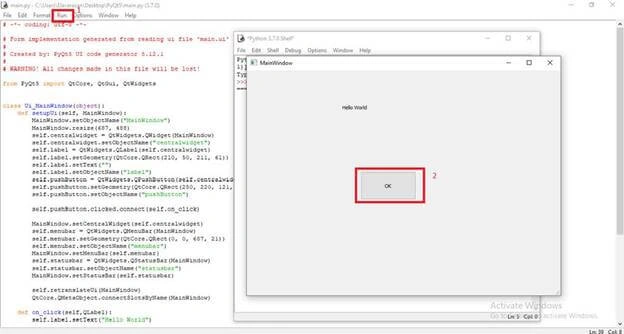
This article demonstrates how to create a "Hello World" Python GUI application by using Qt Designer and standard Python IDLE.
Requirements
- PyQt5 Tool (Qt Designer)
- Python IDLE
Steps to be followed,
Step 1 - Create a new form
- Open the Qt Designer on your local machine.
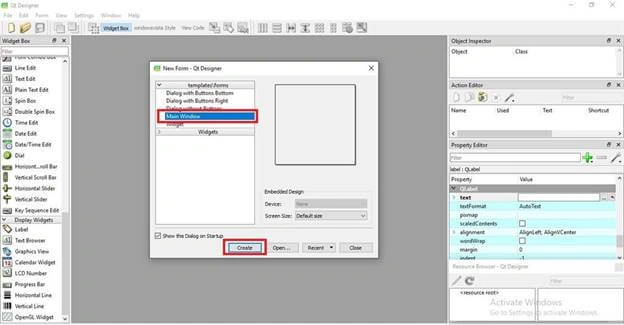
- The number of available templates will appear. As I said, we will design to create a simple desktop app, so start with the "main" template. Chose the "Main Window" template.
- Click on "Create".
Step 2 - Insert widgets
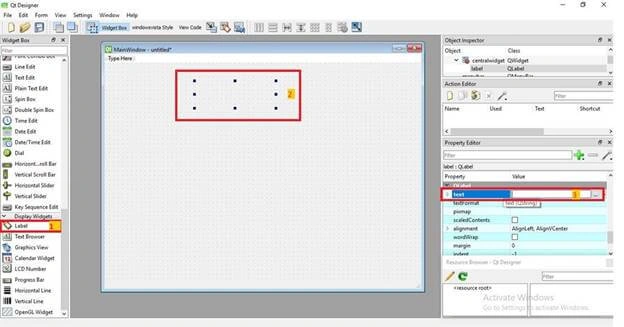
- Choose “label” under the Display widgets and place it on the main window.
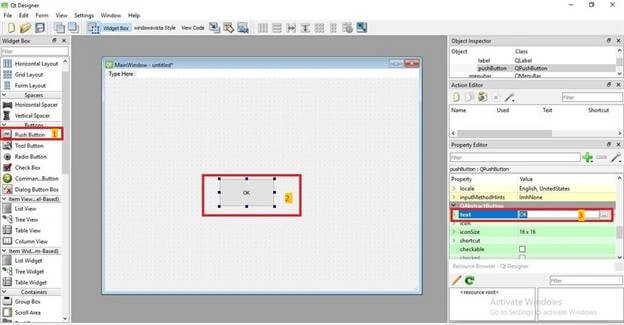
- On the main window, drag the push button from the Buttons widget.
- To change the Button name, go to Properties >>QApstractButton>>Text>> ”OK”.
Step 3 - Save .ui file
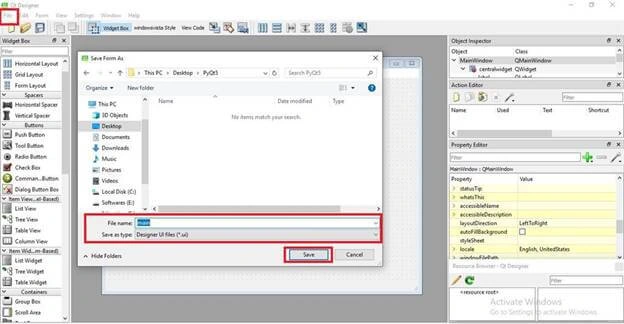
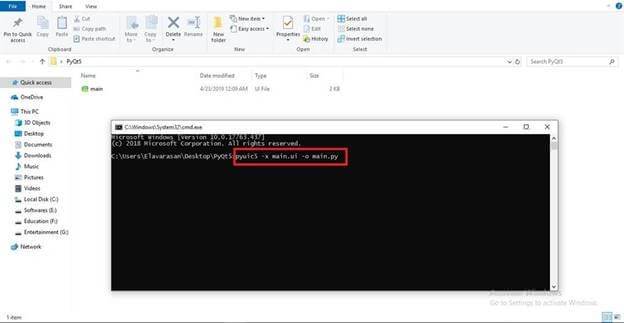
Click File >> Save >> “main.ui” and hit the Save button.
manikandan PalanisamyPosted Aug 15, 2019, 8:12 PM
thank you for sharing your knowledge do well
Kokila RaniPosted Aug 1, 2019, 11:53 AM
Great explanation. Thank you to share.
Guest UserPosted Jul 10, 2019, 2:08 AM
Thank you Elavarasan to share this.This is very useful. Simple and easily understand to me.
Varadharaj MahendranPosted Jul 8, 2019, 9:38 PM
Thanks, elavarasan this one very use full.
Mahesh ChandPosted Jul 5, 2019, 12:43 PM
Thank you, Elavarasan. Welcome to C# Corner.