

Introduction
In my article on "Hide/Un-Hide Columns In DataGrid In WPF", we saw how to use it using CheckBoxes. In this article we will see how we can add a ContextMenu for the Header and that will perform our Hide/Un-Hide function.
Creating WPF Application Project
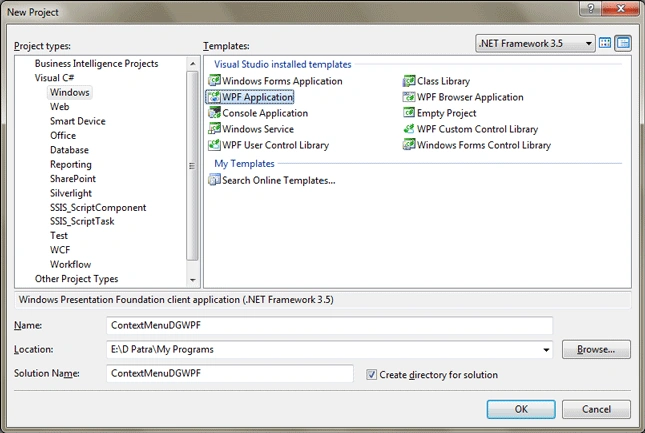
Fire up Visual Studio 2008 and Create a WPF Application and name the project as ContextMenuDGWPF.
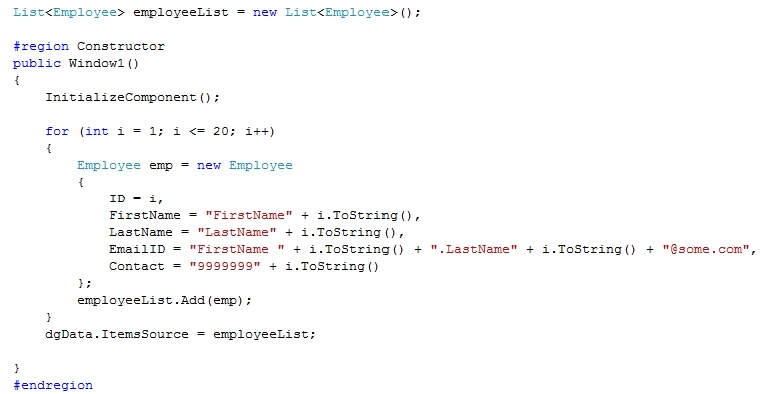
First we need to create some sample data that will be loaded into DataGrid.
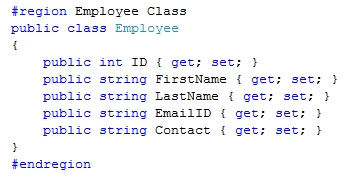
Above class is for our Employee Data to be bound to DataGrid.
Add the following code into Constructor of the Window.
Now run the application to see if Data is displayed!
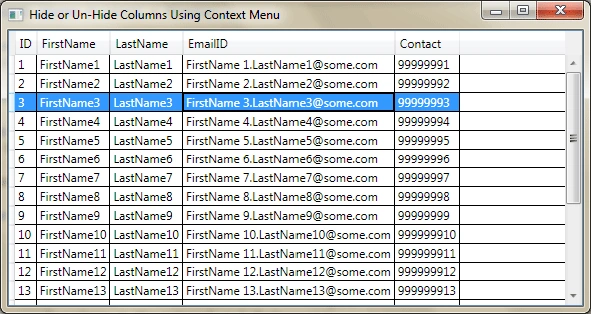
Great!
Now we will tweak a litle bit. We will add the event handler AutoGeneratedColumns for DataGrid.
Add the handler in the constructor.
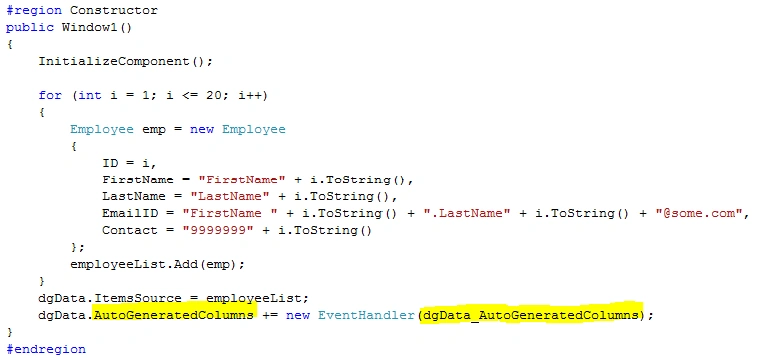
Now in the above added event we will generate our ContextMenu.
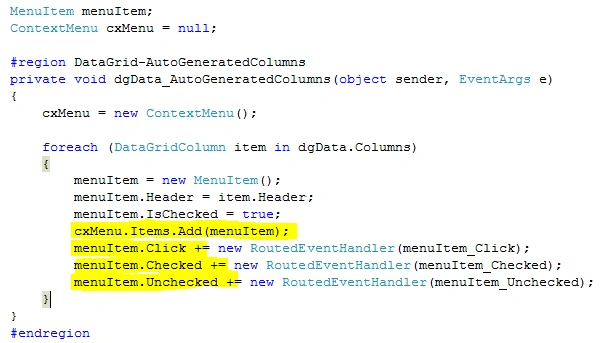
As you see in the above code we are looping through all the columns and adding a MenuItem to ContextMenu each time.
We need to add the above event handlers for MenuItem as we are going to Click/Check/Uncheck them at runtime.
Now in the Click event we will add the following code:
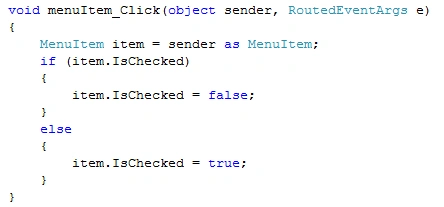
Here is the logic; when we click on the MenuItem only the Click event is handled, not the Check/Uncheck event. So we have Changed the IsChecked property each time the MenuItem is clicked. Then we can handle the Checked/Unchecked events.
Now we will do similar thing that we did in our last article.
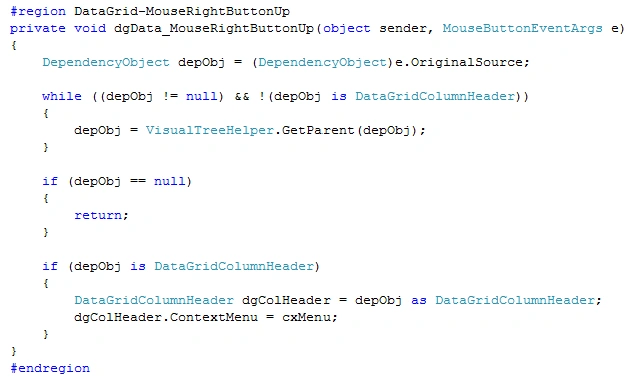
Add the following code for Checked event of MenuItem.
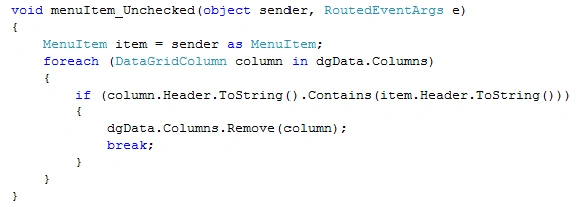
Add the following code for UnChecked event of MenuItem.
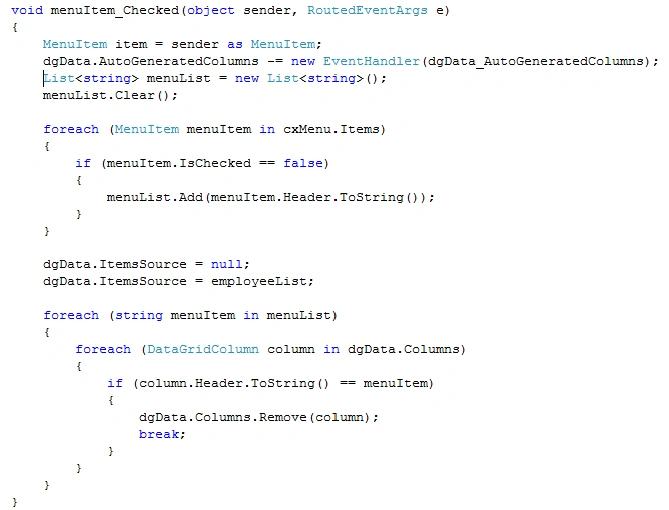
Next is our major part where we will handle the RightMouseButtonDown event and identify whether we have right clicked on the Header or not.
It seems we are ready. Run the application.
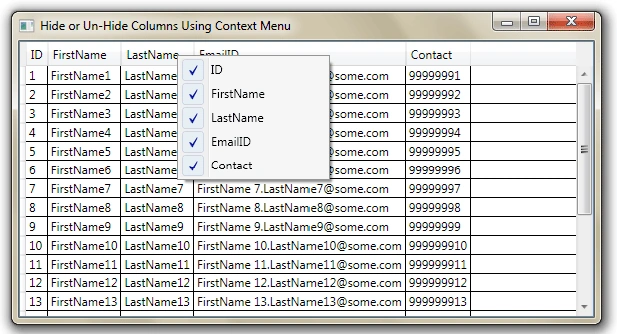
As you see above we have successfully displayed the ContextMenu on Column Header.
Now we will perform the Hide/Un-Hide functions.
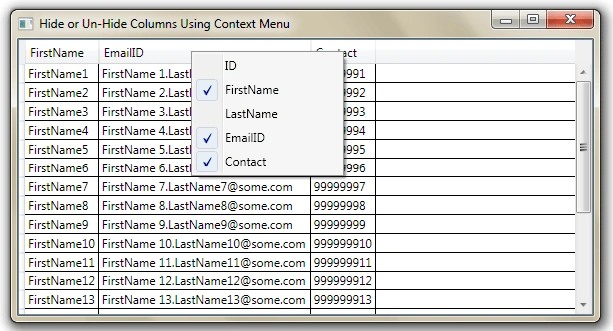
Hope this article helps.
Guest UserPosted Mar 15, 2016, 3:22 AM
Have you tried to collapse/show columns instead of unload and load items of DataGrid? I think it's more efficient. Like this: Private Sub menuItem_Checked(sender As Object, e As RoutedEventArgs)Dim item As MenuItem = TryCast(sender, MenuItem)SetItemVisibility(item, Visibility.Visible)End Sub Private Sub SetItemVisibility(ByRef item As MenuItem, ByVal visibilidad As Visibility) If item IsNot Nothing Then For Each columna As DataGridColumn In _dataGrid.Columns If columna.Header.ToString.Equals(item.Header.ToString) Then columna.Visibility = visibilidad Exit For End If Next End If End Sub
abhi sharmaPosted Apr 15, 2013, 10:42 AM
Hello Diptimaya, This was a wonderful article and helped me a lot!!I think there is some logical error in menuItem_checked Event.As the MenuItem item variable is not used in the event and hence isChecked is always set to true. Hope u would notice!!!!! Again thanks
Jeff MainPosted Nov 16, 2010, 9:52 PM
Do you have a net4 VS2010 update to this topic? I can't seem to convert this, as I get errors with the DataGridColumnHeaders under net4.0 using Microsoft.Windows.Controls.Primitives. It compiles fine under 3.5, but not 4.0. What is the equivalent Net4 code? Thanks, Jeff
Vinod DPosted May 13, 2010, 7:18 AM
how can we make expand/collapsible in datagrid with child rows. can it be possible to add image along with data in one cell.