

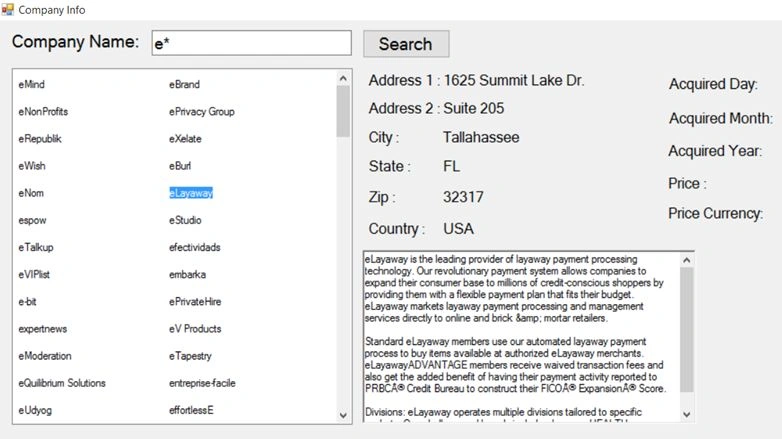
We will be coding a Windows Form application to show the start-up company information.
Here’s the definition from Redis website.
“Redis is an open source (BSD licensed), in-memory data structure store, used as database, cache and message broker. It supports data structures such as strings, hashes, lists, sets, sorted sets with range queries, bitmaps, hyperlog and geospatial indexes with radius queries. Redis has built-in replication, Lua scripting, LRU eviction, transactions and different levels of on-disk persistence, and provides high availability via Redis Sentinel and automatic partitioning with Redis Cluster”.
Redis is one of the most popular NoSQL key-value and in-memory based data store. Its open source and easy to use software. There exists numerous client libraries for various programming languages. Although the key-value pairs are stored in-memory, Redis has a mechanism to persist data on disk and load the same on start of Redis server. The data is written into a file and is in a specific format i.e. “RDB” type. You might see a file named “dump.rdb” with the Redis installation directory; which is nothing but an optimized binary representation of the data that you intend to store in-memory.
Redis persistence explained in wiki.
“By default, Redis syncs data to the disk at least every 2 seconds, with more or less robust options available if needed. In the case of a complete system failure on default settings, only a few seconds of data would be lost.”
Setting up Redis on Windows
Download and install the latest Redis setup program located at the following link.
Starting the Redis Server
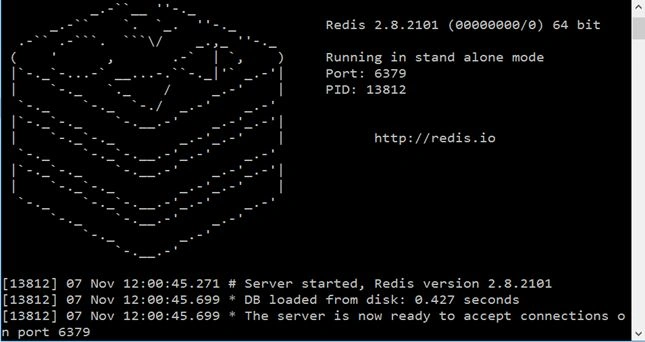
Redis server can be started either by running the executable file or starting the windows service “Redis Server”.
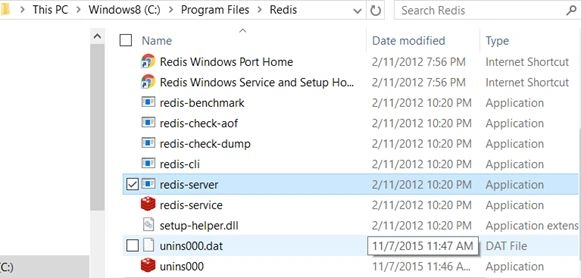
Navigate to the installation folder, default is “C:\Program Files\Redis” and double click on “redis-server.exe” to run the Redis server.
Redis Demo
The use case that we are dealing is to show up the start-up company information. We will be coding an Windows Form sample demo app named “Company Info” and allow the user to key in the company name (including wildcard characters) to display the list of matching company names and allow the user to select one, so we can connect to Redis and fetch the company related information based on the key which is nothing but the company name.
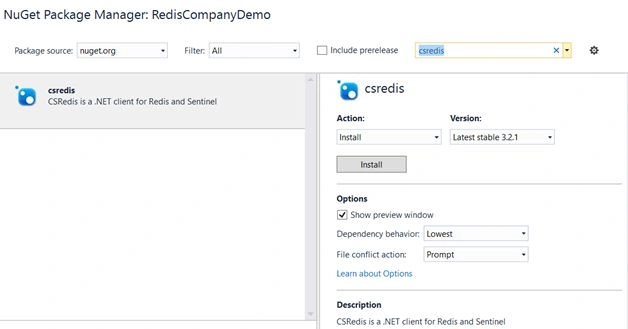
Before we start coding the application. The Redis client that we are making use of is, “csredis”. It’s open source and free to use. We are going to install the same from Nuget.
Company Library Class Diagram
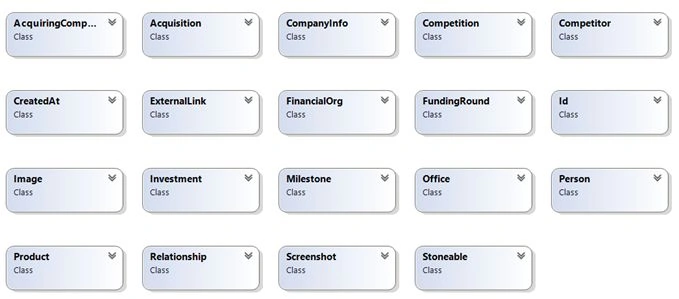
The following is the snapshot of the Company Library class diagram. This is just for your reference to understand the various models that one can use in the application.
Redis Data Load
Let us now take a look in the data load program. At first, before running the “Company Info” Windows Form App, the data load program has to be executed. We are going to use a static file for loading the start-up company information and then we are going to iterate and make a call to Redis client to load the data in-memory.
The sample file that I’m using can be downloaded from the following link.
I happened to tweak the data file by replacing “$date” with “date” and “$oid” with “oid” so that we can properly de-serialize the JSON data using JSON library.
Please note – The data file is separately attached with this article. Please download the same, extract and cut/copy the “companies.json” file to “DataFile” folder of RedisDataLoad program and run the console application.
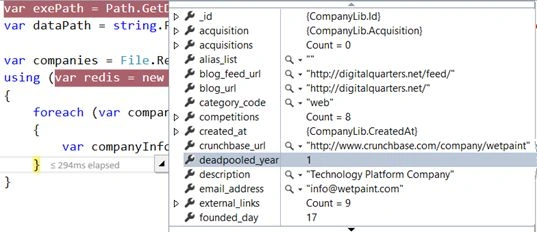
The following is the code snippet for loading the data file to Redis in memory data structure.
Here’s what we do.
- Get the host from the application configuration.
- Get the executable path so that we can format the data path.
- Construct the data path by formatting the string with the executable directory path and the data file path.
- Use “File” class and make a call to the static method, ReadAllLines passing in the data file path to read all the file contents.
- Create a new instance of RedisClient by specifying the host.
- Iterate through the companies and de-serialize the company item to get the company name. The file that we are reading has the company information in JSON. So we are going to make use of a popular JSON library named “Newtonsoft.Json” for de-serializing the company JSON string to CompanyInfo instance.
- Make a call to “Set” method of redis instance by passing in the company name and company info JSON string. Note – We are taking the company name as a key here. Redis will hold all the company information in-memory. Later we are going to access the company info based on the key i.e. company name.
- static void Main(string[] args)
- {
- string host = ConfigurationManager.AppSettings["Host"].ToString();
- var exePath = Path.GetDirectoryName(Application.ExecutablePath);
- var dataPath = string.Format("{0}\\{1}", exePath, "DataFile\\companies.json");
- var companies = File.ReadAllLines(dataPath);
- Console.WriteLine("Started Loading Company Info.");
- Console.WriteLine(string.Format("{0} - {1}", "Begin Time", DateTime.Now.ToString()));
- using(var redis = new RedisClient(host))
- {
- foreach(var company in companies)
- {
- var companyInfo = JsonConvert.DeserializeObject < CompanyLib.CompanyInfo > (company);
- Console.WriteLine(string.Format("{0}-{1}", "Loading company", companyInfo.name));
- redis.Set(companyInfo.name, company);
- }
- }
- Console.WriteLine(string.Format("{0} - {1}", "End Time", DateTime.Now.ToString()));
- Console.WriteLine("Completed Loading Company Info.");
- Console.ReadLine();
- }
Rushi MehtaPosted Feb 2, 2018, 6:03 AM
Very good article to read
Sr KarthigaPosted Feb 14, 2016, 7:51 AM
Good one sir
Gowtham KPosted Nov 11, 2015, 10:30 AM
Nice One
Santhakumar MunuswamyPosted Nov 11, 2015, 2:36 AM
Good one
Sibeesh VenuPosted Nov 11, 2015, 12:35 AM
Nice Share
Mukesh KumarPosted Nov 10, 2015, 2:23 AM
Good Job Ranjan