
Introduction : Here I demonstrate how we call the Host method in a Workflow Application. A host application is run in the separate threads. When we build our application to provide the communication between the host application and the running workflow. The communication that occurs between client and server.
Create a Console Application :
Step 1 : Open Visual Studio 2010.
- Select File-> New-> Project.
- Select Sequential Workflow Library.
- Go to Solution Explorer and right-click.
- Select ADD-> New Item.
- Select Sequential Workflow Console Application.
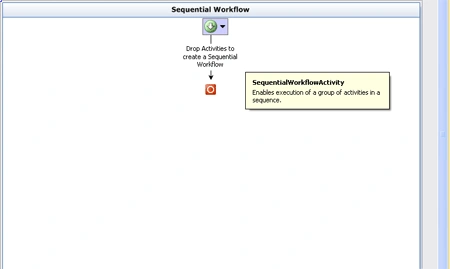
Step 2 : Go to Solution Explorer and right-click in Project.
- Select Startup Project.
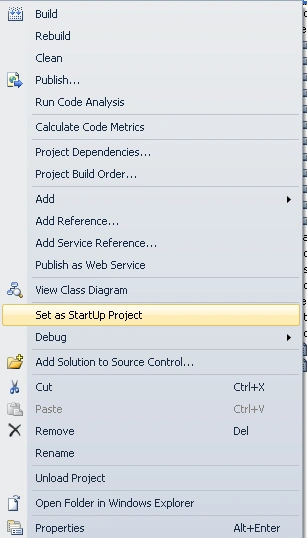
Step 3 : Right-click in project again.
- Select Add Reference.
- Select Project Tab.
- Click OK.
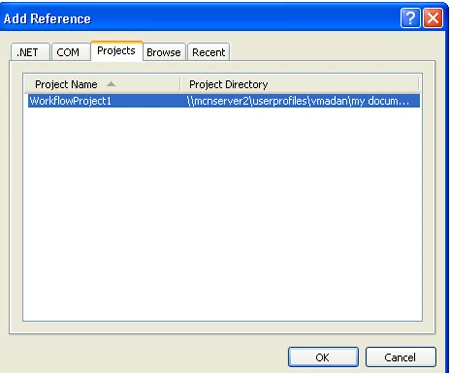
Step 4 : Go to Program.cs file and write the below code.
Code :
using
System;
using
System.Collections.Generic;
using
System.Linq;
using
System.Text;
using
System.Threading;
using
System.Workflow.Runtime;
using
System.Workflow.Runtime.Hosting;
using
System.Workflow.Activities;
using
System.Workflow.ComponentModel;
namespace
my_ConsoleApplication1
{
class Program
{
private static
class4 cl4 = new
class4();
static void
Main(string[] args)
{
using (WorkflowRuntime
workflowRuntime = new
WorkflowRuntime())
{
AutoResetEvent waitHandle =
new AutoResetEvent(false);
workflowRuntime.WorkflowCompleted +=
delegate(object sender,
WorkflowCompletedEventArgs e) {
waitHandle.Set(); };
workflowRuntime.WorkflowTerminated +=
delegate(object sender,
WorkflowTerminatedEventArgs e)
{
Console.WriteLine(e.Exception.Message);
waitHandle.Set();
};
var dataService =
new
ExternalDataExchangeService();
workflowRuntime.AddService(dataService);
dataService.AddService(cl4);
var parameters =
new Dictionary<String,
Object>();
parameters.Add("Path",
"C:\\");
WorkflowInstance instance = workflowRuntime.CreateWorkflow(typeof(my_ConsoleApplication1.Workflow1),parameters);
instance.Start();
waitHandle.WaitOne();
}
}
}
}
Create Interface :
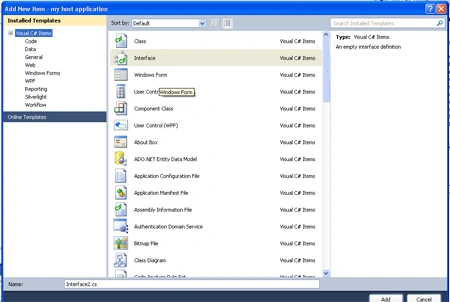
Step 5 : Go to Solution Explorer and right -click on the Host project.
- Select Add -> New Item.
- Select Interface Class.
- Click Add option.
- Class.cs file open.
Code :
using
System;
using
System.Collections.Generic;
using
System.Linq;
using
System.Text;
using
System.Workflow.Activities;
namespace
my_host_application
{
[ExternalDataExchange]
public interface
Interface1
{
void ReportProgress(String
fileName);
}
}
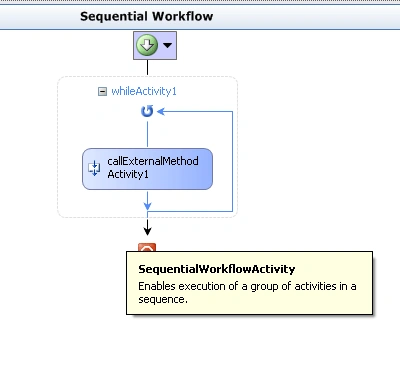
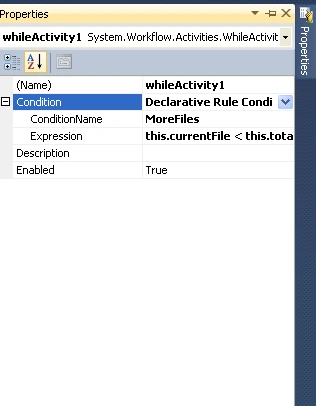
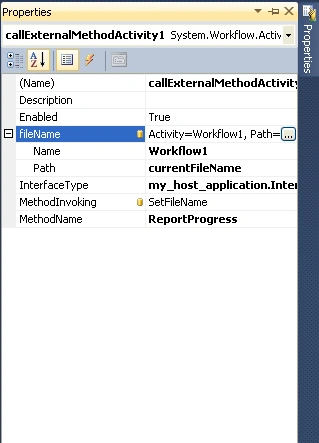
Create Workflow :
Join the conversation! Your thoughts help the community grow.