

Here are the Steps:
Step 1: Open your SQL Server 2008 and connect it by using suitable method that you had chosen at the time of installation that is “Window Authentication” or “Mixed Mode”.
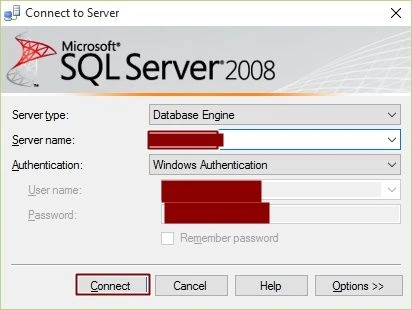
After connecting, you will see something like the following image, where there are lots of options available in the object explorer [left side]. Click on New Query.

Step 2: Create Database.
Create database student
To run this Query just select the whole Query and Press F5. You will see under the database a new Database is generated with the name of student. If you can’t see your database, then just press the refresh button inside the object explorer.
Output:

Step 3: Create Table inside the Student Database.
Create Table
- use student
- create table tbl_student1
- (
- id int IDENTITY(1,1)PRIMARY KEY NOT NULL,
- name varchar(50) NULL,
- city varchar(50) NULL
- )
Output:
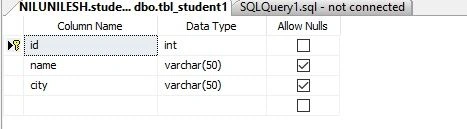
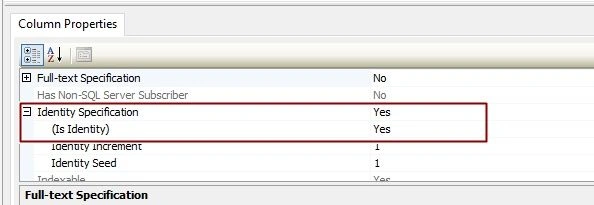
Step 4: Now we will insert some data into out table tbl_student.
Insert Query
insert into tbl_student1(name,city)values('Nilesh','Rajkot'),('Purnima','Pune'),('Rinku','Delhi')
,('Suhag','Mysore'),('Indrajeet','Kota'),('Shailesh','Chennai'),('Chandni','Kolkata')
Output:
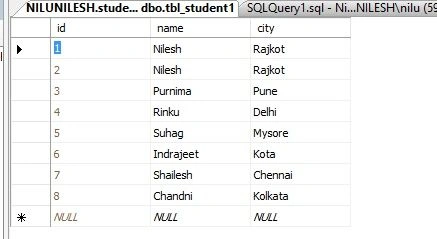
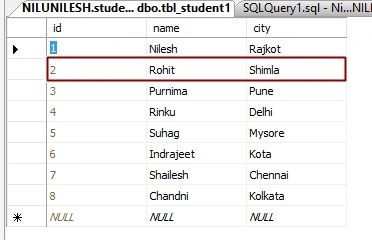
Step 5: Now we will write update query, suppose by chance if you entered a wrong data into the table, at that time you can’t delete the data as it will delete the relevant field and it will affect in other table too if the table is in relation with other. We will update the data of id = 2.
Update Query
- update tbl_student1
- set
- name='Rohit',
- city='Shimla'
- where id =2
Step 6: Delete the Data from the table.
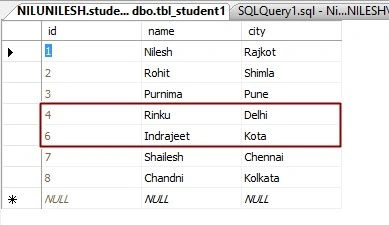
Delete the Data
We will delete the data of id=5.
delete from tbl_student1
where id=5
Output:
You can use drop for dropping your whole table. There are other queries too that I’ll cover up in the other sections of SQL.
Nithish ReddyPosted Feb 22, 2018, 8:21 AM
How to use joints and functions in sql server 2008 ?
Arul RPosted Oct 28, 2015, 5:32 AM
Good one !!!
Rupali ShindePosted Oct 15, 2015, 12:28 AM
thanks for sharing ..
Vinodh NarayananPosted Oct 6, 2015, 1:59 AM
good one
Santhakumar MunuswamyPosted Oct 5, 2015, 11:48 PM
Nice Share
Yashwant VishwakarmaPosted Oct 5, 2015, 6:16 AM
Nice one>> CRUD=Create, Read, Update and Delete !!!
Ankit BansalPosted Oct 5, 2015, 5:56 AM
Nice..thanks for sharing with us..
Manas MohapatraPosted Oct 5, 2015, 3:51 AM
Good one. I feel, article header will be : "CRUD operation in SQL Server". Because these queries will work in all version of SQL Server.
Rajeesh MenothPosted Oct 5, 2015, 3:15 AM
Good Buddy
Ajeet MishraPosted Oct 5, 2015, 3:06 AM
nice