

Introduction
In this article, we are going to explain how to activate Windows 8. To activate Windows 8 you must have a valid product key and network connection.
There are several ways to activate Windows 8 but in this article, we are using a command prompt to activate Windows 8 and you can also use this article to change the Windows 8 product key.
Step 1. Go to the search box and type "Cmd" right-click on the command prompt icon and select "Run as Administrator".

Step 2. In the command prompt type "slmgr.vbs -ipk <insert your product key here>" and press the"Enter" button. A message will be displayed with the product key in it. In this example, we are using the product key for example. You can use another product key for activation.
slmgr.vbs -ipk {insert your product key here}

Step 3. After inserting the product key type "slmgr.vbs -ato" and press Enter. A message will be displayed informing you that the product was activated successfully.
slmgr.vbs -ato

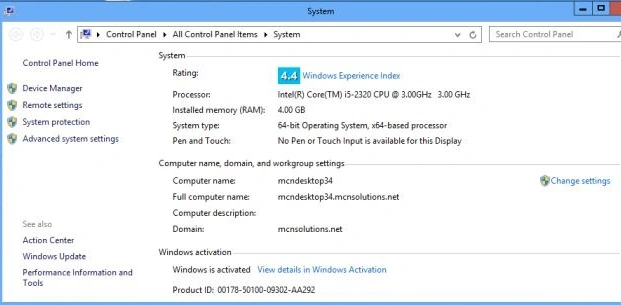
Step 4. Now go to the Desktop screen right-click on the "My Computer" icon and select "Properties". Now you will see "Windows is Activated".
Summary
In this article, we learned about how to Activate Windows 8.
yusuf dursunPosted May 17, 2013, 2:34 AM
Looked for a long time, but did not find. Thank you very much.