

Introduction
Requirements
- Android Studio version 2.3.3
- Little bit XML and JAVA knowledge.
- Android Emulator (or) Android mobile
- Download link (Android Studio)
Steps to be followed
Follow these steps to add Android Exit Dialog to Android App. I have included the source code in the attachment.
Step 1
Open Android Studio and start a new Android Studio Project.
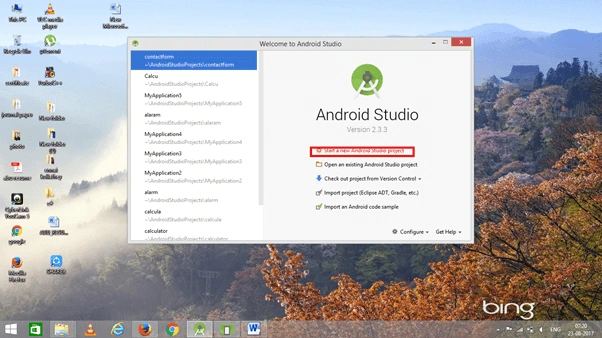
Step 2
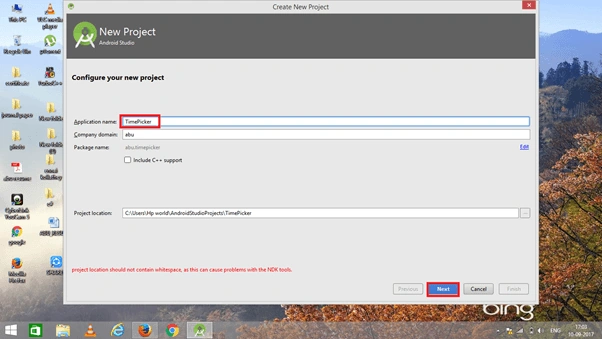
You can choose your application name and location where your project is stored. If you wish to use C++ for coding the project, mark the "Include C++ support" box, and click the "Next" button.
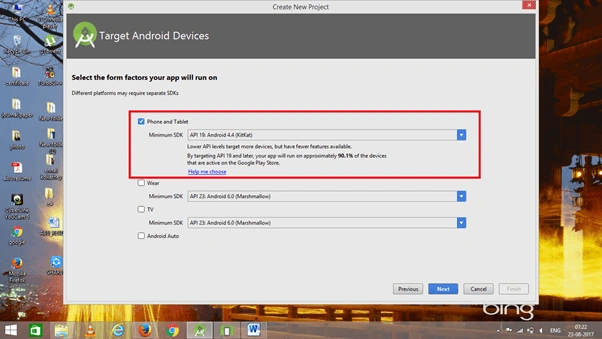
 Now, select the version of Android and select the target Android devices.
Step 3
Now, add the activity and click the "Next" button.
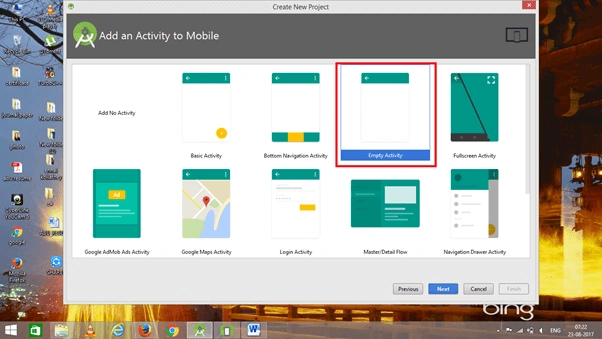 Add the Activity name and click "Finish".
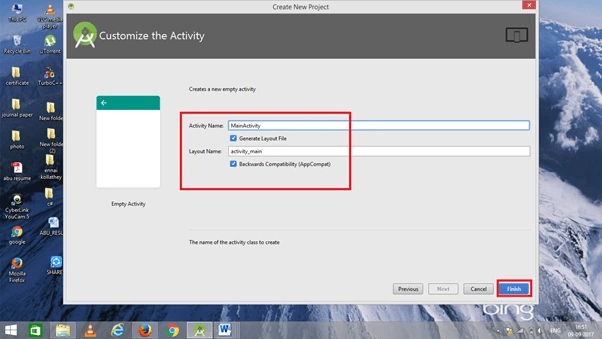
Step 4
Go to activity_main.xml. This XML file contains the designing code for your Android app.
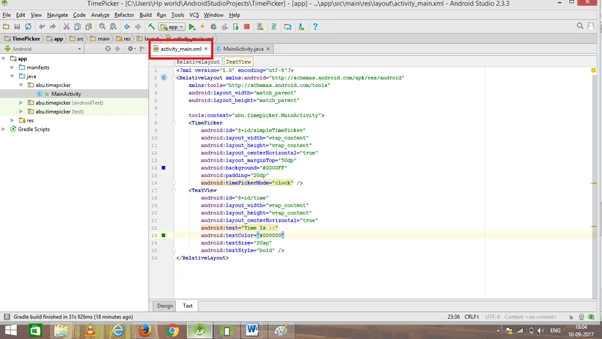 The XML code is given below.
- <?xml version="1.0" encoding="utf-8"?>
- <android.support.constraint.ConstraintLayout xmlns:android="http://schemas.android.com/apk/res/android"
- xmlns:app="http://schemas.android.com/apk/res-auto"
- xmlns:tools="http://schemas.android.com/tools"
- android:layout_width="match_parent"
- android:layout_height="match_parent"
- tools:context="abu.exitnotification.MainActivity">
- <TextView
- android:layout_width="wrap_content"
- android:layout_height="wrap_content"
- android:text="EXIT NOTIFICATION APP!"
- app:layout_constraintBottom_toBottomOf="parent"
- app:layout_constraintLeft_toLeftOf="parent"
- app:layout_constraintRight_toRightOf="parent"
- app:layout_constraintTop_toTopOf="parent" />
- </android.support.constraint.ConstraintLayout>
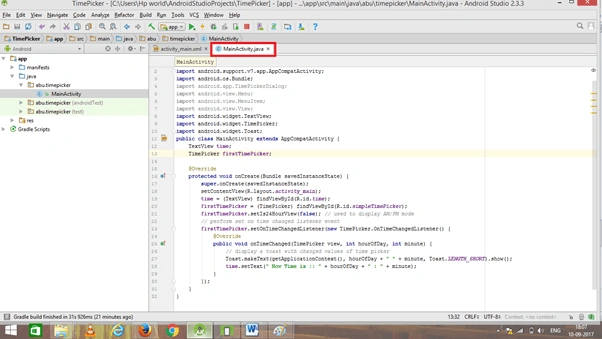
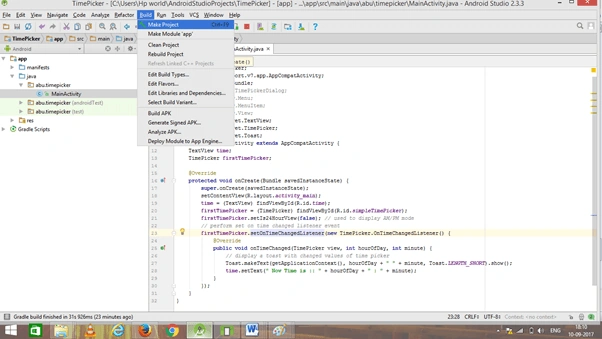
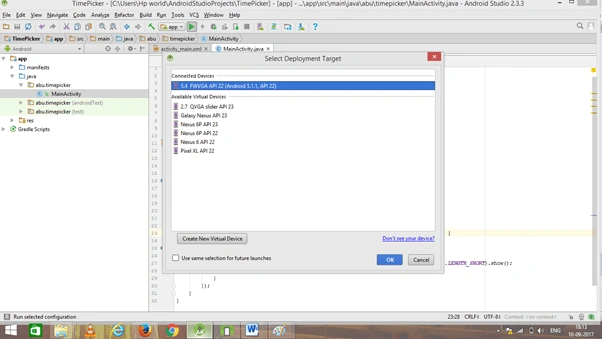
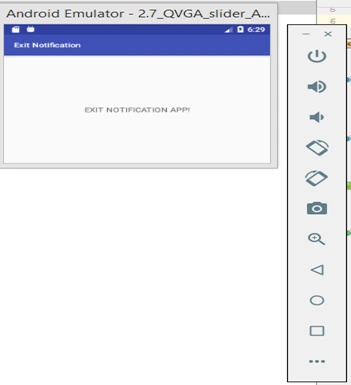
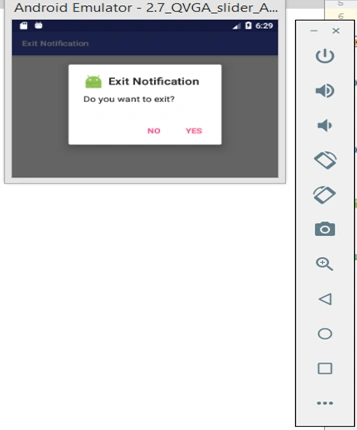
Join the conversation! Your thoughts help the community grow.