

Procedure
- Start Eclipse IDE.
- Create a new project.
- Create a MainActivity.java file.
- Create an XML file in which there are two TableRows having two buttons each.
The following is an example:
- <TableRow android:layout_width="fill_parent"
- android:layout_height="wrap_content">
- <Button android:layout_width="wrap_content"
- android:layout_height="wrap_content"
- android:id="@+id/b1"
- android:text="Background"/>
- <Button android:layout_width="wrap_content"
- android:layout_height="wrap_content"
- android:id="@+id/b2"
- android:text="Yellow"/>
- </TableRow>
- package com.example.colorsevent;
- import android.os.Bundle;
- import android.app.Activity;
- import android.graphics.Color;
- import android.view.Menu;
- import android.view.View;
- import android.view.View.OnClickListener;
- import android.widget.Button;
- import android.widget.TableLayout;
- import android.widget.Toast;
- public class MainActivity extends Activity implements OnClickListener{
- Button b1,b2,b3,b4;
- TableLayout tt;
- @Override
- protected void onCreate(Bundle savedInstanceState) {
- super.onCreate(savedInstanceState);
- setContentView(R.layout.activity_main);
- b1=(Button)findViewById(R.id.b1);
- b2=(Button)findViewById(R.id.b2);
- b3=(Button)findViewById(R.id.b3);
- b4=(Button)findViewById(R.id.b4);
- tt=(TableLayout)findViewById(R.id.tt);
- b1.setOnClickListener(this);
- b2.setOnClickListener(this);
- b3.setOnClickListener(this);
- b4.setOnClickListener(this);
- }
- public void onClick(View v) {
- // TODO Auto-generated method stub
- switch (v.getId()) {
- case R.id.b1:
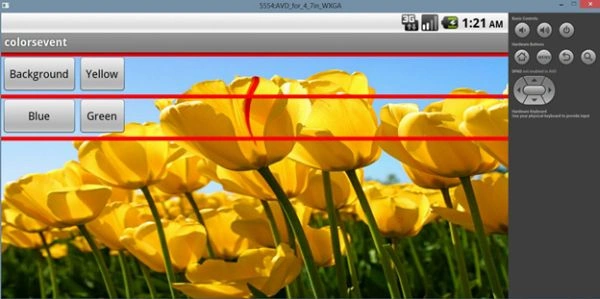
- //tt.setBackgroundColor(Color.RED);
- tt.setBackgroundDrawable(getResources().getDrawable(R.drawable.ts));
- break;
- case R.id.b2:
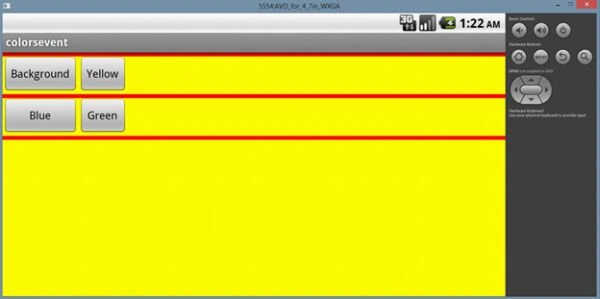
- tt.setBackgroundColor(Color.YELLOW);
- break;
- case R.id.b3:
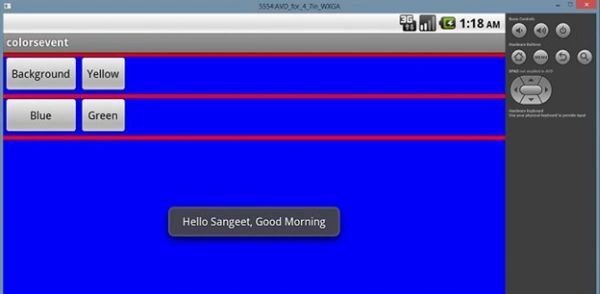
- tt.setBackgroundColor(Color.BLUE);
- Toast.makeText(getApplicationContext(), "Hello Sangeet, Good Morning", 100).show();
- break;
- case R.id.b4:
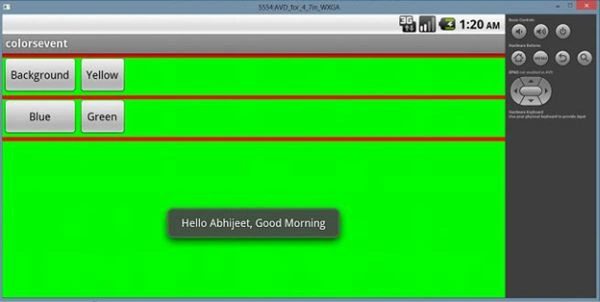
- tt.setBackgroundColor(Color.GREEN);
- Toast.makeText(getApplicationContext(), "Hello Abhijeet, Good Morning", 100).show();
- break;
- default:
- break;
- }
- }
- }
Saber ShaikhPosted Oct 10, 2014, 3:48 AM
thank you it very Use Full For me