
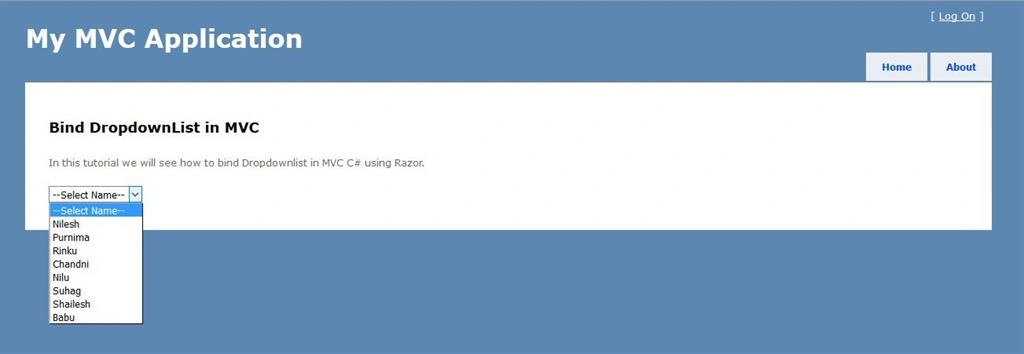
In this tutorial, I’ll show you how to bind Dropdownlist in MVC C# using Razor. Here I had take one database and feeded some dummy data. We will also see how that data comes to our dropdownlist.
INITIAL CHAMBER:
Step 1
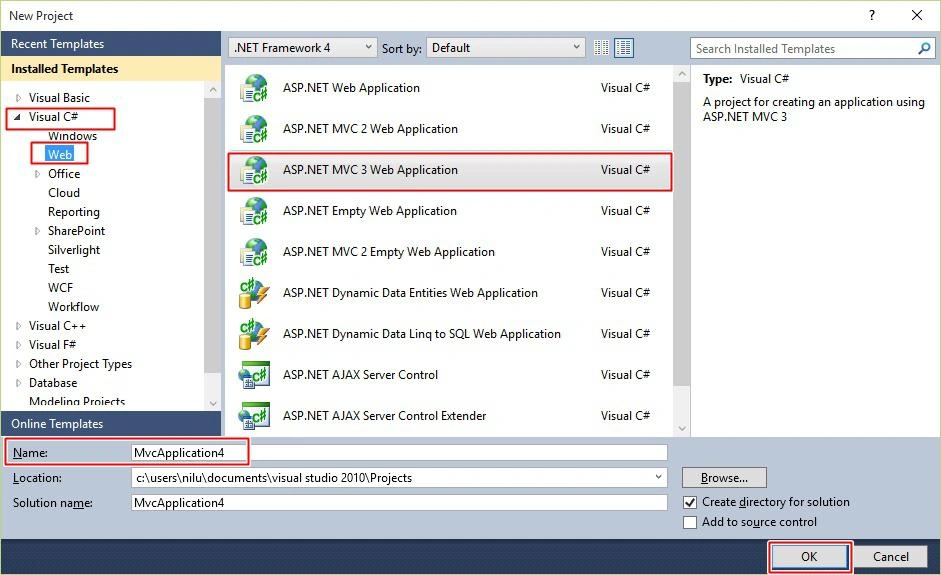
Open Visual Studio 2010, Go to the New Project, Visual C#, Web, then ASP.NET MVC3 Web Application. After that click OK.
Step 2
After clicking OK, New ASP.NET MVC3 Project window will open. There choose - Internet Application and in View Engine Dropdown, choose Razor.

Step 3
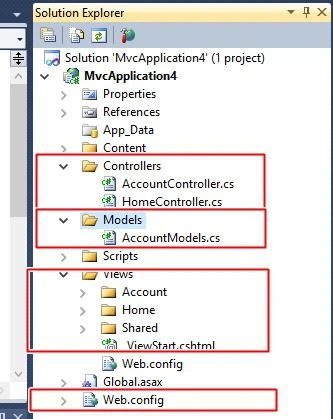
After clicking OK, you will see something like the following image in your Solution Explorer. You need to look out for Model, Controller and View Folders, that are the main files in MVC, others are too but these are main files.
DATABASE CHAMBER
Step 4
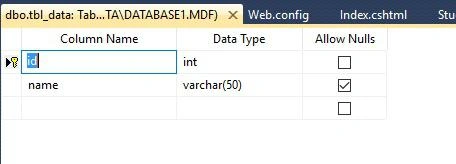
Right Click on your Project - Add New Item, SQL Server Database and Add it. Go to your Database residing in Server Explorer - [Database.mdf]. We will create a table - tbl_Data. After that go to the database.mdf - Table and Add New table, design your table like this:
In Model
Step 5
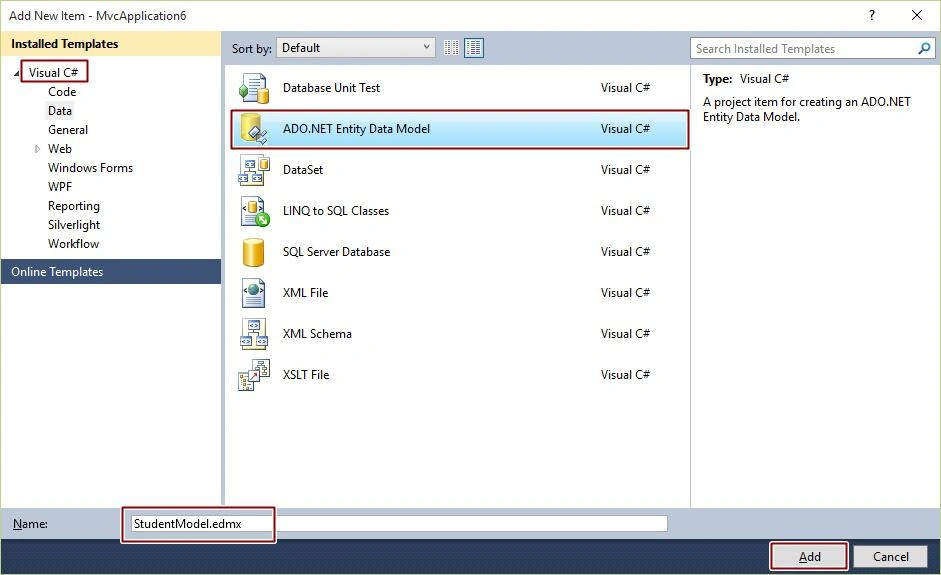
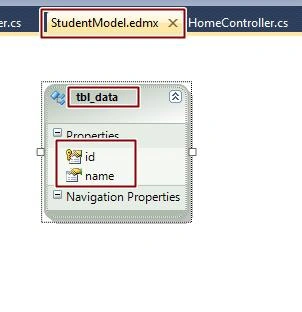
Right Click on Models - Add New Item, then Add - ADO.NET Entity Data Model. After that Name it as Student Model.edmx and ADD it.
Entity Data Model Wizard
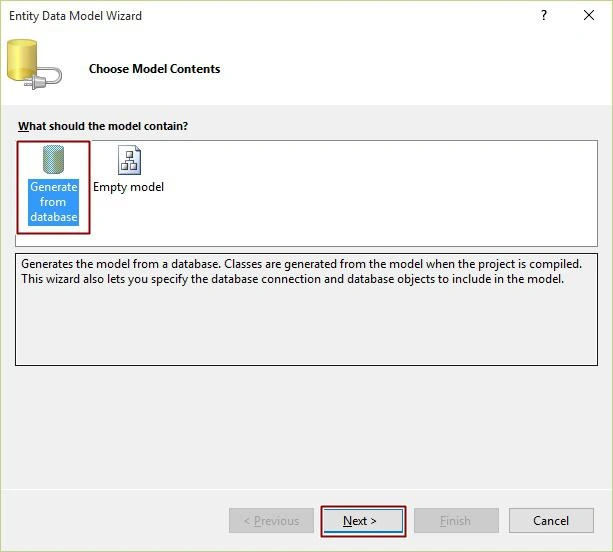
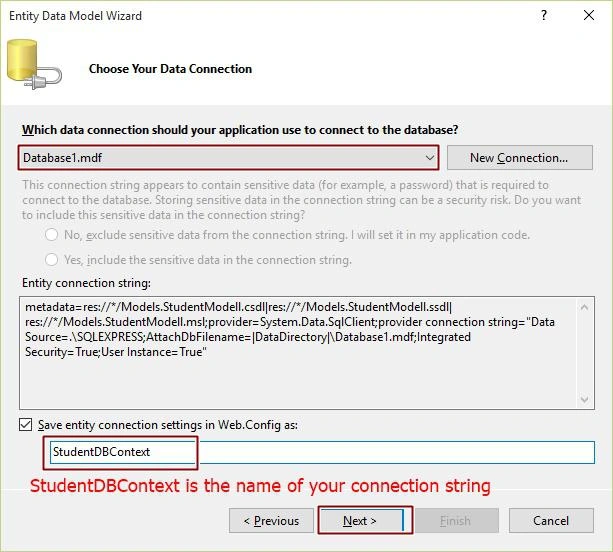
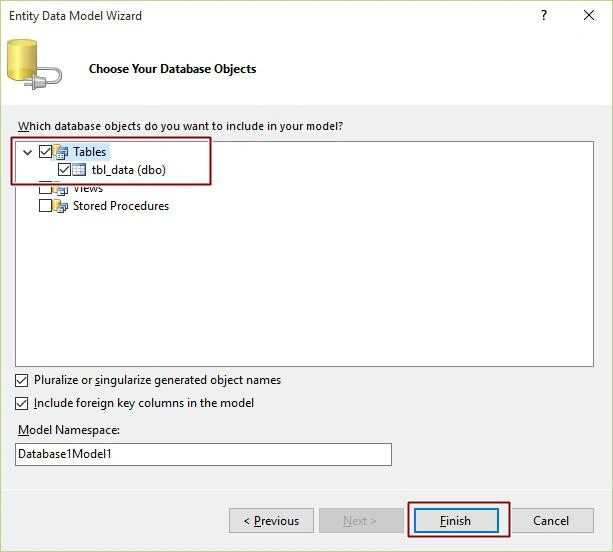
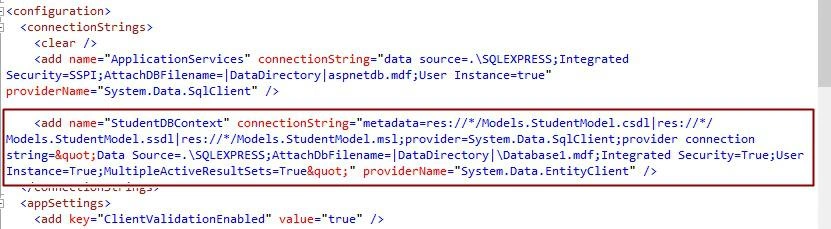
After all this you will see your connection string is built in web.config file. See the following image:
StudentModel.edmx:
In Controller
Step 5
Open Controller, Inside there HomeController.cs files is there. Open that and write code like this. Don’t forget to add namespace of model.

How To Bind DropDownList In MVC Using C#
Join the conversation! Your thoughts help the community grow.
Sign in to leave a comment
It is the same account you read, post and publish with — and you will come straight back to this page.
Manav PandyaPosted Jan 16, 2017, 7:11 AM
Yes working fine sir , thanks
Sonu ChaudharyPosted Mar 17, 2016, 7:33 AM
good one
Arul RPosted Oct 28, 2015, 5:32 AM
Good one !!!
Nithya MohanrajhPosted Oct 17, 2015, 7:32 AM
Nice Article Nilesh.
Raja TPosted Sep 29, 2015, 12:18 PM
Nice, Thanks for sharing :)
Lalit RaghavPosted Sep 29, 2015, 9:24 AM
Nice Article Bhai
Ankit BansalPosted Sep 29, 2015, 7:27 AM
nice..
Ajeet MishraPosted Sep 29, 2015, 1:56 AM
nice
Harshad PansuriyaPosted Sep 29, 2015, 1:41 AM
NIce One
Ujjval ShuklaPosted Sep 29, 2015, 1:38 AM
I have an error There is no ViewData item of type 'IEnumerable<SelectListItem>' that has the key 'Cus_name'.
Sujeet SumanPosted Sep 29, 2015, 1:14 AM
Nice Article....................
Anil KumarPosted Sep 29, 2015, 12:48 AM
.
Rajeesh MenothPosted Sep 28, 2015, 2:21 PM
Nice One..
Santhakumar MunuswamyPosted Sep 28, 2015, 2:05 PM
Good one
RakeshPosted Sep 28, 2015, 2:00 PM
Good one
Pankaj Kumar ChoudharyPosted Sep 28, 2015, 1:00 PM
Nice Article Sir.......