
Mostly SQL Server developers have installed default instances (local) but some developers have used named instances, such as <My Machine>\SQLStd using the same alias on all developer machines.
Suppose we have an application that has specified a database connection but it can't or doesn't need to change. But I want to move the database to a new server. How can I do this simply, without breaking it, using the same connection.
By using an alias, you can use the same database connection. There are the following two simple methods to create an alias:
- SQL Server Configuration Manager
- SQL Server Client Network Utility
1. SQL Server Configuration Manager
Start -> All Programs -> Microsoft SQL Server2012 -> Configuration tool -> SQL Server Configuration manager.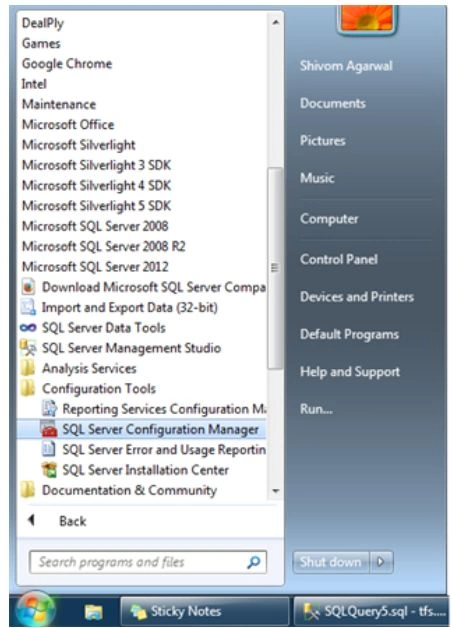
Now expand the SQL Native Client 11.0 Configuration folder, there is a sub-folder called Aliases, right-click Aliases and choose New Aliases.
Now you can specify the new instance name that you want for the application.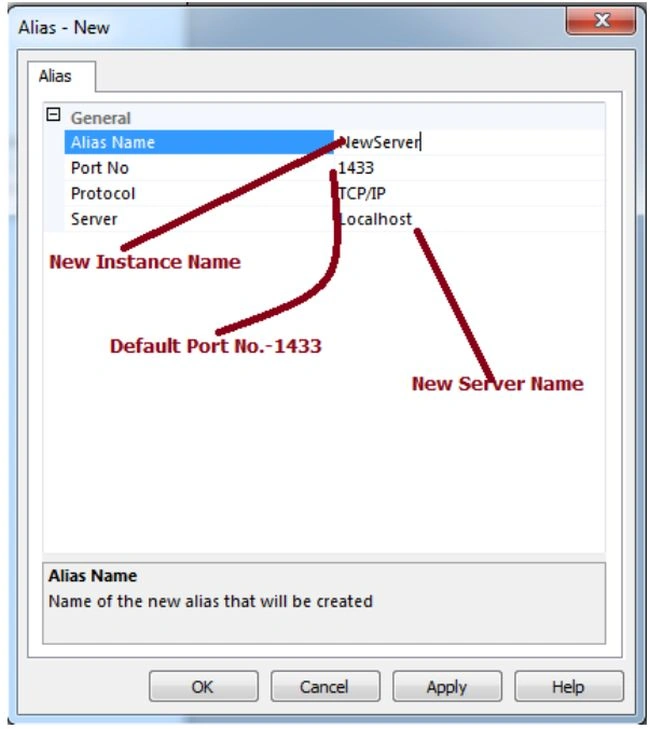
You can see the new alias list in the right pane.
Now test the new connection.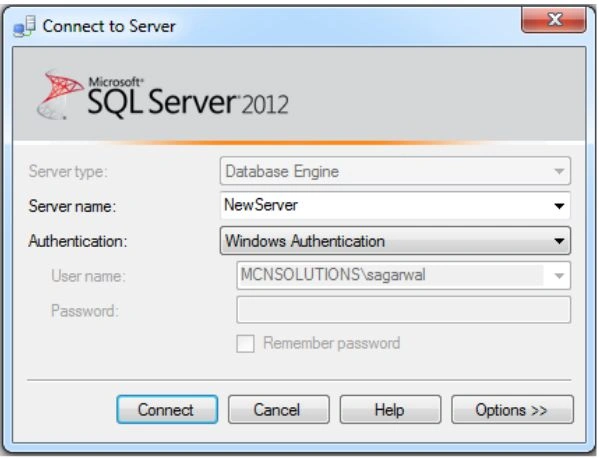
If the alias is pointing correctly to the new location then a successful connection should be established.
In SSMS, I was opening a new connection for Object Explorer.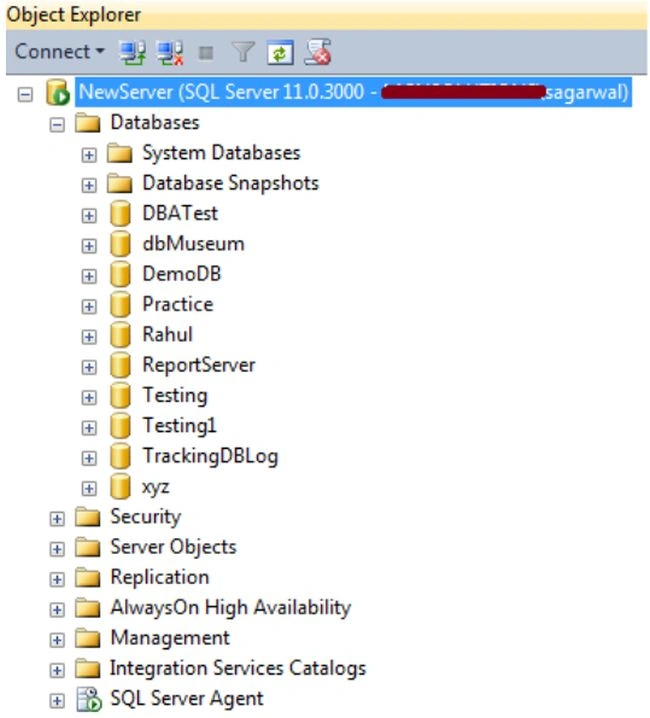
2. SQL Server Client Network Utility
If you haven't installed the SQL Server client tools, you can still create an alias using the SQL Server Client Network Utility. This has come installed automatically on every operating system from Windows 2000 on.
Use the following to use the network utility:
Start -> Run then type "cliconfg.exe" then click OK.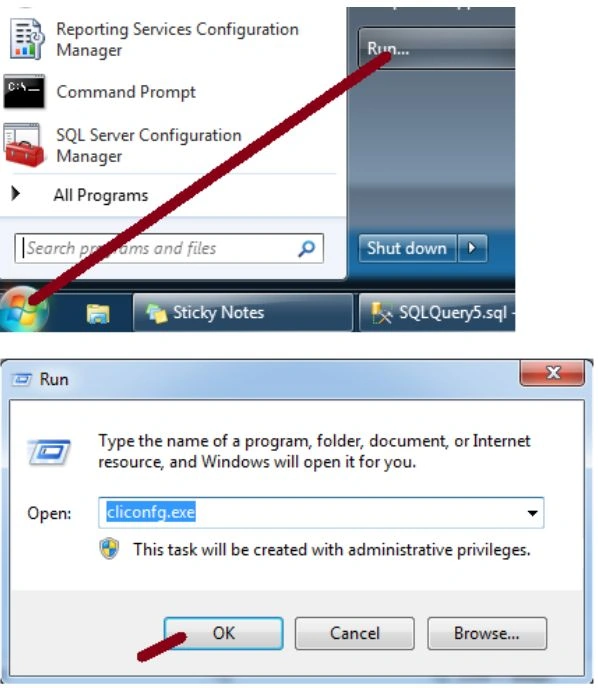
You can see in the following screen that aliases created by the SQL Server Configuration Manager can be seen by the SQL Server Client Network Utility. 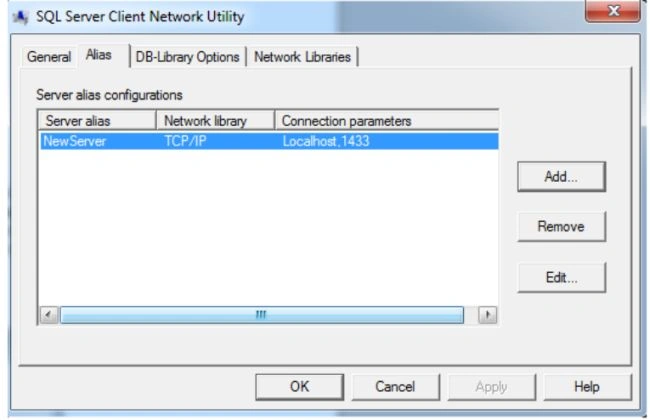
Now create a new alias using the network utility then click on the Add button. This will bring up a new dialog window as you can see in the following screen.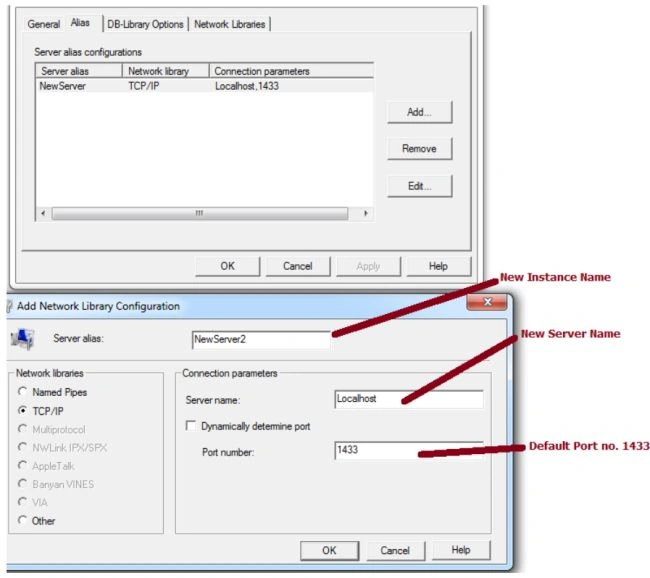
Click the OK button to create the new Alias.
I was opening a new connection for Object Explorer.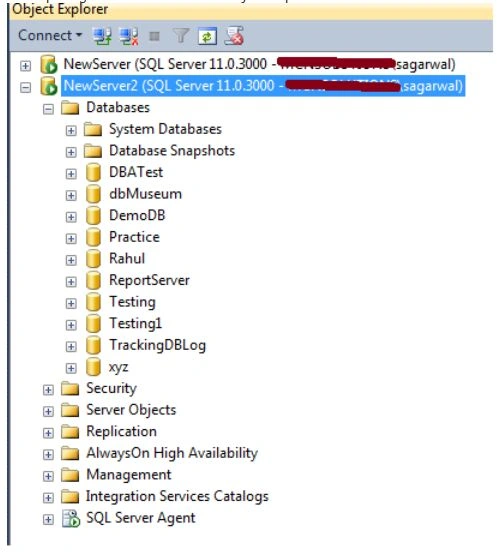
Prashant JaylePosted Dec 13, 2018, 3:16 AM
Thanks for posting. With me, It's working with 32bit OS ok. (With SQL server and application). But 64bit OS it's not working with the application but can able to connect with SQL server management studio. Any suggestions?
Deependra KushwahPosted Jul 5, 2018, 5:30 AM
Nice article brother!
Shivom AgarwalPosted Jul 15, 2014, 6:29 AM
thanks ravi
Ravi ShekharPosted Jul 15, 2014, 6:27 AM
Its working in sql server 2008 R2
Ravi ShekharPosted Jul 15, 2014, 6:23 AM
good one
Shivom AgarwalPosted Jul 15, 2014, 12:51 AM
can you tell me what's problem you are facing
Guest UserPosted Jul 15, 2014, 12:28 AM
Thanks for posting! I tried above steps but didn't work for me. I've SQL Server 2012 Express installed