

Build native and cross platform apps:
We can create native iOS, Android, and Windows apps or cross-platform Xamarin or Cordova (PhoneGap) apps, you can also consider many advantages of App Service using native SDKs.
Connect to enterprise systems: Mobile Apps you can connect to your enterprise cloud resources.
Push Notifications to billions in seconds
Mobile App Features:
The following features are important to cloud-enabled mobile development:
- Authentication and Authorization
- Integrate the SDK
- Data Access
- Offline synchronization
- Push Notifications
For creating an Android App you must have to login into the Azure Portal
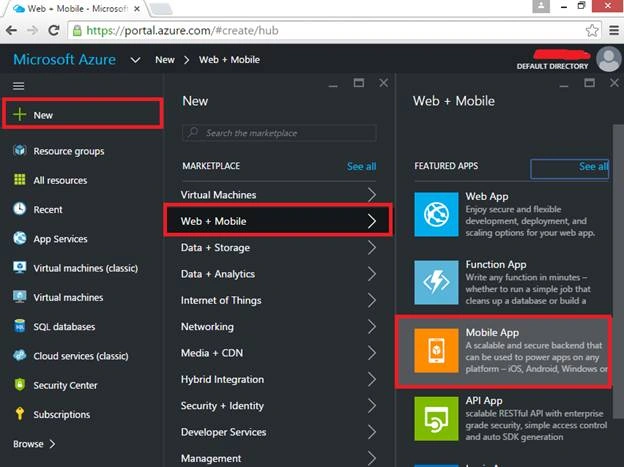
Click on to New, Web + Mobile, then Mobile App,
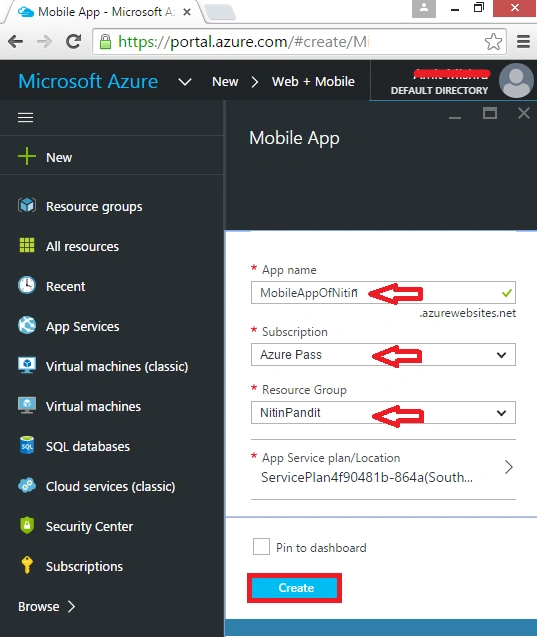
In the name box, give the app name whatever you want to create, and subscription would be default.
In the Resource Group, I have a resource group named NitinPandit, you can also create your by clicking on new resource group.
Now click on “Create” button.
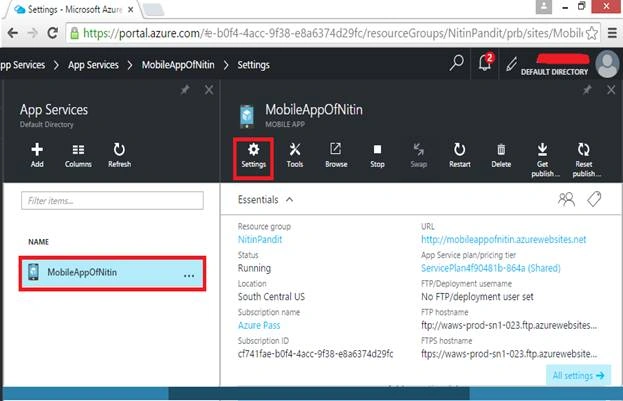
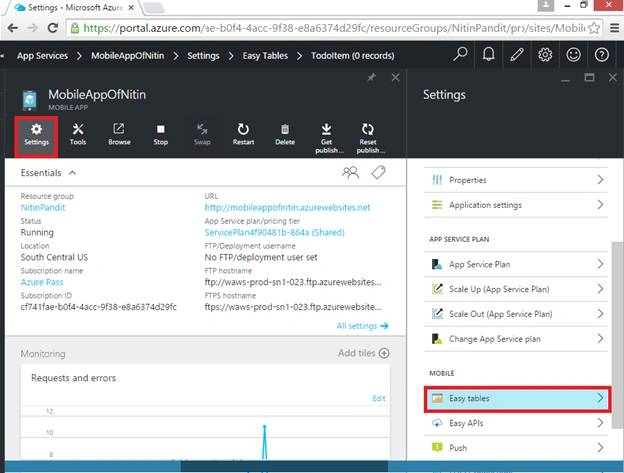
After clicking on the button, your app will be created, click on app and go into the settings.
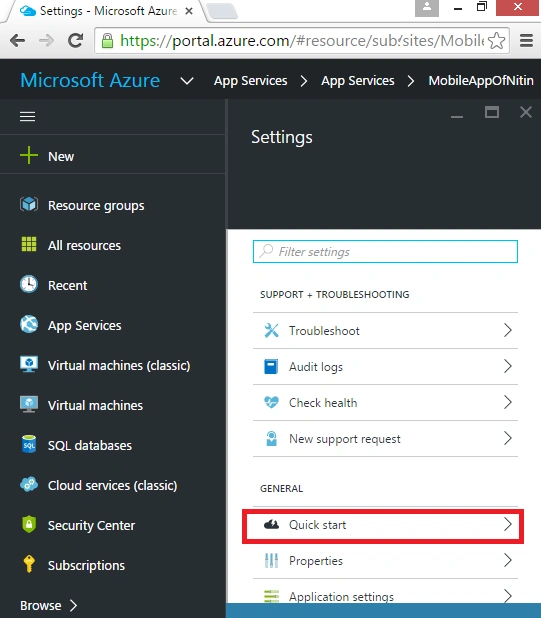
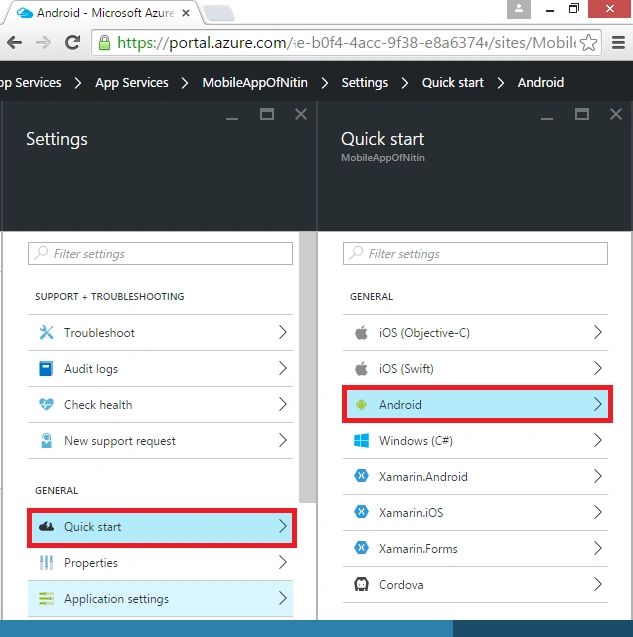
In the settings, click on to “Quick start” which is our client app platform,
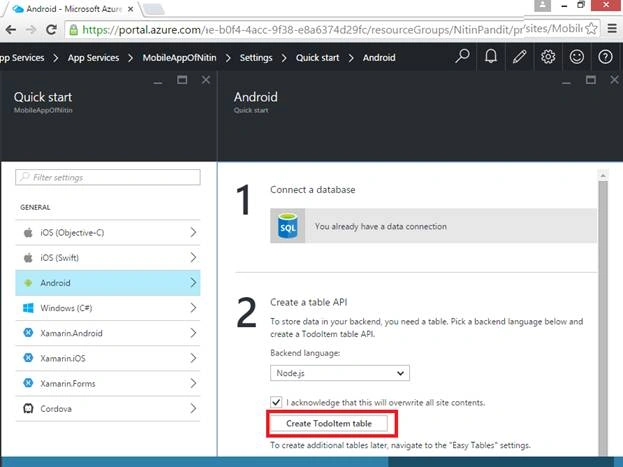
Now in the following screenshot, click on to any platform which one you want to create an application.
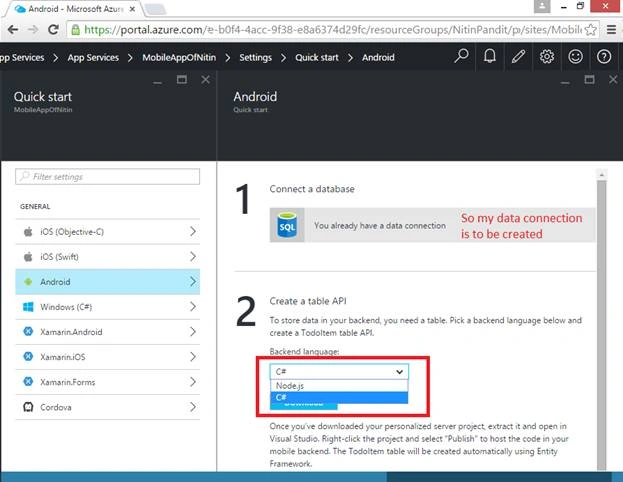
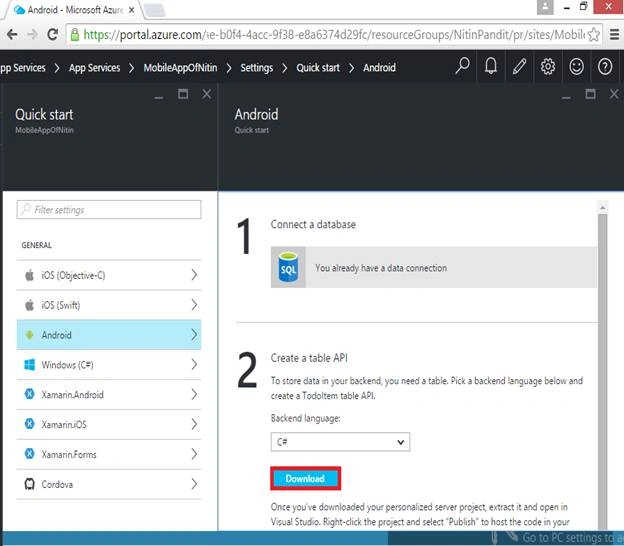
Here, I’m going to select “Android” because I’m creating an Android app.
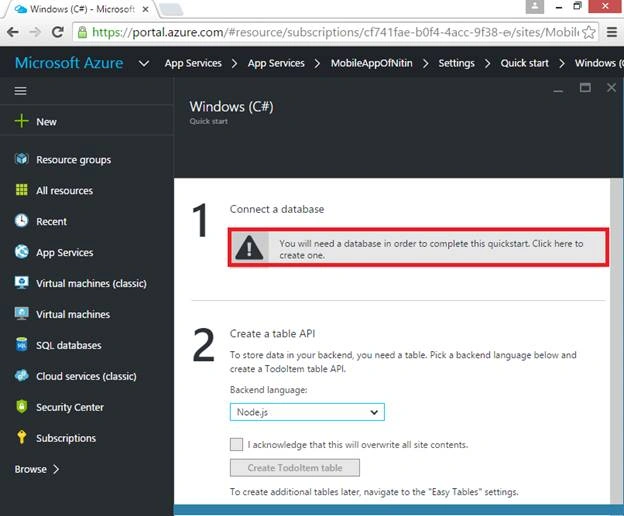
Here is the first step that connect to database, so click on to create or select the existing database which you have.
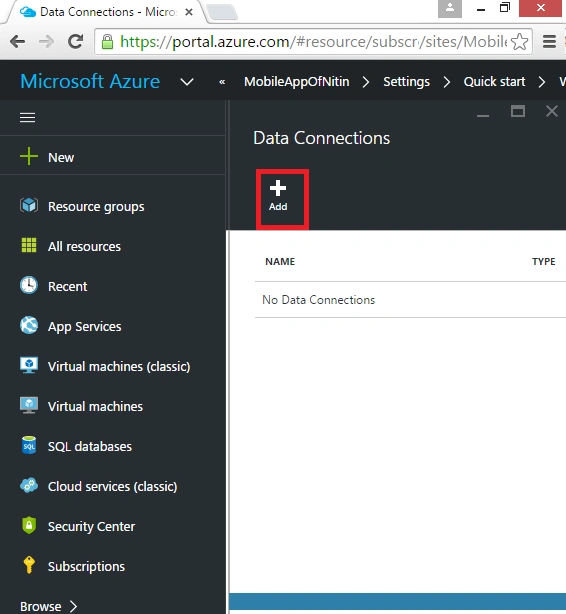
There are no data connections, Click on to “Add” button to add a database.
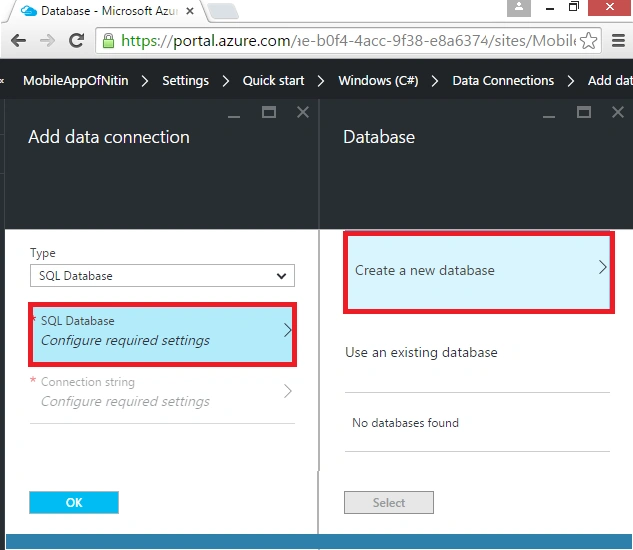
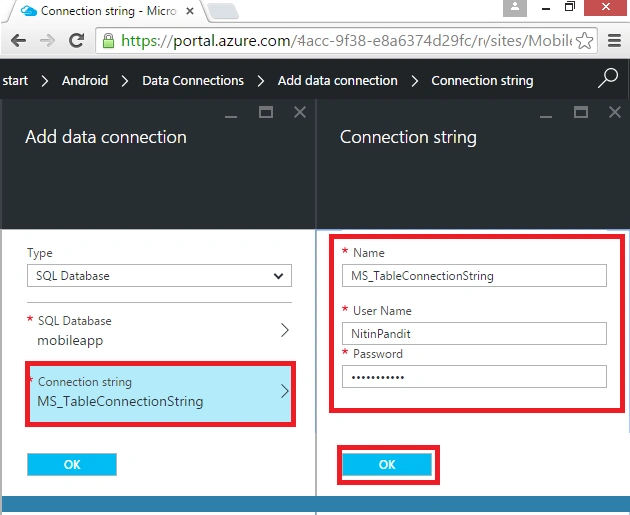
Choose SQL Database, and then click on to required settings.
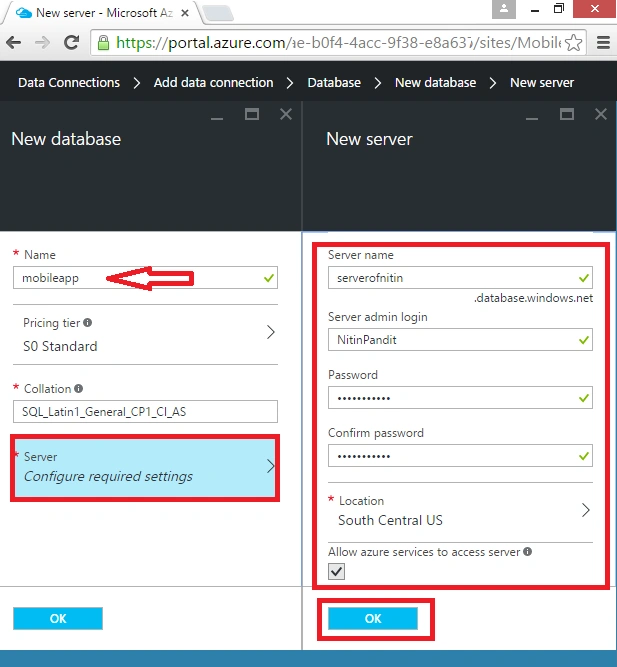
You will find a new database window, if you don’t have any existing database click on to create a new database.
For creating database I also need of a server, so in the left side of the window give the name to your database and then click on to server for creating a new server. Whenever you click on it, the new server window will be open.
For creating a server give a unique name to your server, login name, and password with confirm password.
After filling all the necessary details, click on to “OK” button. So now our database and server is ready for use.
Manoj KulkarniPosted Apr 11, 2016, 2:45 AM
Nice
Ibrahim ErsoyPosted Apr 11, 2016, 2:39 AM
Thats something! Interesting.Please keep writing.
Humayun Kabir MamunPosted Apr 10, 2016, 11:47 PM
Nice...
NitinPosted Apr 10, 2016, 1:12 AM
good explanation
Asfend YarPosted Apr 9, 2016, 2:07 AM
try to perform some database operations in this application ....
Debasis SahaPosted Apr 9, 2016, 2:03 AM
Good share..
Vignesh ManiPosted Apr 8, 2016, 5:19 PM
good one
Mohammed IbrahimPosted Apr 8, 2016, 2:20 PM
nice
Kuppurasu NagarajPosted Apr 8, 2016, 2:18 PM
Nice