

In this article I describe how to create an ActiveX control and how to display it in another screen.
For COM application read
http://www.c-sharpcorner.com/Blogs/7439/creating-com-components-in-net.aspx
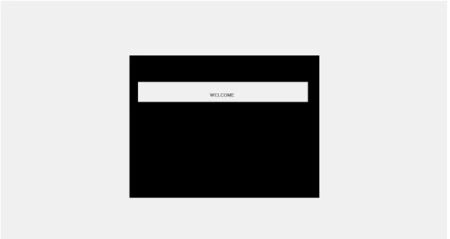
Step 1: First create a Class Library project and add a window named CustomerDisplay.
Your form's design .cs will look like:using System.Drawing;
namespace testCustomerDisplay
{partial class CustomerDisplay
{/// <summary>
/// Required designer variable.
/// </summary>
private System.ComponentModel.IContainer components = null;
/// <summary>
/// Clean up any resources being used.
/// </summary>
/// <param name="disposing">true if managed resources should be disposed; otherwise, false.</param>
protected override void Dispose(bool disposing)
{if (disposing && (components != null))
{ components.Dispose(); }base.Dispose(disposing);
} #region Windows Form Designer generated code
/// <summary>
/// Required method for Designer support - do not modify
/// the contents of this method with the code editor.
/// </summary>
private void InitializeComponent()
{this.Displaypanel = new System.Windows.Forms.Panel();
this.panel1 = new System.Windows.Forms.Panel();
this.txtwelcome = new System.Windows.Forms.TextBox();
this.txtline2Text = new System.Windows.Forms.TextBox();
this.txtline1Text = new System.Windows.Forms.TextBox();
this.txtline2Amount = new System.Windows.Forms.TextBox();
this.txtline1Amount = new System.Windows.Forms.TextBox();
this.pictureBox1 = new System.Windows.Forms.PictureBox();
this.Displaypanel.SuspendLayout();
this.panel1.SuspendLayout();
((System.ComponentModel.ISupportInitialize)(this.pictureBox1)).BeginInit();
this.SuspendLayout();
//
// Displaypanel
//
this.Displaypanel.BackColor = System.Drawing.Color.Black;
this.Displaypanel.Controls.Add(this.panel1);
this.Displaypanel.Controls.Add(this.pictureBox1);
this.Displaypanel.Location = new System.Drawing.Point(66, 12);
this.Displaypanel.Name = "Displaypanel";
this.Displaypanel.Size = new System.Drawing.Size(581, 435);
this.Displaypanel.TabIndex = 0;
//
// panel1
//
this.panel1.Controls.Add(this.txtwelcome);
this.panel1.Controls.Add(this.txtline2Text);
this.panel1.Controls.Add(this.txtline1Text);
this.panel1.Controls.Add(this.txtline2Amount);
this.panel1.Controls.Add(this.txtline1Amount);
this.panel1.Location = new System.Drawing.Point(23, 12);
this.panel1.Name = "panel1";
this.panel1.Size = new System.Drawing.Size(539, 154);
this.panel1.TabIndex = 5;
//
// txtwelcome
//
this.txtwelcome.BorderStyle = System.Windows.Forms.BorderStyle.None;
this.txtwelcome.Enabled = false;
this.txtwelcome.Font = new System.Drawing.Font("Microsoft Sans Serif", 10F, System.Drawing.FontStyle.Bold, System.Drawing.GraphicsUnit.Point, ((byte)(0)));
this.txtwelcome.Location = new System.Drawing.Point(3, 69);
this.txtwelcome.Multiline = true;
this.txtwelcome.Name = "txtwelcome";
this.txtwelcome.Size = new System.Drawing.Size(520, 61);
this.txtwelcome.TabIndex = 4;
this.txtwelcome.Text = "\r\n\r\nWELCOME ";
this.txtwelcome.TextAlign = System.Windows.Forms.HorizontalAlignment.Center;
//
// txtline2Text
//
this.txtline2Text.BorderStyle = System.Windows.Forms.BorderStyle.None;
this.txtline2Text.Enabled = false;
this.txtline2Text.Font = new System.Drawing.Font("Microsoft Sans Serif", 10F, System.Drawing.FontStyle.Bold, System.Drawing.GraphicsUnit.Point, ((byte)(0)));
this.txtline2Text.Location = new System.Drawing.Point(3, 39);
this.txtline2Text.Multiline = true;
this.txtline2Text.Name = "txtline2Text";
this.txtline2Text.Size = new System.Drawing.Size(260, 30);
this.txtline2Text.TabIndex = 2;
//
// txtline1Text
//
this.txtline1Text.BorderStyle = System.Windows.Forms.BorderStyle.None;
this.txtline1Text.Enabled = false;
this.txtline1Text.Font = new System.Drawing.Font("Microsoft Sans Serif", 10F, System.Drawing.FontStyle.Bold, System.Drawing.GraphicsUnit.Point, ((byte)(0)));
this.txtline1Text.Location = new System.Drawing.Point(3, 9);
this.txtline1Text.Multiline = true;
this.txtline1Text.Name = "txtline1Text";
this.txtline1Text.Size = new System.Drawing.Size(260, 30);
this.txtline1Text.TabIndex = 0;
//
// txtline2Amount
//
this.txtline2Amount.BorderStyle = System.Windows.Forms.BorderStyle.None;
this.txtline2Amount.Enabled = false;
this.txtline2Amount.Font = new System.Drawing.Font("Microsoft Sans Serif", 10F, System.Drawing.FontStyle.Bold, System.Drawing.GraphicsUnit.Point, ((byte)(0)));
this.txtline2Amount.Location = new System.Drawing.Point(263, 39);
this.txtline2Amount.Multiline = true;
this.txtline2Amount.Name = "txtline2Amount";
this.txtline2Amount.Size = new System.Drawing.Size(260, 30);
this.txtline2Amount.TabIndex = 3;
this.txtline2Amount.TextAlign = System.Windows.Forms.HorizontalAlignment.Right;
//
// txtline1Amount
//
this.txtline1Amount.BorderStyle = System.Windows.Forms.BorderStyle.None;
this.txtline1Amount.Enabled = false;
this.txtline1Amount.Font = new System.Drawing.Font("Microsoft Sans Serif", 10F, System.Drawing.FontStyle.Bold, System.Drawing.GraphicsUnit.Point, ((byte)(0)));
this.txtline1Amount.Location = new System.Drawing.Point(263, 9);
this.txtline1Amount.Multiline = true;
this.txtline1Amount.Name = "txtline1Amount";
this.txtline1Amount.Size = new System.Drawing.Size(260, 30);
this.txtline1Amount.TabIndex = 1;
this.txtline1Amount.TextAlign = System.Windows.Forms.HorizontalAlignment.Right;
//
// pictureBox1
//
this.pictureBox1.Location = new System.Drawing.Point(0, 0);
this.pictureBox1.Name = "pictureBox1";
this.pictureBox1.Size = new System.Drawing.Size(100, 50);
GridLock ThePosted Sep 7, 2019, 4:11 PM
How to create activeX control for excel like combobox or listbox ?
Arjun PanwarPosted Apr 8, 2012, 11:49 PM
Thanks for sharing this useful article.
Sam HobbseditedPosted Apr 8, 2012, 1:15 PMEdited Apr 8, 2012, 1:16 PM
Thank you for this very useful article. I do not however understand what INAVDisplay is. Is that necessary for all ActiveX controls or just this one? For an article such as this, it helps to explain more. Also, the image in Step 3 is not clear; it would help to provide the text of what to do instead of just showing the image. Also, what is the purpose of creating an ActiveX control; is it to create something using managed code that can be used by unmanaged code?