

Prerequisites
You should have an Azure account with an active subscription. Click here to create one.
Introduction
Managing configurations across multiple environments can be complex and challenging in today's cloud-native application development. Developers often need a solution that provides a centralized way to handle settings such as connection strings, API keys, or feature flags without embedding them directly in the application code.
App Configuration Store provides a unified platform to store, retrieve, and manage configuration settings securely. One of the most widely used services for this purpose is Azure App Configuration, part of Microsoft Azure's suite of cloud services. This article will guide you through creating an App Configuration Store in Azure, its benefits, and how to integrate it into your application for effective configuration management.
Table of Contents
- What is an App Configuration Store?
- Why Use an App Configuration Store?
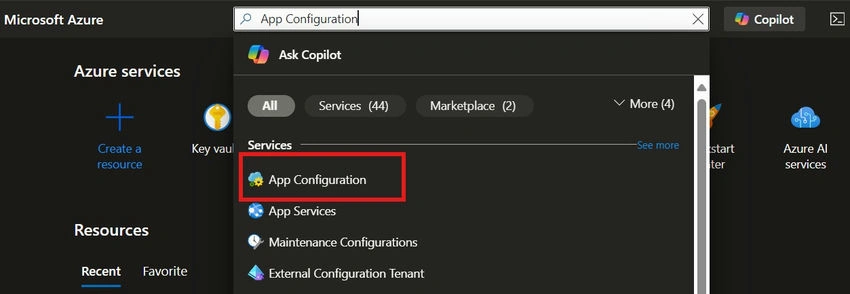
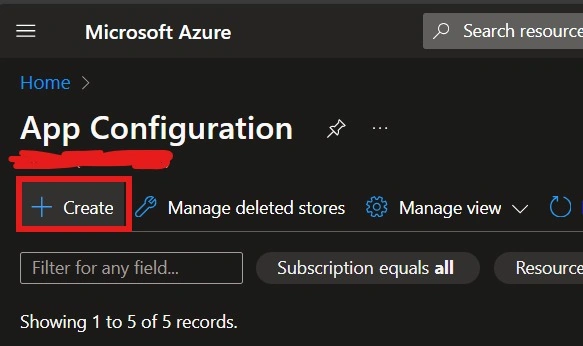
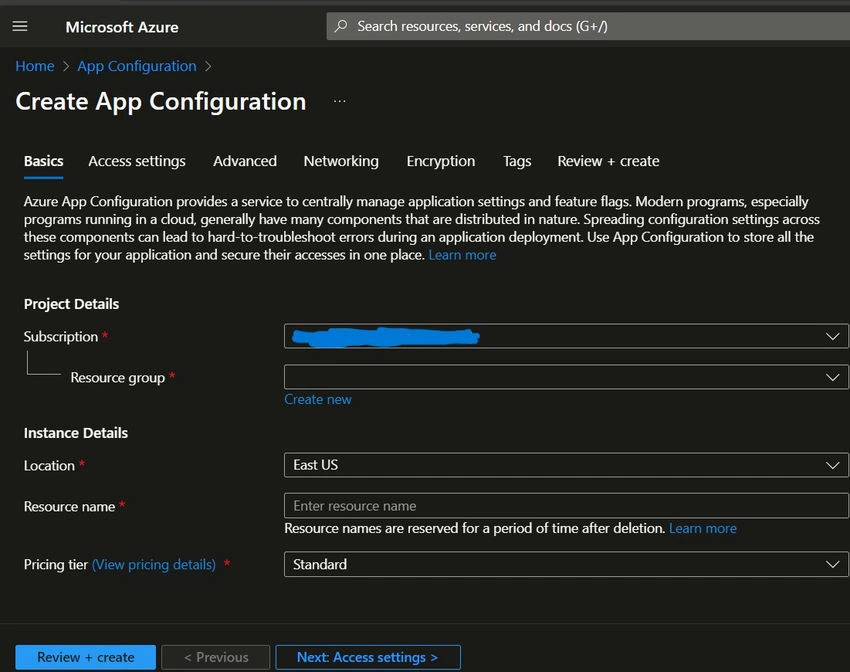
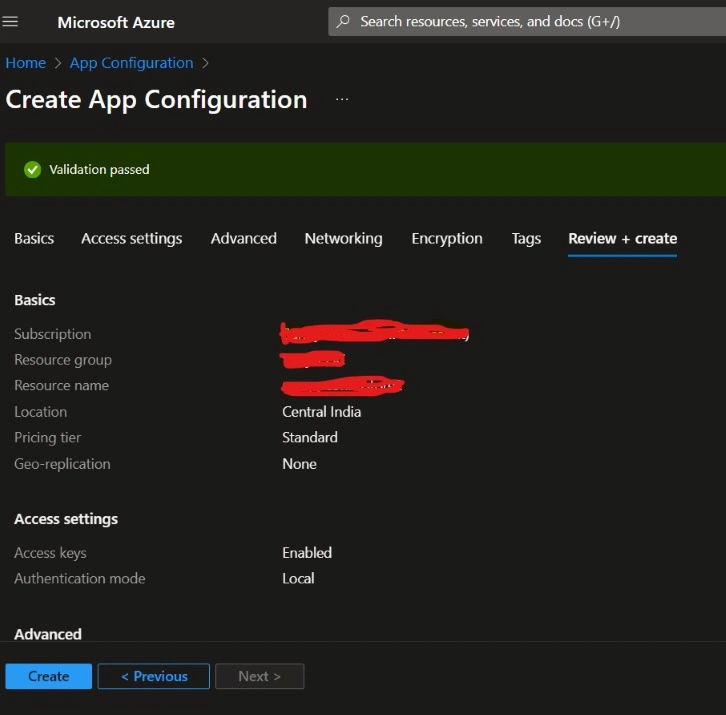
- Step-by-Step Guide to Creating an App Configuration Store
- Set up an Azure Account
- Create an App Configuration Store
- Create a key value
- Integrate the App Configuration Store into Your Application
- Advanced Features
- Feature Management with Feature Flags
- Versioning and Labels
- Conclusion
What is an App Configuration Store?
Azure App Configuration provides a service to centrally manage application settings and feature flags. Modern programs, especially programs running in a cloud, generally have many components that are distributed in nature. Spreading configuration settings across these components can lead to hard-to-troubleshoot errors during an application deployment. Use App Configuration to store all the settings for your application and secure their accesses in one place.
Azure App Configuration allows developers to,
- Manage application settings centrally.
- Apply environment-specific configurations (e.g., development, production).
- Enable or disable features dynamically using feature flags.
- Securely store sensitive information.
By using such a service, you can streamline the management of configuration data across cloud-native applications, microservices, and multiple environments.
Why use an App Configuration Store?
Storing configurations in a single location allows teams to manage settings consistently across different environments, such as development, staging, and production. This prevents configuration sprawl and reduces the likelihood of errors during deployments. Instead of redeploying your app every time a configuration changes, you can update settings in the configuration store and have the app retrieve the latest settings automatically.
App Configuration provides the following benefits.
- A fully managed service that can be set up in minutes
- Flexible key representations and mappings
- Tagging with labels
- A point-in-time replay of settings
- Dedicated UI for feature flag management
- Comparison of two sets of configurations on custom-defined dimensions
- Enhanced security through Azure-managed identities
- Encryption of sensitive information at rest and in transit
- Native integration with popular frameworks
Step-by-Step Guide to Creating an App Configuration Store
Set up an Azure account using the link given above.
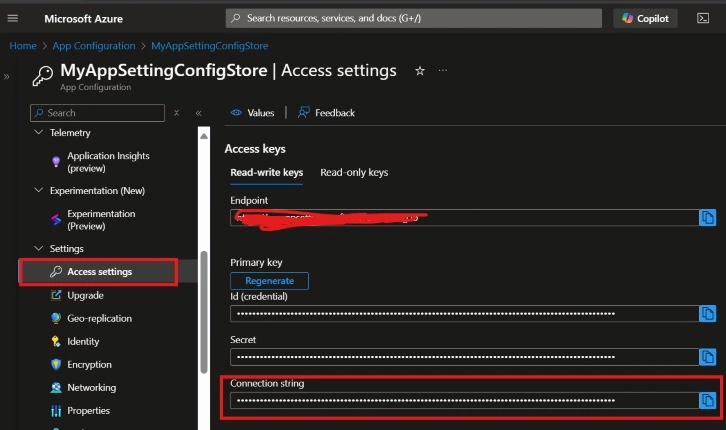
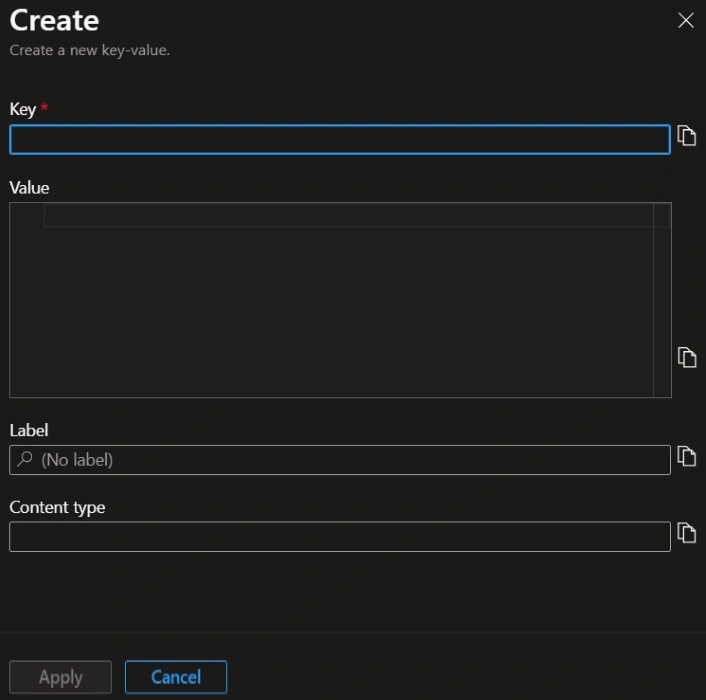
Join the conversation! Your thoughts help the community grow.