

Creating a class library is not a hard task, it is very easy. Class library makes our code re-usable, class library saves memory because variable in class library is declared once and used again and again for different purposes. We add some classes to our class library and it depends on the functionality of our class library.
Extension of class library file is ".dll".
Extension of class library file is ".dll".
Benefits of class library
- Increases performance of program.
- Saves programmer's time to write same code of function for different parameter.
- Saves memory space.
Now we create a class library in an easy way and step by step
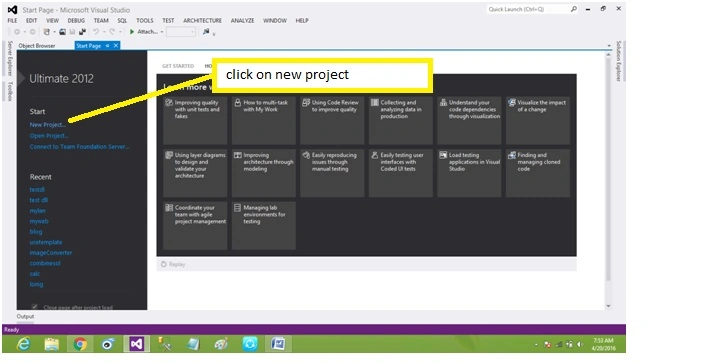
step 1: Firstly we have to create a new project of class library type.
Step is shown in picture below,
Step is shown in picture below,
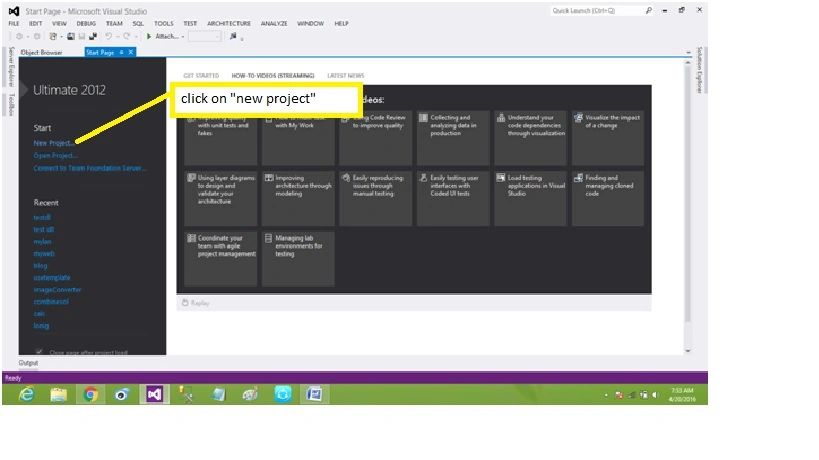
Step 2:
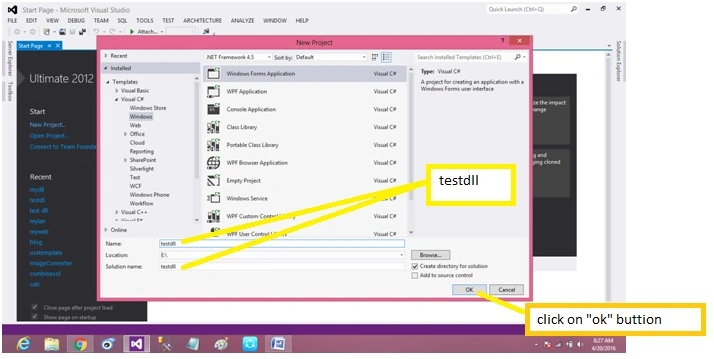
After clicking on "new project" a dialogue box is opened, we have to select the following options listed below, visual C#->windows->class library (shown in picture below),
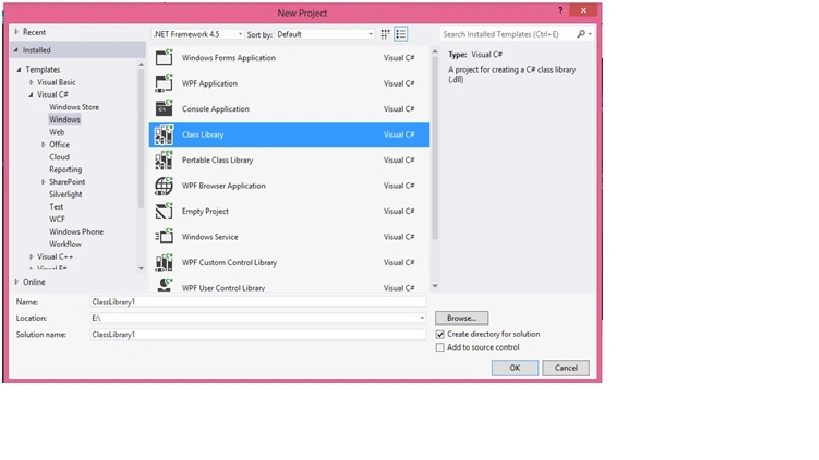
After selecting , we move to next step
Step 3 : Give name to our class library and solution of our project and select directory using "Browse" button (shown in picture below),
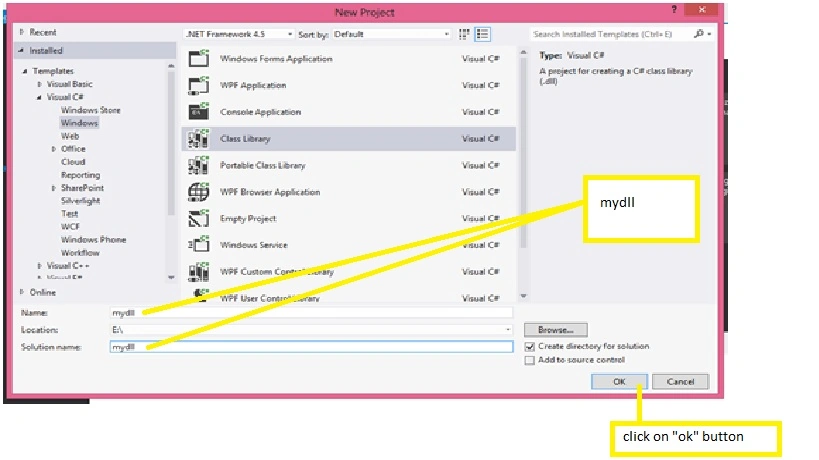
Now,our project is ready to write our source code, so move to next step
Step 4: In this step we have to add class in to our class library (show in picture below),
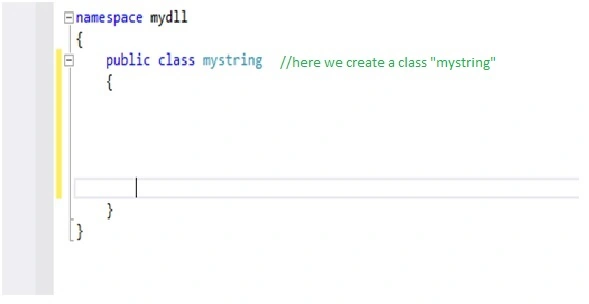
we make a "mystring" class to public because this class is used outside, after declaration of class we have move to next step.
Step 5: Adding some functions to our class "mystring" according to our requirement or specification(shown in picture),
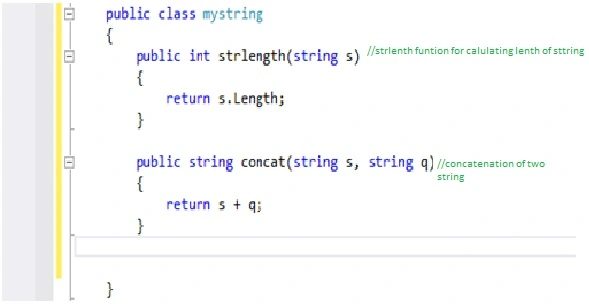
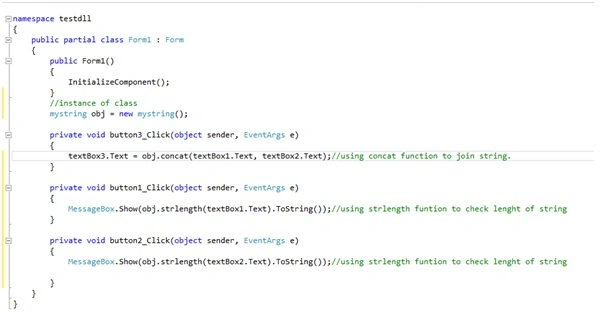
In mystring, class we have two functions,
- strlength
- concat
"strlength" funtion calculate length of string and return integer value.
"concat" funtion performing concatenation of two string and return string
Step 6 : finally our class library is ready and built (ctrl+shift+B) shown in picture below,
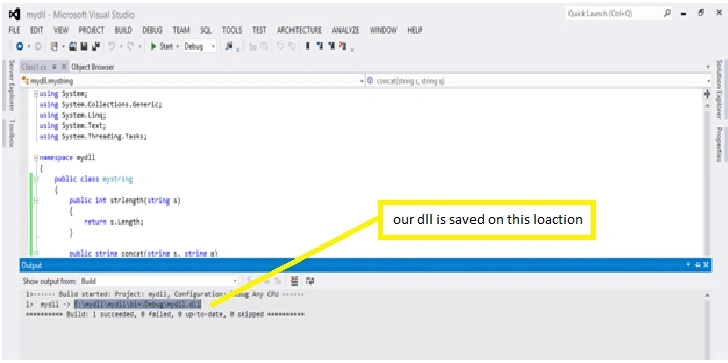
Our class library is saved on our default location or directory and ready to use.
Giga BokuchavaPosted May 19, 2016, 3:04 AM
I have a question. While creating dll, I used the nuget package newtonsoft.json in dll. And I did everything as you mentioned. But in my other project where I use this dll, it asks me to download newtonsoft.json again for this project too. How can I do so that I pack newtonsoft.json with my dll, so other projects which use this dll use it without downloading newtonsoft.json?
sonuPosted May 10, 2016, 11:35 AM
nice..
Ajay MalikPosted May 8, 2016, 8:29 AM
tq sir
Pankaj Kumar ChoudharyPosted May 8, 2016, 4:27 AM
Nice Work Sir......