

In this article, we will learn how to create a simple example of a Web API using ASP.NET MVC. Before starting, we need to focus on the WebAPI definition.
"Web API is a framework which makes it easy to build HTTP services that reach a huge range of clients, including any type of browsers and mobile devices. Web API is a ptlaform for making RESTful services using .NET Framework."
"Web API is a framework which makes it easy to build HTTP services that reach a huge range of clients, including any type of browsers and mobile devices. Web API is a ptlaform for making RESTful services using .NET Framework."
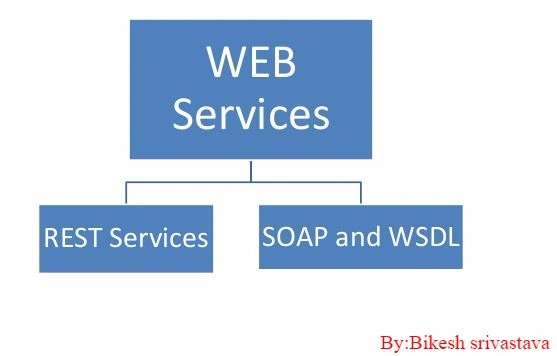
Never confuse Web Services and WebAPI. Both are mainly used to create services, either REST or SOAP. In this part of the article, I'll use Visual studio 2012 MVC4 and WebAPI 1.
To create simple example of WebAPI, just follow the following steps.
Step 1
Create a project in VS2015 using MVC4 WebApi1.
To create simple example of WebAPI, just follow the following steps.
Step 1
Create a project in VS2015 using MVC4 WebApi1.
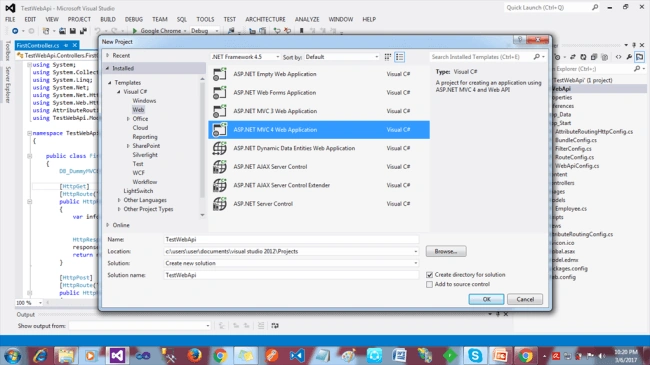
Open Visual Studio, go to File=>New, and click on "Project". Thereafter, a new window will open to prompt you to select the template of VS.
Step 2
Select template "ASP.NET MVC 4 Web Aplication" and click OK. A new popup will open.
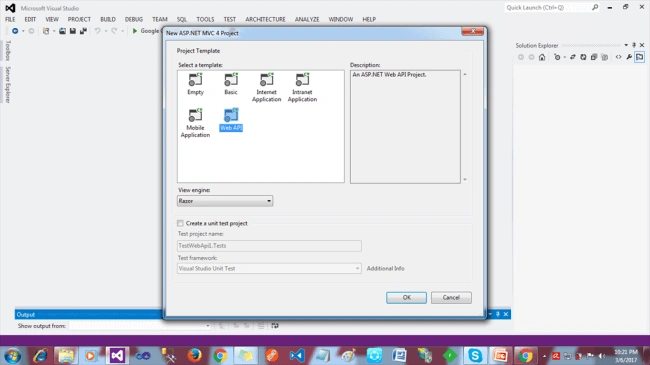
As per the above screen, there are a lot of templates available for building the application. But now, we are going to create WebAPI, so click on "Web API".By default, the Home or Value Controller will open.
Select template "ASP.NET MVC 4 Web Aplication" and click OK. A new popup will open.
As per the above screen, there are a lot of templates available for building the application. But now, we are going to create WebAPI, so click on "Web API".By default, the Home or Value Controller will open.
Step 3
Create a Controller "CSharp"=>"CSharpController". After creating a new API Controller, the Visual Studio Editor page will open. Here, we can write the code for API method as per our requirement.
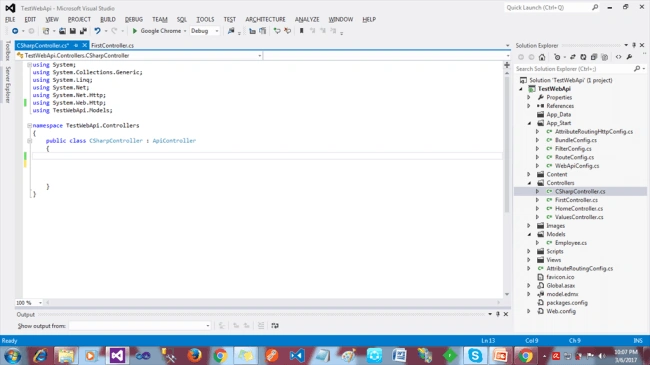
In the above image, we can see that there is no extra configuration.
Step 4
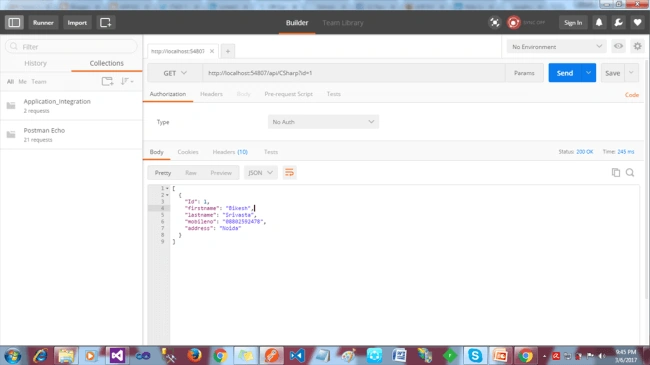
Now, we are ready to create method. Just see the below code. In the following code example, I am getting the data from DB using Entity Framework.
- public HttpResponseMessage getdata(int ? id) {
- HttpResponseMessage response = new HttpResponseMessage();
- DB_DummyMVCEntities _dbcontext = new DB_DummyMVCEntities();
- var data = from c in _dbcontext.tbl_Employee
- where c.Id == id
- select c;
- if (data != null) {
- response = Request.CreateResponse(HttpStatusCode.OK, data);
- } else {
- response = Request.CreateResponse(HttpStatusCode.NotFound, "Data is empty");
- }
- return response;
- }
Ravi KandelPosted Mar 8, 2017, 8:27 AM
Awesome Thanks for sharing
Former memberPosted Mar 8, 2017, 6:30 AM
Thanks for your article. you said "Web API is a framework which makes it easy to build HTTP services that reach a huge range of clients, including any type of browsers and mobile devices" when we develop web service with soap then mobile can not use or call web service ? if mobile device can not access asmx soap based web service then tell me those reason which create problem to access asmx soap based web service from mobile. also explain what is REST if you know it ?