

Introduction
This article gives an explanation about how to create web service in asp.net web forms and return the response in JSON and XML formats. Here I also explain how to retrieve data from the SQL server database using web service, as well as show you how you can retrieve data from the SQL server database.
Many developers/programmers who work with data-driven web applications will at least have heard talk about the web service. Even if any developers/programmers know on a basic level what web services do, they are not always certain when to use web service and how to write the code to use web services. So, in this article, I am going to show you how to create web services in ASP.NET and return data in JSON and XML format.
Requirement
- Create ASP.Net Web Form Application.
- Create Sample Database and Create Table of Students and Insert some Dummy Records in Created Table For Demonstration.
- Create Web Service to Return Data table with All the Information of All Students.
- Response Message should be XML or JSON.
Implementation
Step 1
Open Your Visual Studio 2013 Or Higher Version.
Step 2
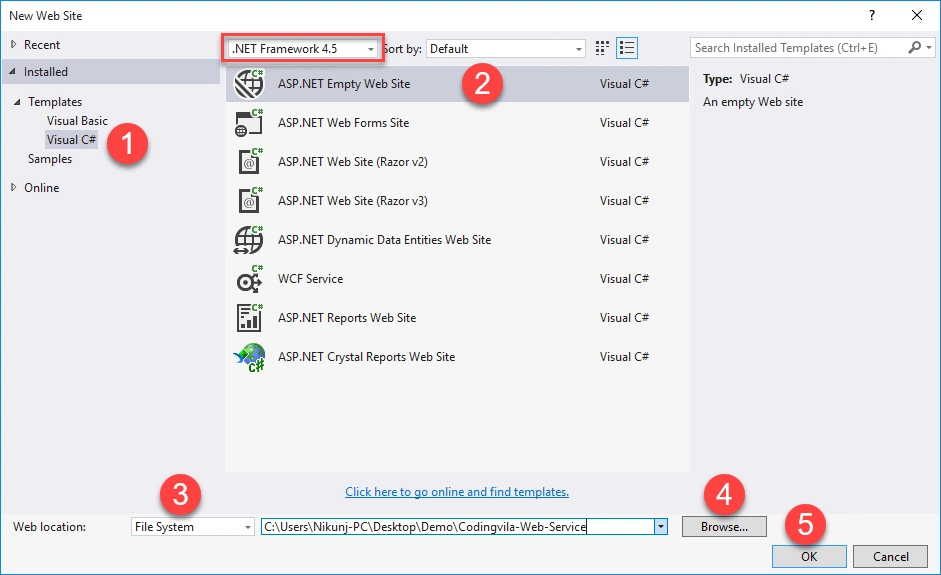
Go To File Menu and Create New Project and then Select "ASP.NET Empty Web Site", and Set project path location and Click on Ok. Same as shown in the screen below.
Step 3
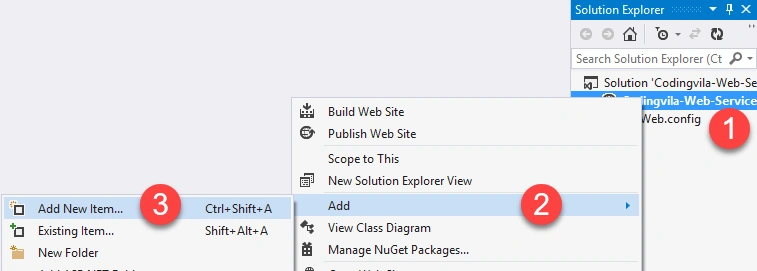
Now, you have to add Web Service in the project and for that, you have to right-click on your project name from Solution Explorer and Click on ADD >> ADD NEW ITEM.
Step 4
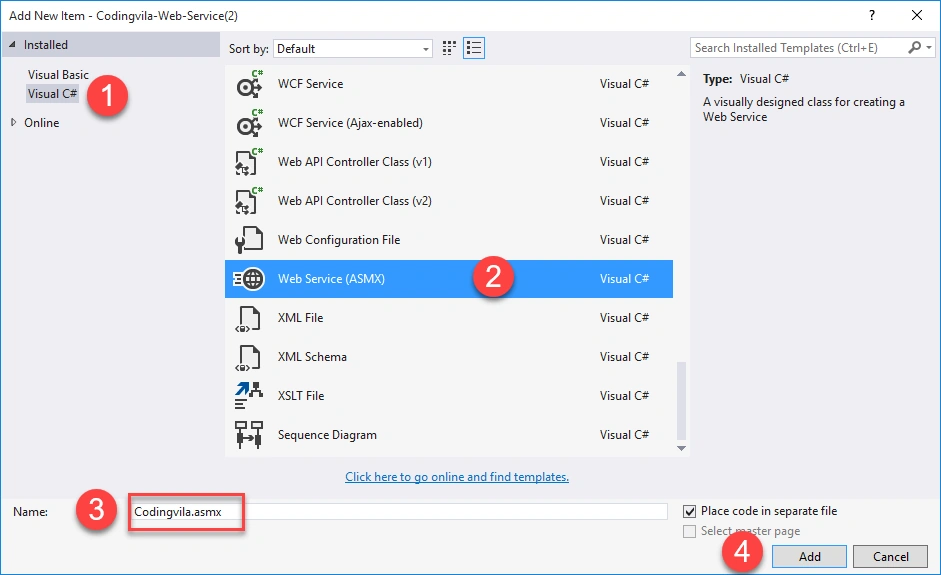
Again one popup window will appear on your screen where you have to select "Web Service (ASMX)" and give the Name of Your WebService and finally Click on the Add button shown below.
NOTE
Make sure the file extension of your web service is (.asmx)
Step 5
Now, you have to do a database connection with your application and write your connection string in your web. config file as I shown below.
- <connectionStrings>
- <add name="constr" connectionString="Data Source=DESKTOP-P1PHIU6\SQLEXPRESS;Initial Catalog=DB_Codingvila;Integrated Security=True" providerName="System.Data.SqlClient"/>
- </connectionStrings>
Step 6
Then you have to open cs file of your web service (Codingvila.asmx.cs) and you need to add the following required Namespaces.
- using System.Configuration;
- using System.Data;
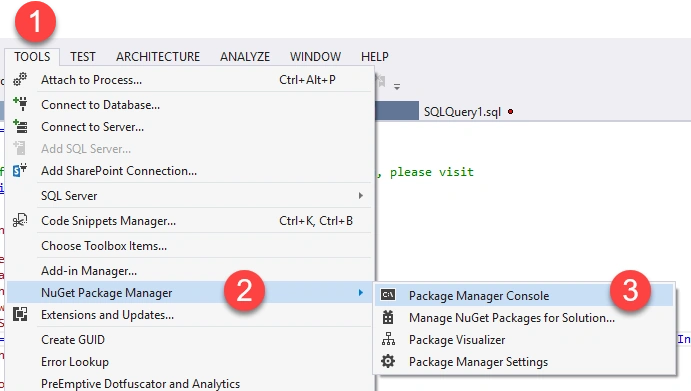
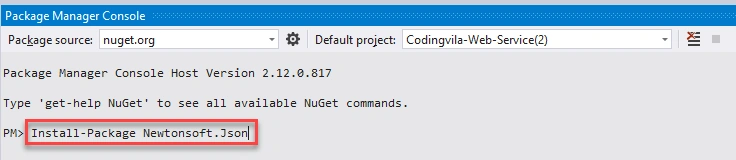
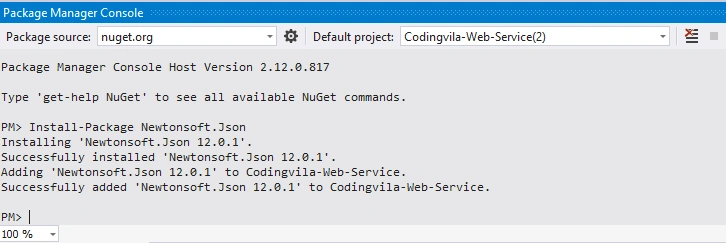
- using Newtonsoft.Json;
- using System.Data.SqlClient;
Step 7
Now, you should create a simple table for Students with some dummy data in SQL server.
- CREATE TABLE [dbo].[Students]
- (
- [StudentId] INT NOT NULL PRIMARY KEY IDENTITY,
- [RollNo] INT NULL,
- [FirstName] NVARCHAR(20) NULL,
- [LastName] NVARCHAR(20) NULL,
- [Branch] NVARCHAR(20) NULL,
- [College] NVARCHAR(50) NULL
- )
- INSERT INTO Students (RollNo,FirstName,LastName,Branch,College) VALUES
- (1001,'Nikunj','Satasiya','CSE','RK University'),
- (1002,'Hiren','Dobariya','CSE','RK University'),
- (1003,'Vishal','Sabhaya','CSE','RK University'),
- (1004,'Sruti','Patel','IT','RK University'),
- (1005,'Priya','Patel','EC','RK University'),
- (1006,'Vivek','Ghadiya','CSE','RK University')
Step 8
Then you need to add the following method in your created web service (Codingvila.asmx.cs) file to retrieve all records from the student's table.
C#
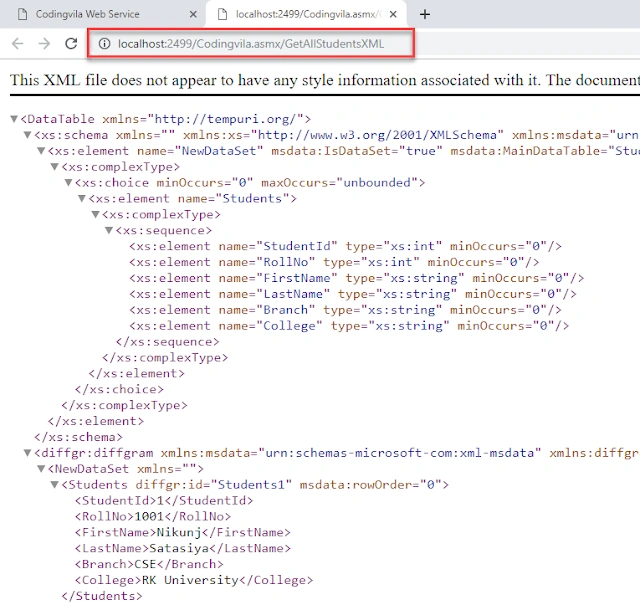
Return XML
- [WebMethod]
- public DataTable GetAllStudentsXML()
- {
- string constr = ConfigurationManager.ConnectionStrings["constr"].ConnectionString;
- using (SqlConnection con = new SqlConnection(constr))
- {
- using (SqlCommand cmd = new SqlCommand("SELECT * FROM Students with (NOLOCK)"))
- {
- cmd.Connection = con;
- DataSet ds = new DataSet();
- using (SqlDataAdapter sda = new SqlDataAdapter(cmd))
- {
- sda.Fill(ds, "Students");
- }
- return ds.Tables[0];
- }
- }
- }
Join the conversation! Your thoughts help the community grow.