

Introduction
Azure Virtual WAN is a Microsoft-managed networking service that simplifies and optimizes global connectivity. It brings together networking, security, and routing capabilities into a single, unified platform, making it easier for organizations to connect branches, remote users, data centers, and cloud resources.
Key Purpose
Azure Virtual WAN is designed to:
Centralize and simplify large-scale connectivity.
Improve performance for branch-to-cloud and branch-to-branch traffic.
Enhance security using integrated services like Azure Firewall and VPN/ExpressRoute gateways.
Reduce complexity by using a hub-and-spoke architecture managed by Microsoft.
Architecture Overview
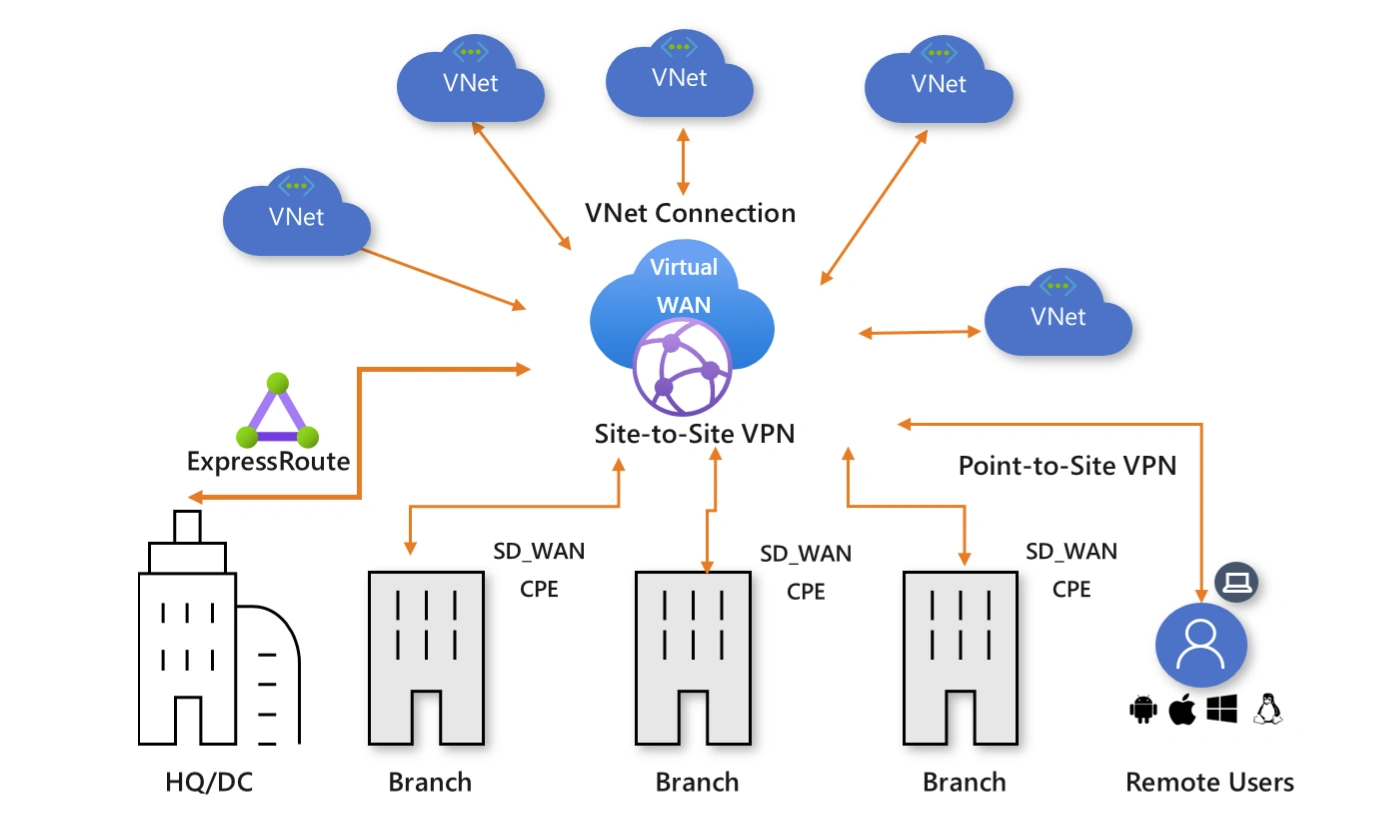
Step 01: Access the Microsoft Azure and sign in with your credentials.
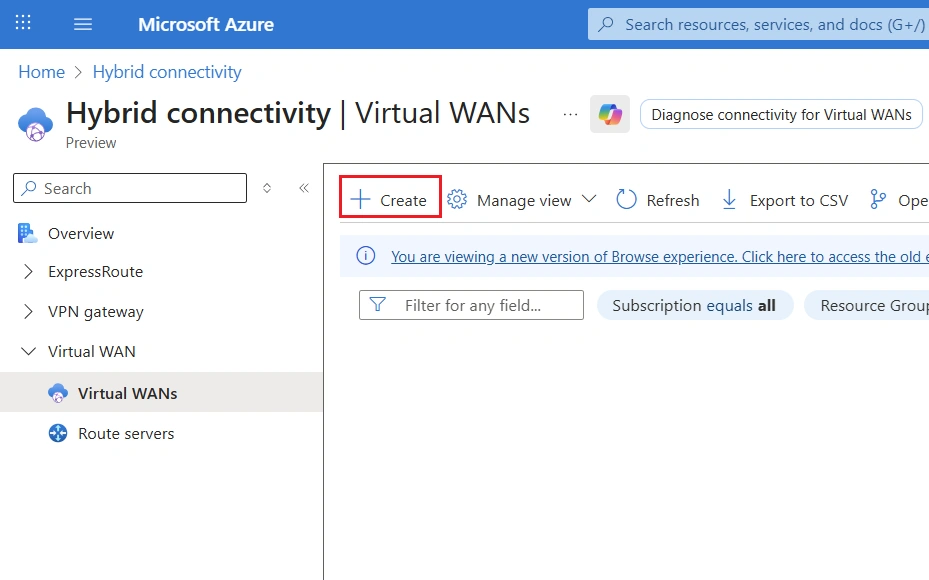
Step 02: Search for Virtual WAN using the top search bar, then select it and click Create to continue.
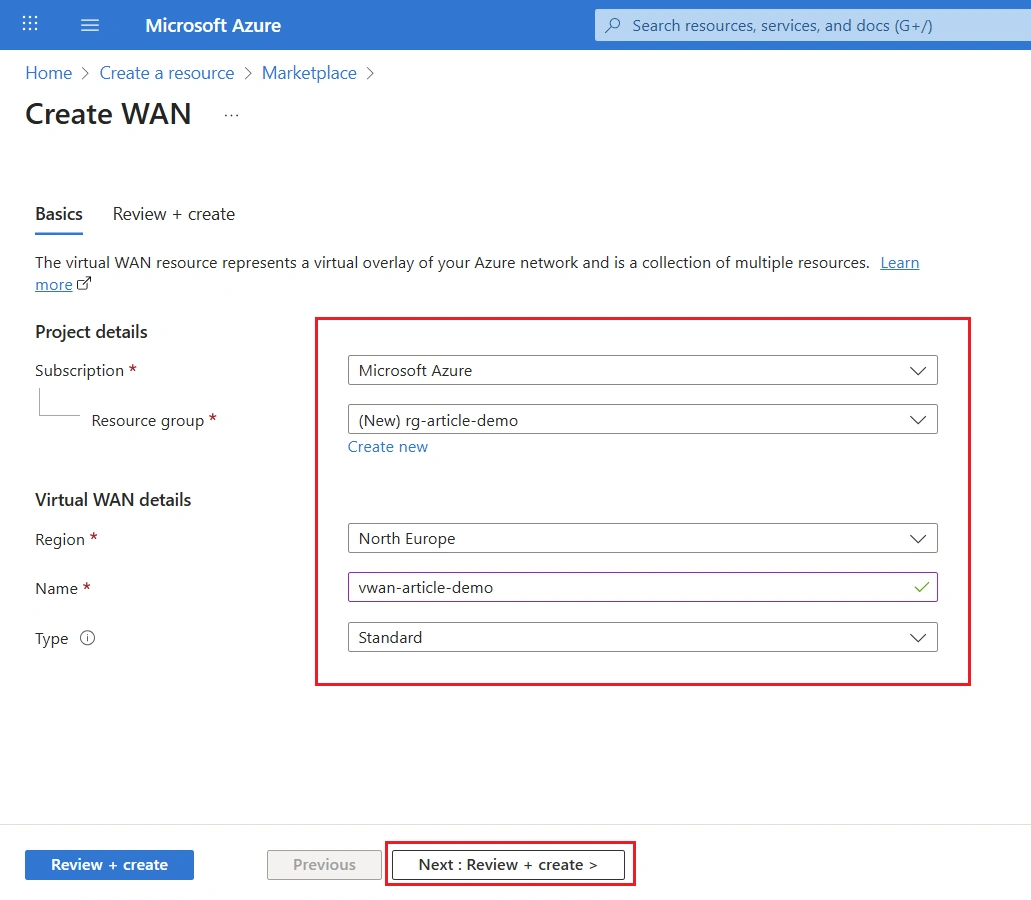
Step 03: Provide the necessary information to configure the Virtual WAN and proceed with the creation.
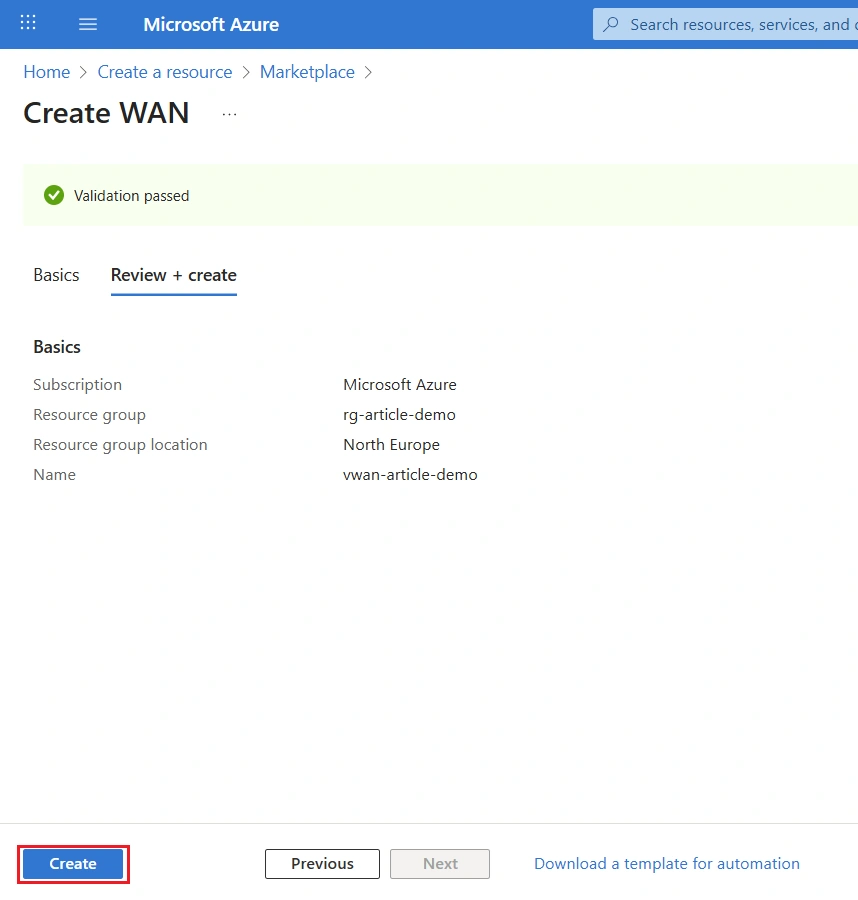
Step 04: Validate the configuration and finalize the process by clicking Create.
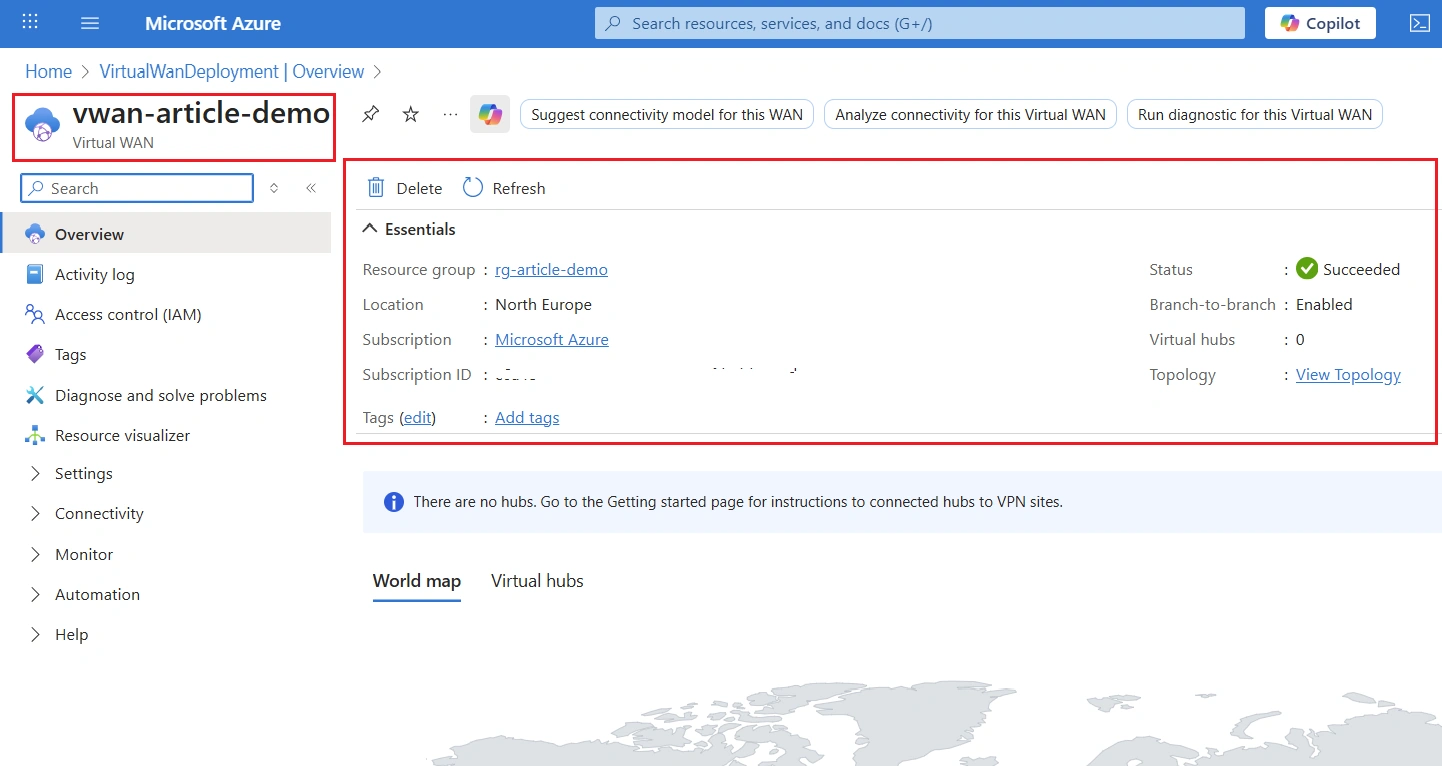
Step 05: The Virtual WAN has been created successfully.
Conclusion
This guide covered the essential process of creating an Azure Virtual WAN, giving you a solid starting point for designing a centralized, flexible, and secure network architecture in Azure.
Join the conversation! Your thoughts help the community grow.