

Introduction
Apache Cordova (formerly PhoneGap) is a popular mobile application development framework. Apache Cordova is an open-source mobile development framework. Cordova is a platform, which is used to build mobile apps, using HTML, CSS and JS. We can think of Cordova as a container to connect our Web app with the native mobile functionalities. Web Applications cannot use native mobile functionalities by default. This is where Cordova comes in. It offers a bridge for the connection between the Web app and the mobile device.
Prerequisites
Apache Cordova (formerly PhoneGap) is a popular mobile application development framework. Apache Cordova is an open-source mobile development framework. Cordova is a platform, which is used to build mobile apps, using HTML, CSS and JS. We can think of Cordova as a container to connect our Web app with the native mobile functionalities. Web Applications cannot use native mobile functionalities by default. This is where Cordova comes in. It offers a bridge for the connection between the Web app and the mobile device.
Prerequisites
- Visual Studio 2017 RC
The steps given below are required to be followed in order to how to designing the table in Apache Cordova App, using Visual Studio.
Step 1
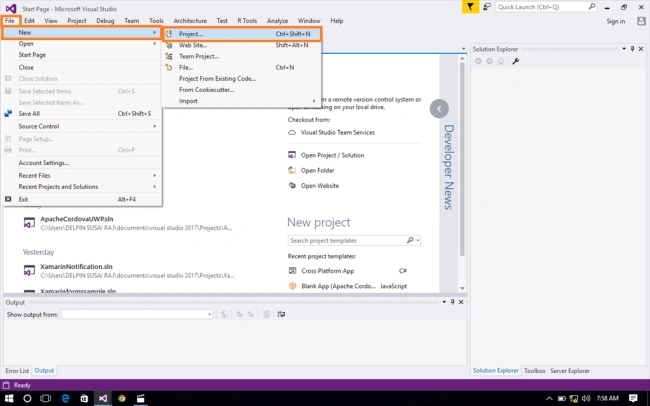
Click File--> select New--> select Project. The project needs to be clicked after opening all the types of projects in Visual Studio or click (Ctrl+Shift+N).
Step 1
Click File--> select New--> select Project. The project needs to be clicked after opening all the types of projects in Visual Studio or click (Ctrl+Shift+N).
Step 2
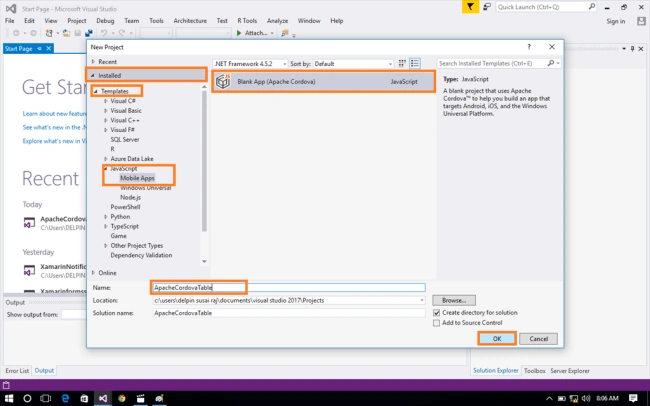
After opening the New Project, select Installed-->Templates-->JavaScript-->Mobile Apps-->choose the Blank app (Apache Cordova). Now, give your app; a name (Ex:sample) and give the path of your project. Afterwards, click OK.
Step 3
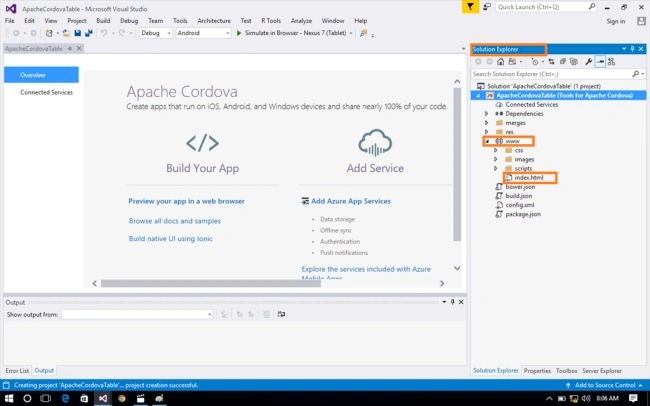
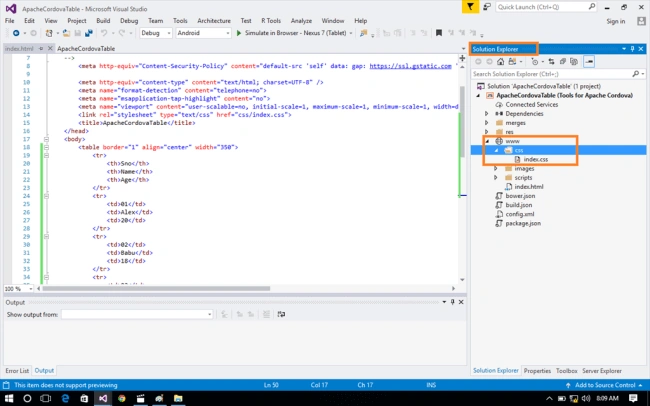
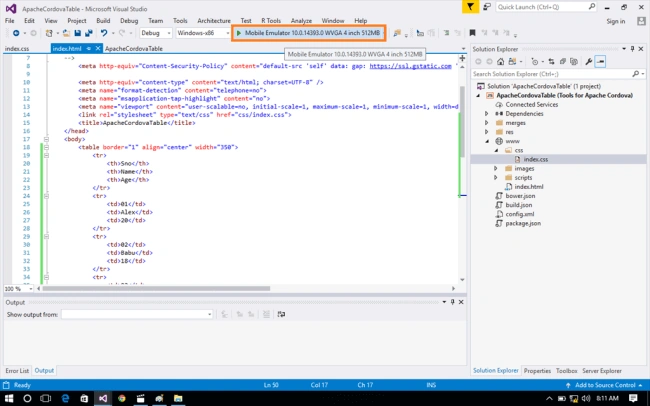
Now, go to Solution Explorer. In Solution Explorer, get all the files and sources in your project.
Subsequently, select Your Project-->www-->double click to open Index.html page. In this, the page is main view of your app. In this page, you can write HTML code.
Step 4
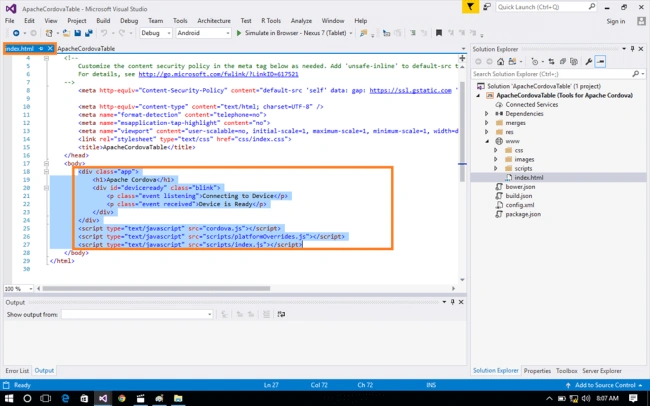
After opening index.html page, you can see the default HTML code. If you want, you can edit HTML code.
Now, you can delete the default HTML code.
Step 5
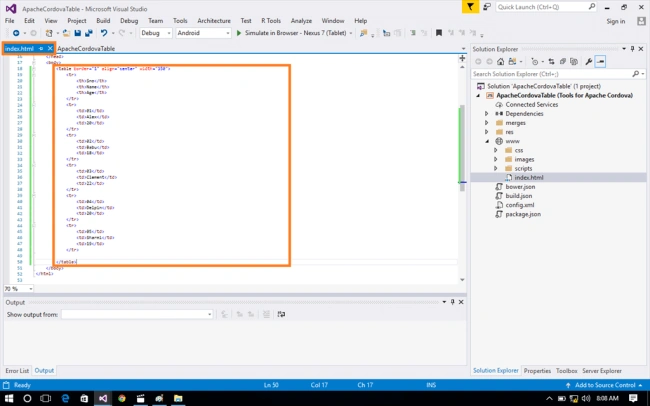
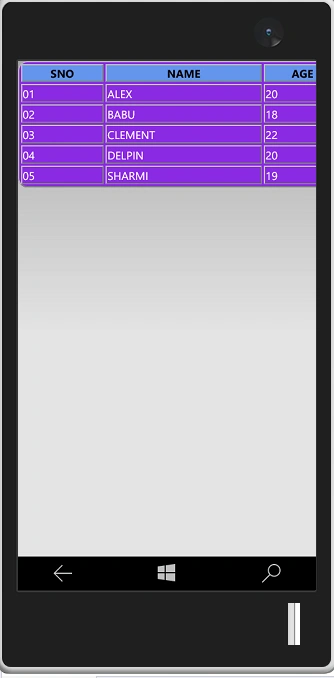
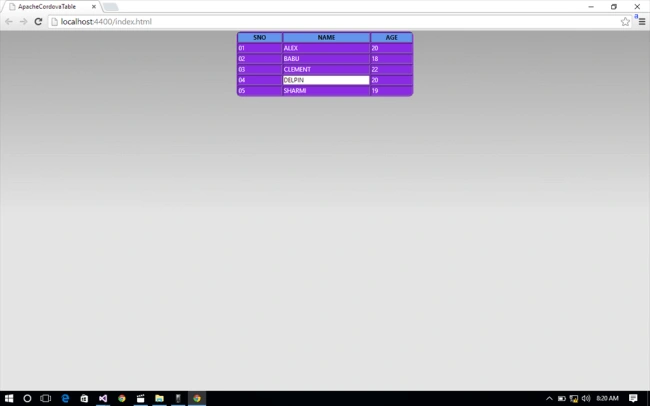
In this step, go to the index.html page. You can write HTML code given below.
Index.html
In this step, go to the index.html page. You can write HTML code given below.
Index.html
Mehul PrajapatiPosted Feb 3, 2018, 1:19 AM
Hi, Delpin Susai Raj. I have issue in cordova app development using visual studio 2015 and framework7. so i need your help.http://www.c-sharpcorner.com/forums/unicode-text-issue-with-html-sub-pages-in-cordova