

Introduction
In this article we will learn how to display a copy file dialog box when copying a file from a source to a destination in our project using C#.
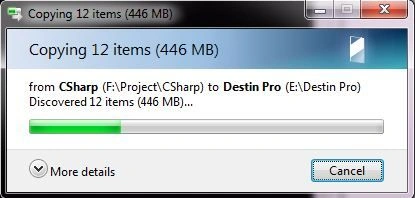
Procedures
Step 1: Create a new “Console Application” (C#) in Visual Studio and name it as you choose (I named it "ProgressDialogBoxDemo").
Now a new Program.cs is generated.
Step 2: Now go to the Solution Explorer and right-click on the "References" item and select "Add Reference".

Step 3: A reference Dialog Box is shown, now navigate to the .NET tab and search for "Microsoft.VsiualBasic" and add it.
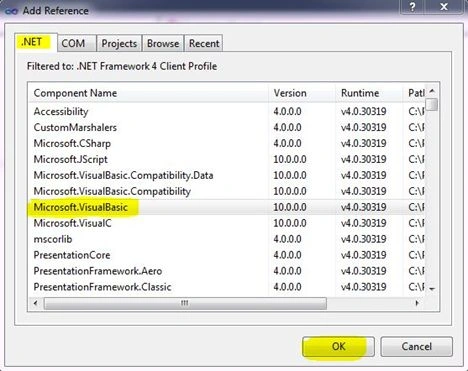
Step 4: Go to the "Program.cs" file in your project and add the following using directive in your project:
using Microsoft.VisualBasic.FileIO;
Step 4: Add the following code into the Main method in Program.cs:
static void Main(string[] args)
{
//Setting up my Source File Path
string source = @"F:\Project\CSharp";
//Setting up my Destination Path
string destination = @"E:\Destin Pro";
try
{
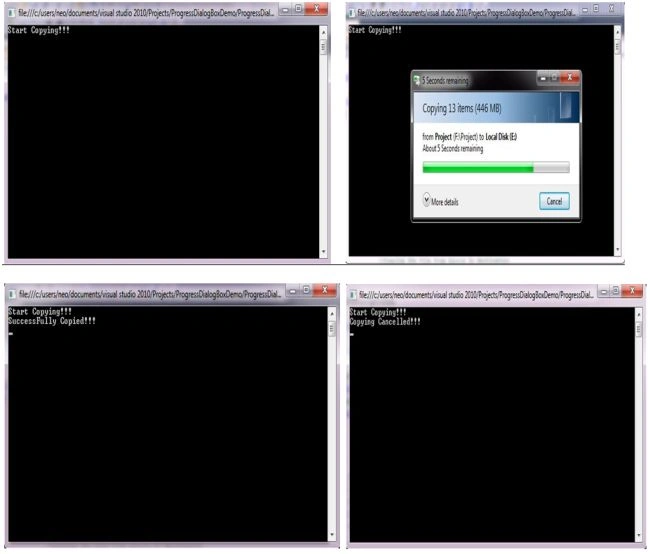
Console.WriteLine("Start Copying....");
Join the conversation! Your thoughts help the community grow.