

Introduction
In this article, I explain how to get user screen resolution or client machine resolution.
Coding
Get_Resolution.html
- <%@ Page Language="C#" AutoEventWireup="true" CodeBehind="Get_Resolution_Demo.aspx.cs" Inherits="Get_Resolution.Get_Resolution_Demo" %>
- <!DOCTYPE html>
- <html xmlns="http://www.w3.org/1999/xhtml">
- <head runat="server">
- <title></title>
- <script type="text/javascript">
- function getResolution()
- {
- var txtwidth = document.getElementById("txtwidth");
- var txtheight = document.getElementById("txtheight");
- txtwidth.value = screen.width;
- txtheight.value = screen.height;
- }
- </script>
- <style type="text/css">
- #txtwidth
- {
- width: 71px;
- }
- #txtheight
- {
- width: 68px;
- }
- </style>
- </head>
- <body>
- <form id="form1" runat="server">
- <h3 style="color: #660033">Get Resolution of Client Machine in JavaScript</h3>
- <div id="showdiv" style="font-weight: bold; height: 90px;";>
- Screen Width: <input id="txtwidth" type="text" />px<br />
- <br />
- Screen Height: <input id="txtheight" type="text" />px<br />
- <br />
- </div>
- </form>
- <p>
- <input id="show" type="button" value="Get Resolution" onclick="getResolution()" /></p>
- </body>
- </html>
Output 1
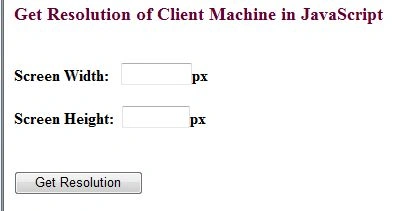
Click on the "Get Resolution" button.
Output 2

For more information, download the attached sample applications.
Join the conversation! Your thoughts help the community grow.