
Microsoft Framework 3.5 Offline Installer is an application or a technology that is used for building and running the next generation application. It supports the execution of application created by various programming languages. It is necessary to install in your operating system prior to develop any application.
Maybe you are unable to download the framework from the Internet due to slow connection or due to another reason, at that time you can use this tutorial for installing the framework - Offline, where you have to download a very small zip file [Microsoft Framework 3.5 offline installer] from the Internet, or from my account, you can get the file in no time as it of 250 kbs in size.
Download: http://www.c-sharpcorner.com/Downloads/792/microsoft-framework-3-5-offline-installer.aspx
Once you download it, unzip that file to a drive other than C:, now you have to install that file by admin rights, go to the Microsoft .NET Framework 3.5 Offline Installer, Right Click and Run as Admin. You can see the following dialog box:
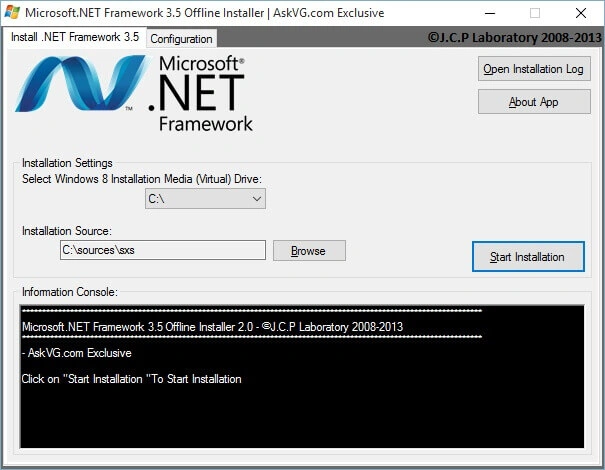
Figure 1: Franework
Here in this tutorial, you also need Windows 8 or Windows 8.1 bootable files, if you have a bootable Windows 8 or 8.1 file, then it would work easily, otherwise you first have to get those files. Even if you have Windows 8 CD, then you can easily convert that CD to bootable files. We need these many files.
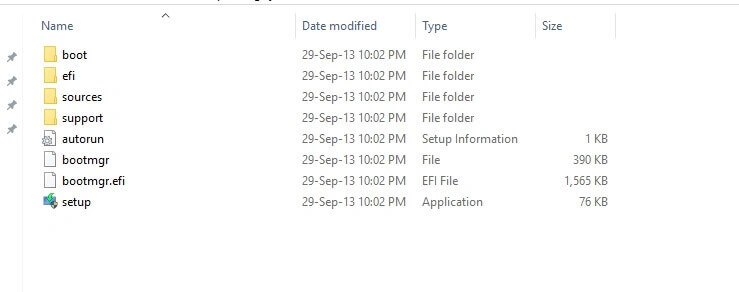
Figure 2: Setup
From these bootable files copy the sources folder and paste this folder in C: drive, here's the image:
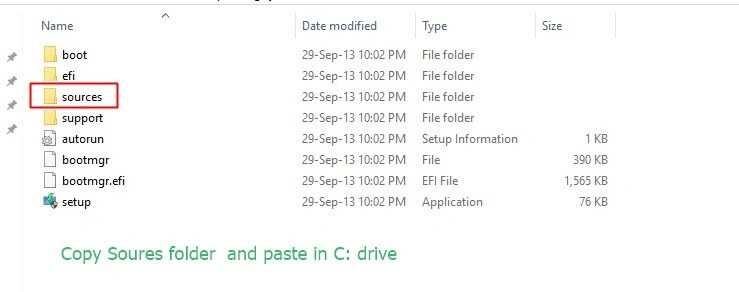
Figure 3: Image
Offline Installer needs this path C:\Sources\sxs – to install the framework, so that is why we copy the sources folder, now just browse the path to the offline installer like the following image:
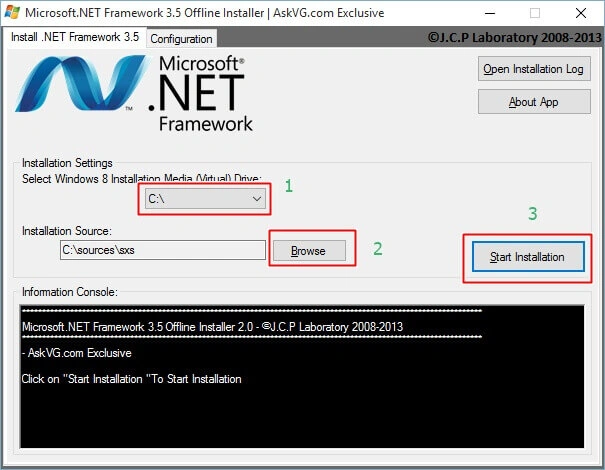
Figure 4: Path
After few minutes you will see a message popped up that the framework installed successfully.
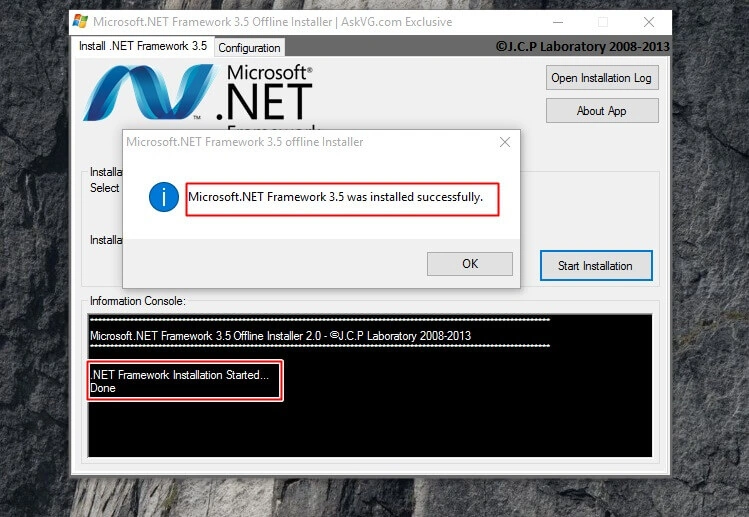
Figure 5: Installed
Hope you liked it. Have a good day. Thank you for reading.

Install Microsoft Framework 3.5 Offline Installer In Windows 8
Join the conversation! Your thoughts help the community grow.
Sign in to leave a comment
It is the same account you read, post and publish with — and you will come straight back to this page.
Arul RPosted Oct 28, 2015, 5:33 AM
Good one !!!
Santhakumar MunuswamyPosted Sep 12, 2015, 3:13 AM
Thanks for nice article:)
Pankaj Kumar ChoudharyPosted Sep 11, 2015, 2:34 AM
Really Very Helpful Article Sir...........
Sibeesh VenuPosted Sep 10, 2015, 8:09 AM
Nice Share
Karthikeyan KPosted Sep 10, 2015, 5:09 AM
Good one sir...Thanks for sharing us
Manoj KulkarniPosted Sep 10, 2015, 3:51 AM
Helpful information. Thank you for sharing
Rajeesh MenothPosted Sep 10, 2015, 2:51 AM
Good Information.Thanks for sharing