

Introduction
Windows 8 is a new version of the Windows Operating System developed by Microsoft for use on personal computers and other devices. To use Windows 8 you must install it on your computer. There are many ways by which we can install Windows 8 on your computer. You can install Windows 8 onto a bootable DVD and you can install Windows 8 using a USB drive.
If you want to install Windows 8 using a USB drive then you need the help of the Windows 7 USB DVD tool and USB Flash Drive. The Flash Drive must be a minimum of 4GB. The Windows 7 USB DVD Tool is a small tool that is used to convert an.ISO image format to a bootable format. The bootable media may be CD drive or USB Flash Drive.
You can download the Windows 7 USB DVD tool from this link:
How to make a bootable USB Flash drive
Step 1
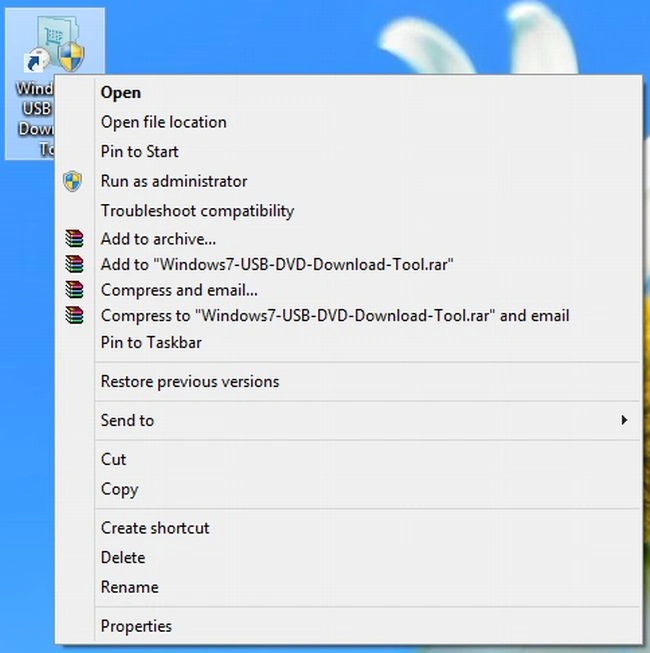
Download the Windows 7 USB DVD Tool and Run this program as Administrator; see.

Step 2
Follow the installation procedures.

Step 3
After installation a Windows 7 USB DVD Tool Icon will be displayed on the Desktop screen. Right-click on this icon and Run as Administrator.
Step 4
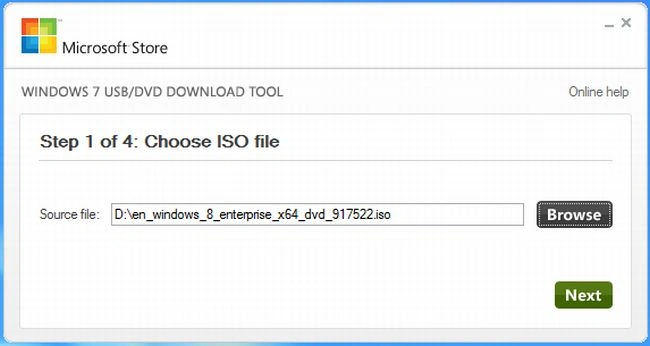
In this step select the.ISO image file from "Browse" and click on "Next".
Step 5
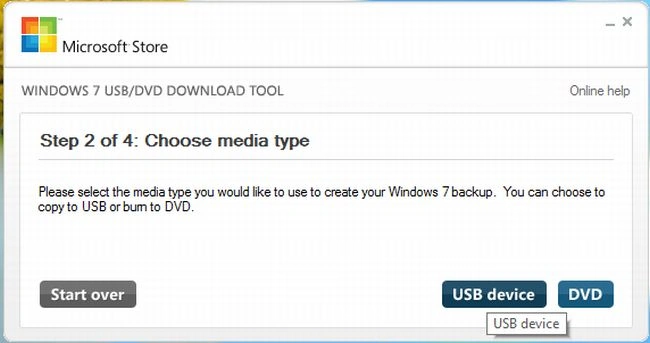
In this step click on "USB drive" as a media type.
Step 6
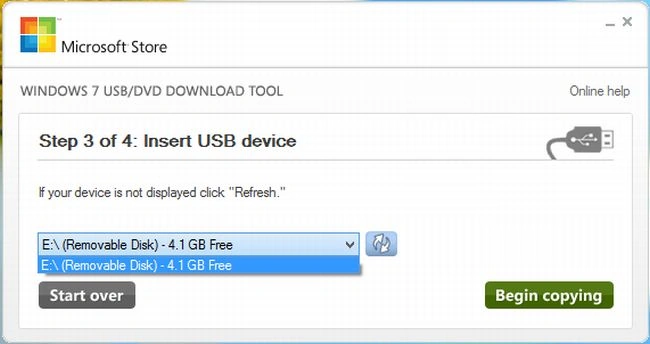
In this step select the USB drive and click on "Begin Copying".
Step 7
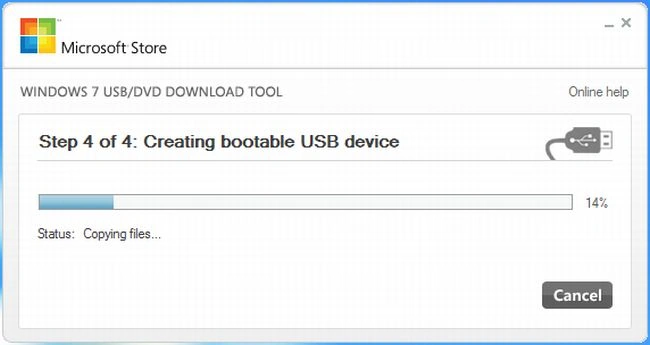
The process to create a bootable drive will be started; wait a few minutes.
Step 8
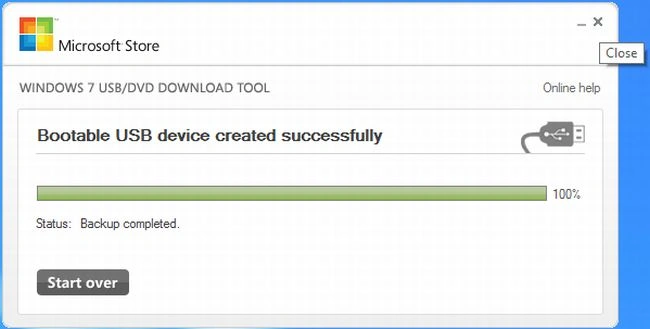
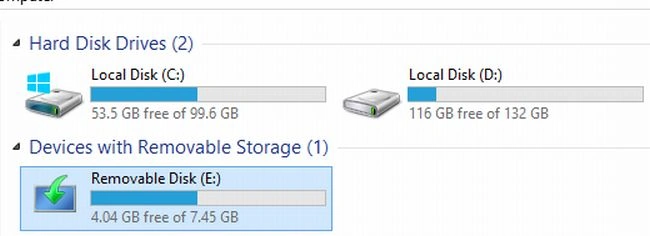
After completing the process close this window and now you can use your USB Flash Drive as a bootable drive to install Windows 8 using USB Flash drive.
To install Windows 8 follow this link
Summary
In this article, we learned about How to Install Windows 8 From USB Flash Drive.
Join the conversation! Your thoughts help the community grow.