

WebView is a view for displaying web and HTML content in your app. Unlike OpenUri, which takes the user to the web browser on the device, WebView displays the HTML content inside your app.
Reading this article, you will learn how to open Web URLs using WebView in Xamarin Forms application for Android and Universal Windows Platform with XAML and Visual C# in cross platform application development.
The following important tools are required for developing UWP,
- Windows 10 (Recommended)
- Visual Studio 2017 RC Community/Enterprise/Professional Edition (It is a Free trial software available online)
- Using Visual studio 2017 Installer, Enable the feature of Mobile development with .NET.
Now we can discuss step by step App development.
Step 1
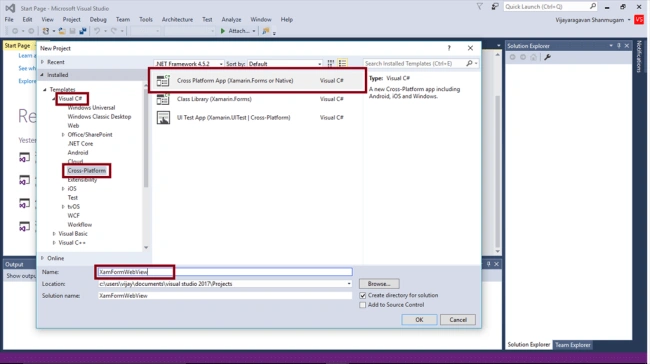
Step 2
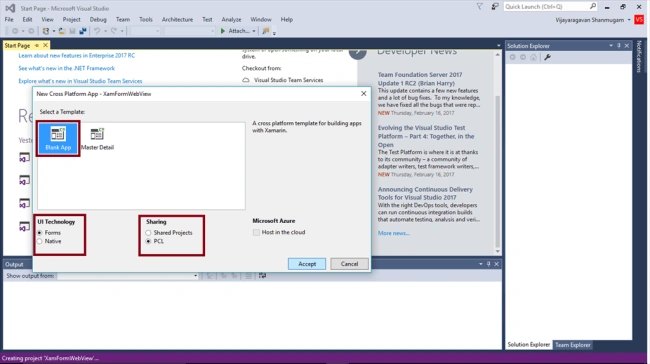
Step 3
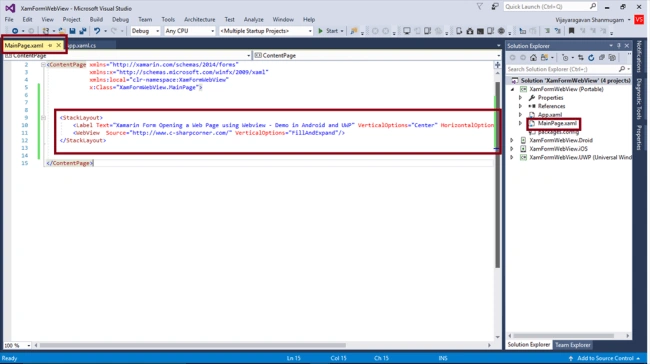
Step 4
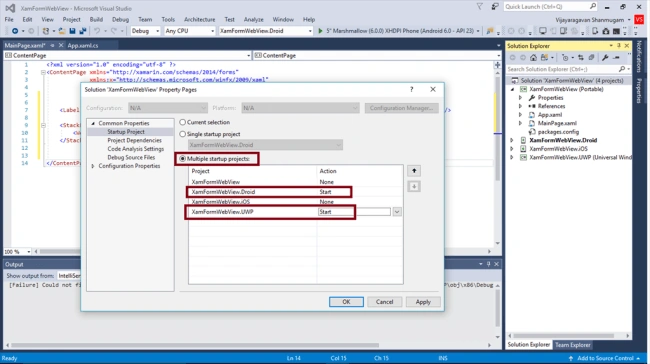
Step 5
Uncheck the Build and deploy options to the iOS and Check the Droid and UWP
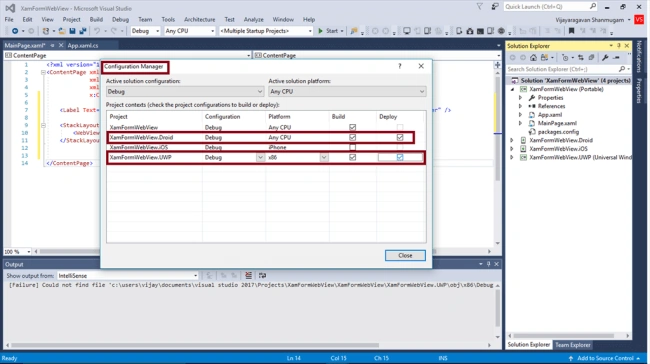
Step 6
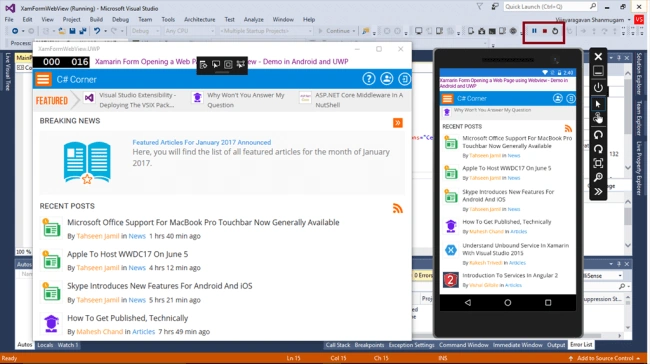
Summary
Now you can successfully open the Web URL using WebView in Xamarin Forms application for Cross Platform Application Development using Visual C# and Xamarin.
Adisa TosinPosted Aug 31, 2018, 8:11 AM
How do we check if the internet connection is off or if the websites could.not load from the source
Riccardo SadocchiPosted Feb 12, 2018, 10:29 AM
Hello, how i can notify a location (latitude-longitude) to a page in a WebView with Xamarin.Forms PCL?
Vishnu TejaPosted Jul 19, 2017, 6:52 AM
Pdf URL is not showing in web view in uwp project in xamarin.forms