Introduction
In this scenario, the scroll bar works when loading more pages, so the user can review all data the pages. However, I could not find how to make the print preview shows them all, or print them when you click on print. It shows only the first page in the print preview, and the same thing when printing them out. So the belows step show how to print more GridView pages in C#.
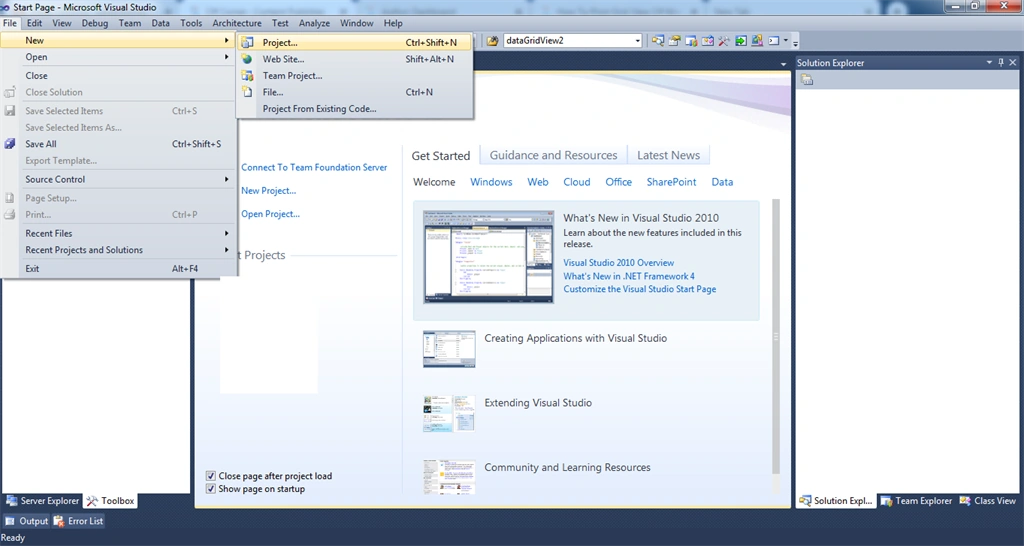
Step 1
Create a new project.
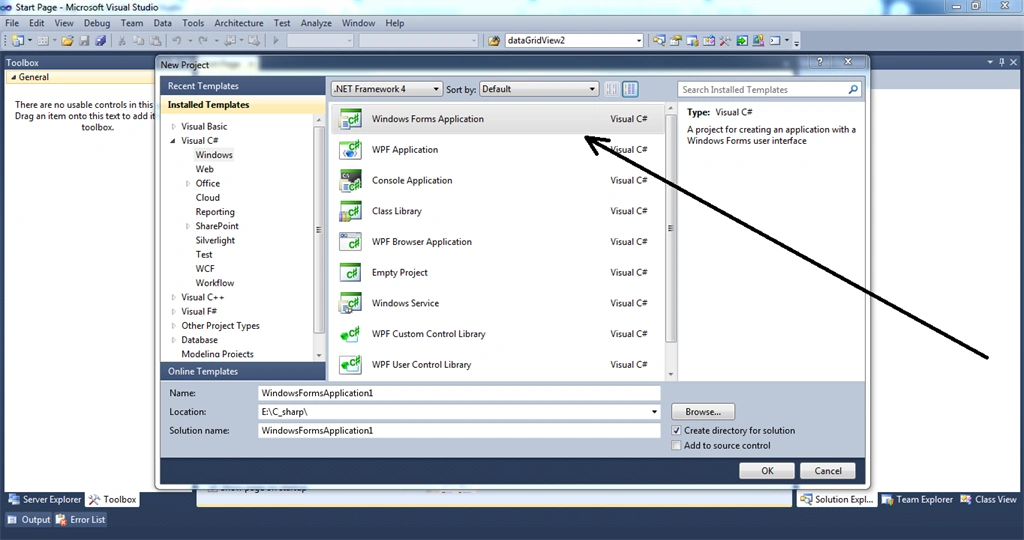
Step 2
Choose the C# Windows application.
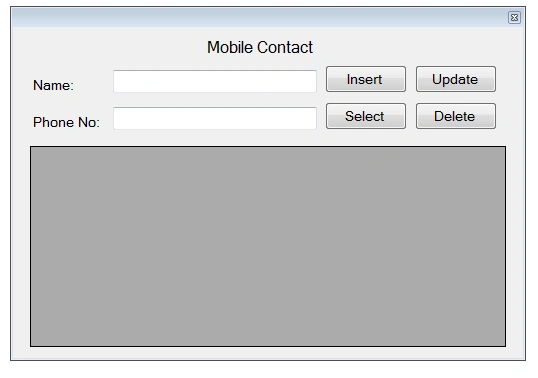
Step 3
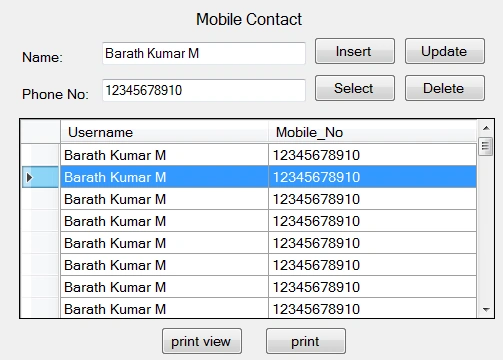
Design a simple Winform. Add a label, textbox, and button grid view controller.
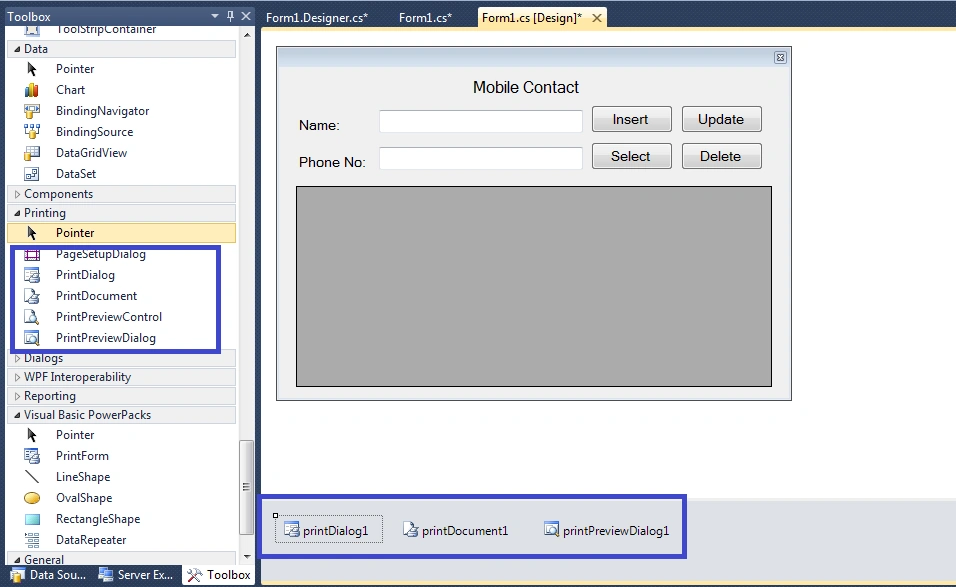
Step 4
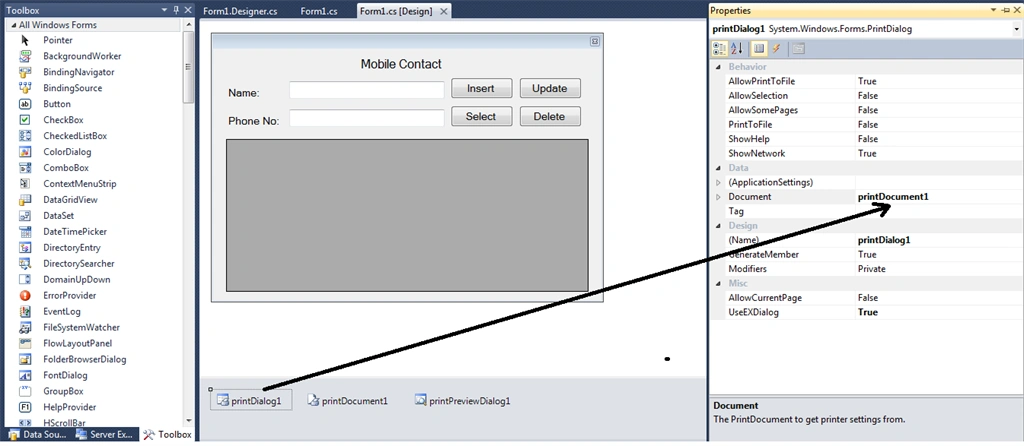
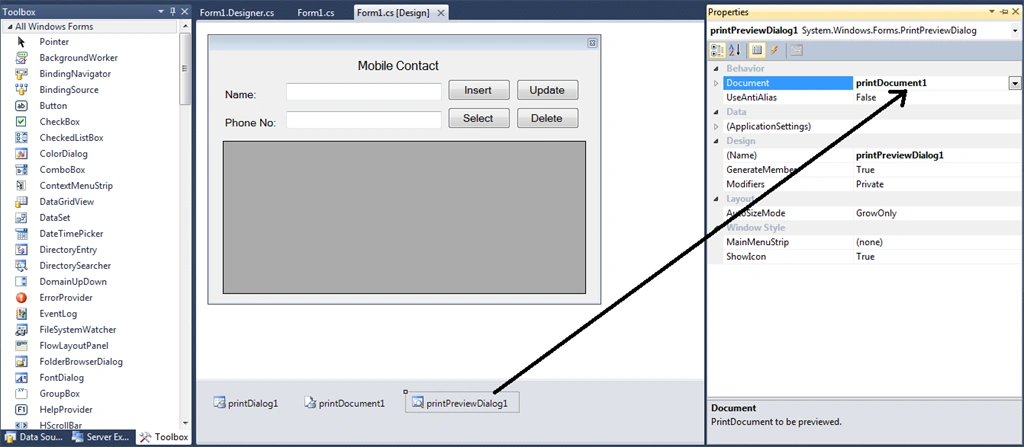
Add Printing tools PrintDialog, PrintDocument, and PrintPreviewDialog.
Step 5
Go to the PrintDialog Properties and select printDocument
Step 5
Go to the PrintPreviewDialog Properties and select printDocument
Step 6
Then start your CRUD coding operations.
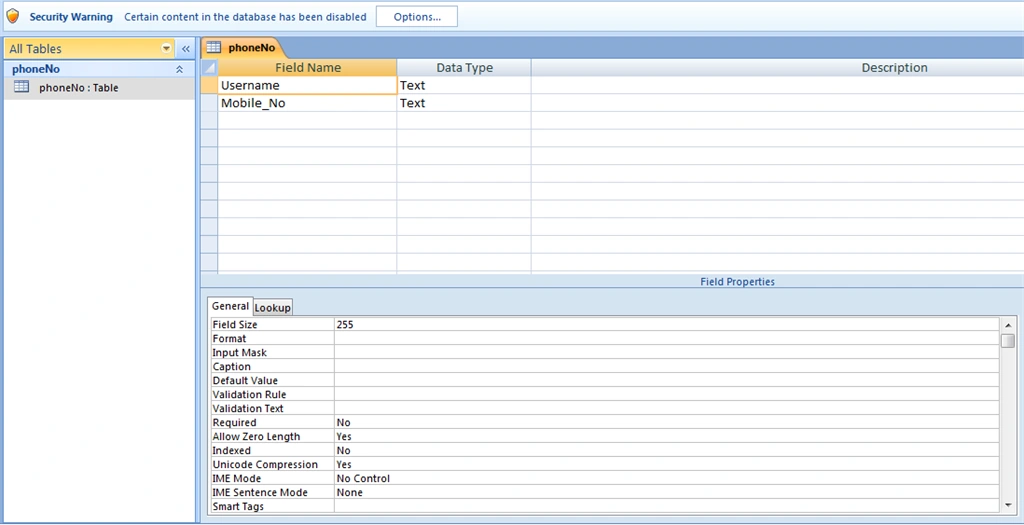
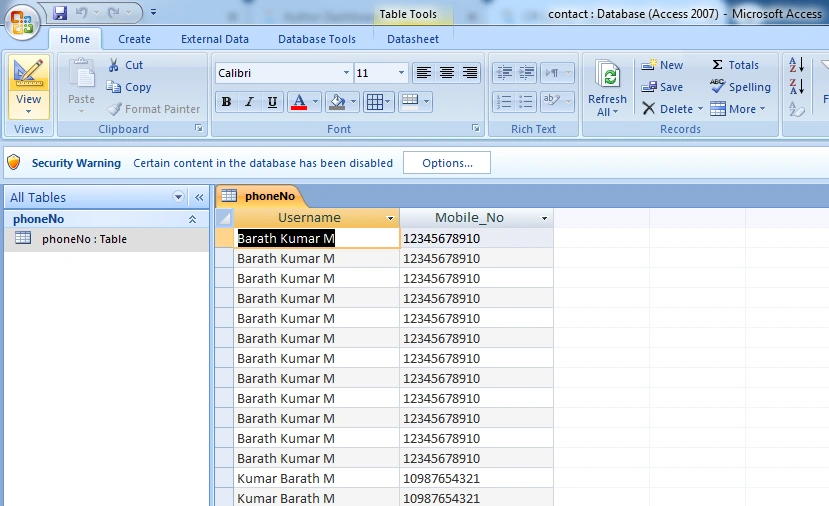
- MS Access Database
- Table Design view
Table Rows and Columns
Declare the Header
Declare the private integer
- private int numberOfItemsPerPage = 0;
- private int numberOfItemsPrintedSoFar = 0;
The Connection Methods() declaration
- public Form1()
- {
- InitializeComponent();
- }
- OleDbConnection con;
- OleDbCommand cmd;
- OleDbDataAdapter ad;
- DataSet ds = new DataSet ();
- private void Form1_Load(object sender, EventArgs e)
- {
- con = new OleDbConnection("Provider=Microsoft.ACE.OLEDB.12.0;Data Source=E:\\C_sharp\\print more page\\contact.accdb");
- }
CRUD - Record Create Event
- private void button1_Click(object sender, EventArgs e)
- {
- con.Open();
- cmd = new OleDbCommand("insert into phoneNo(Username,Mobile_No) values('"+textBox1.Text+"','"+textBox2.Text+"')", con);
- cmd.ExecuteNonQuery();
- con.Close();
-
- ((DataTable)dataGridView1.DataSource).Clear();
- con.Open();
- ad = new OleDbDataAdapter("select * from phoneNo", con);
- ad.Fill(ds, "0");
- dataGridView1.DataSource = ds.Tables["0"];
- con.Close();
- }
CRUD - Record Select Event
- private void button2_Click(object sender, EventArgs e)
- {
- ((DataTable)dataGridView1.DataSource).Clear();
- con.Open();
- ad = new OleDbDataAdapter("select * from phoneNo", con);
- ad.Fill(ds, "0");
- dataGridView1.DataSource = ds.Tables["0"];
- con.Close();
- }
CURD - Record Update Event
- private void button3_Click(object sender, EventArgs e)
- {
- con.Open();
- cmd = new OleDbCommand("update phoneNo set Username='" + textBox1.Text + "', Mobile_No='" + textBox2.Text + "' where Username='" + textBox1.Text + "'", con);
- cmd.ExecuteNonQuery();
- con.Close();
-
- ((DataTable)dataGridView1.DataSource).Clear();
- con.Open();
- ad = new OleDbDataAdapter("select * from phoneNo", con);
- ad.Fill(ds, "0");
- dataGridView1.DataSource = ds.Tables["0"];
- con.Close();
- }
CRUD - Record Delete Event
- private void button4_Click(object sender, EventArgs e)
- {
- con.Open();
- cmd = new OleDbCommand("Delete from phoneNo where Username='" + textBox1.Text + "'",con);
- cmd.ExecuteNonQuery();
- con.Close();
-
- ((DataTable)dataGridView1.DataSource).Clear();
- con.Open();
- ad = new OleDbDataAdapter("select * from phoneNo", con);
- ad.Fill(ds, "0");
- dataGridView1.DataSource = ds.Tables["0"];
- con.Close();
- }
Grid view cell - click event
- if (dataGridView1.Rows[e.RowIndex].Cells[e.ColumnIndex].Value != null)
- {
- dataGridView1.CurrentRow.Selected = true;
- textBox1.Text = dataGridView1.Rows[e.RowIndex].Cells["Username"].FormattedValue.ToString();
- textBox2.Text = dataGridView1.Rows[e.RowIndex].Cells["Mobile_No"].FormattedValue.ToString();
- }
Print Document, Print Page Events
- string curdhead = "Mobile Contact";
- e.Graphics.DrawString(curdhead, new System.Drawing.Font("Book Antiqua", 9, FontStyle.Bold), Brushes.Black, 350, 50);
-
- string l1 = "---------------------------------------------------------------------------------------------------------------------------------------------------------------------------------------------------------";
- e.Graphics.DrawString(l1, new System.Drawing.Font("Book Antiqua", 9, FontStyle.Bold), Brushes.Black, 0, 100);
-
- string g1 = "Name ";
- e.Graphics.DrawString(g1, new System.Drawing.Font("Book Antiqua", 9, FontStyle.Bold), Brushes.Black, 80, 140);
-
- string g2 = "Mobile Number";
- e.Graphics.DrawString(g2, new System.Drawing.Font("Book Antiqua", 9, FontStyle.Bold), Brushes.Black, 250, 140);
-
- string g3 = "Note";
- e.Graphics.DrawString(g3, new System.Drawing.Font("Book Antiqua", 9, FontStyle.Bold), Brushes.Black, 500, 140);
-
- string l2 = "---------------------------------------------------------------------------------------------------------------------------------------------------------------------------------------------------------";
- e.Graphics.DrawString(l2, new System.Drawing.Font("Book Antiqua", 9, FontStyle.Bold), Brushes.Black, 0, 160);
-
- int height = 165;
- for (int l = numberOfItemsPrintedSoFar; l < dataGridView1.Rows.Count; l++)
- {
- numberOfItemsPerPage = numberOfItemsPerPage + 1;
- if (numberOfItemsPerPage <= 50)
- {
- numberOfItemsPrintedSoFar++;
-
- if (numberOfItemsPrintedSoFar <= dataGridView1.Rows.Count)
- {
-
- height += dataGridView1.Rows[0].Height;
- e.Graphics.DrawString(dataGridView1.Rows[l].Cells[0].FormattedValue.ToString(), dataGridView1.Font = new Font("Book Antiqua", 8), Brushes.Black, new RectangleF(80, height, dataGridView1.Columns[0].Width, dataGridView1.Rows[0].Height));
- e.Graphics.DrawString(dataGridView1.Rows[l].Cells[1].FormattedValue.ToString(), dataGridView1.Font = new Font("Book Antiqua", 8), Brushes.Black, new RectangleF(250, height, dataGridView1.Columns[0].Width, dataGridView1.Rows[0].Height));
- }
- else
- {
- e.HasMorePages = false;
- }
-
- }
- else
- {
- numberOfItemsPerPage = 0;
- e.HasMorePages = true;
- return;
-
- }
-
-
- }
- numberOfItemsPerPage = 0;
- numberOfItemsPrintedSoFar = 0;
Print preview dialogs call function
- private void button5_Click(object sender, EventArgs e)
- {
- printPreviewDialog1.ShowDialog();
- }
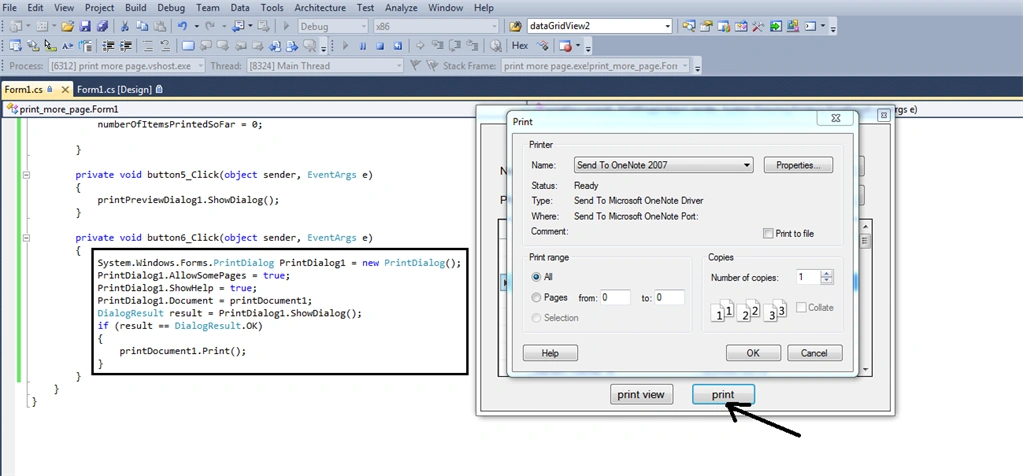
Page print Click Event
- private void button6_Click(object sender, EventArgs e)
- {
- System.Windows.Forms.PrintDialog PrintDialog1 = new PrintDialog();
- PrintDialog1.AllowSomePages = true;
- PrintDialog1.ShowHelp = true;
- PrintDialog1.Document = printDocument1;
- DialogResult result = PrintDialog1.ShowDialog();
- if (result == DialogResult.OK)
- {
- printDocument1.Print();
- }
- }
Sample Output: Windows Form
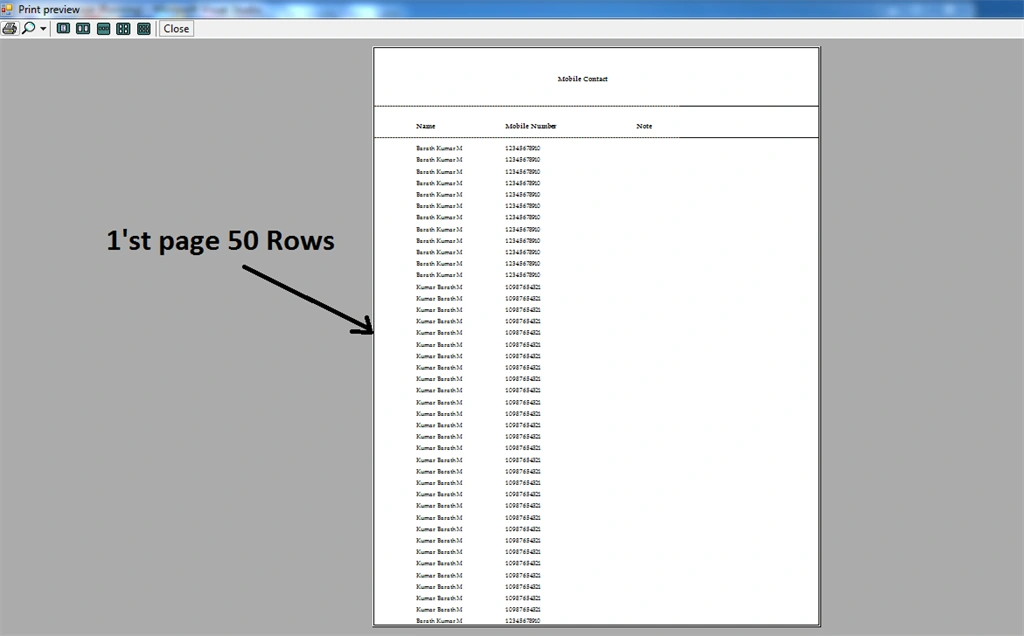
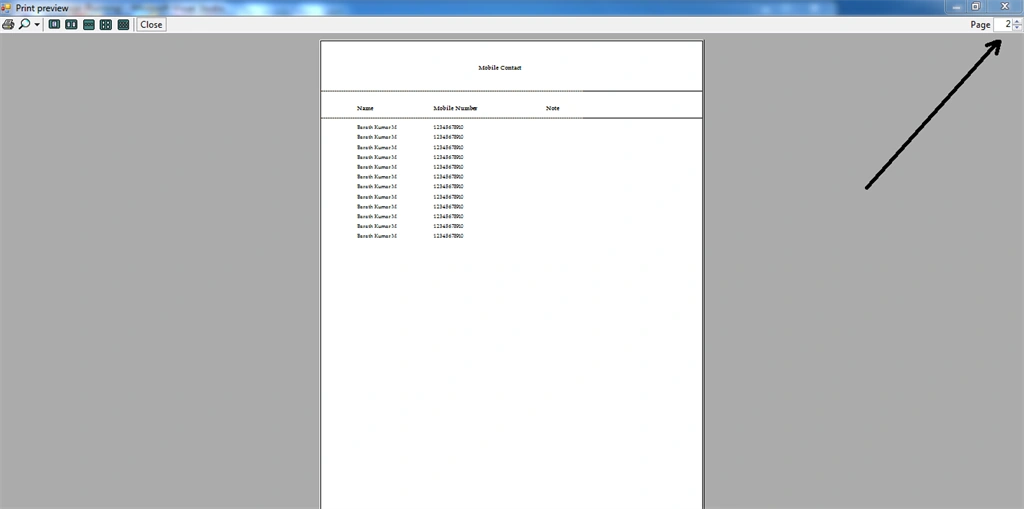
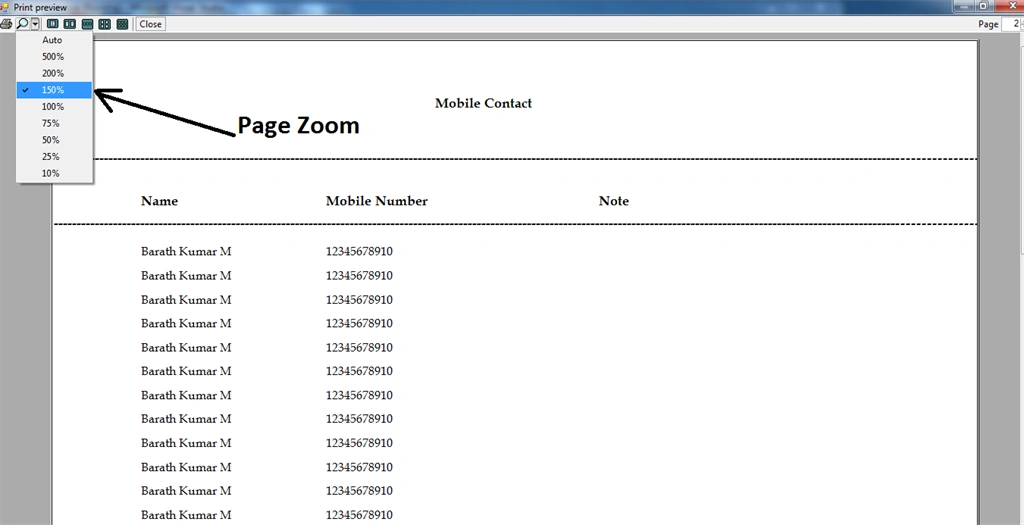
Sample Output: Print Preview
Sample Output: Print Click
Summary
In this application, the MS Access database has been implemented. Try to implement it on SQL, Oracle Database, etc... I hope this method helps you to print more pages in GridView.


Join the conversation! Your thoughts help the community grow.