

Introduction
In this article, I’m going to show you how to remove malicious software in the proper and easiest method.
Before that, we need to know what malicious software: is a program or file that is designed to harm a computer, network, or server. Cybercriminals, also known as hackers, create malware to steal data and damage or destroy computers and computer systems.
Here I’m going to use one of the features of Malicious Software Removal Tool: a freeware second-opinion malware scanner that Microsoft's Windows Update downloads and runs on Windows computers each month, independent of the installed antivirus software. First released on January 13, 2005, MSRT does not offer real-time protection.
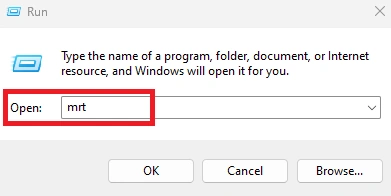
Step 1. Press “Windows Key” + letter “R” after typing “mrt”.
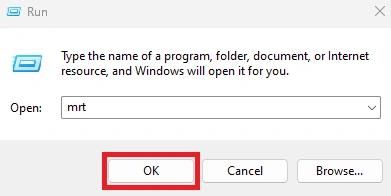
Step 2. Click “ok”.
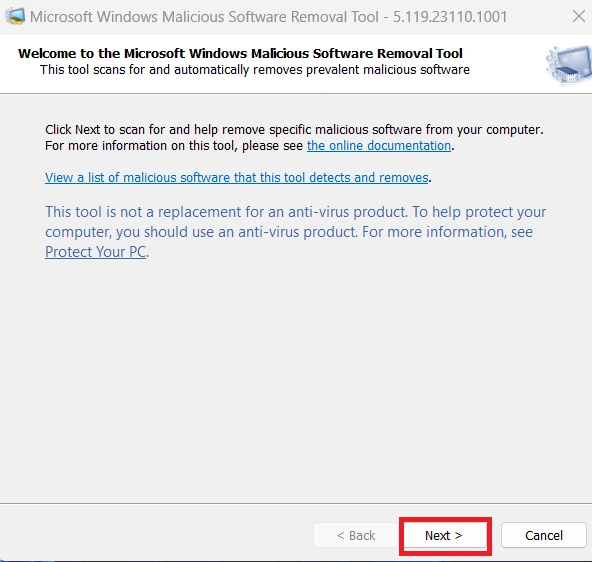
Step 3. Click “next”.
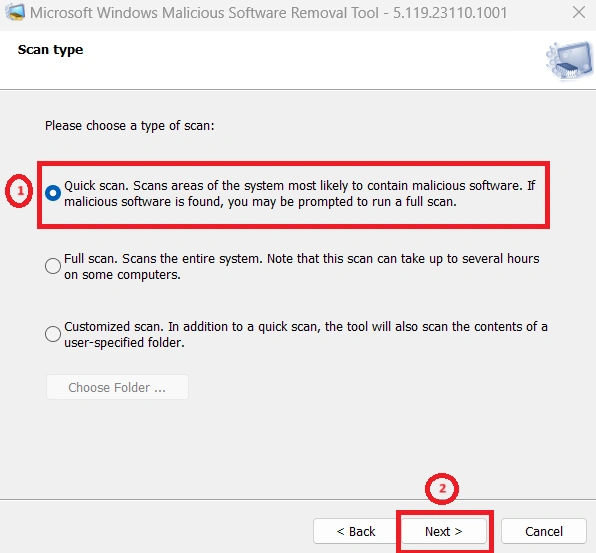
Step 4. Here you can see three types of scans.
- Quick Scan: the application scans objects that are loaded during operating system startup, system memory, and boot sectors of the device.
- Full Scan: checks all boot records, files, and running processes to which, the user has access. This scans your computer thoroughly and takes a longer time.
- Customize Scan: only scan the specified locations for malware threats and at a sensitivity level that you determine.
Now I’m going to select “quick scan” after clicking “next”.
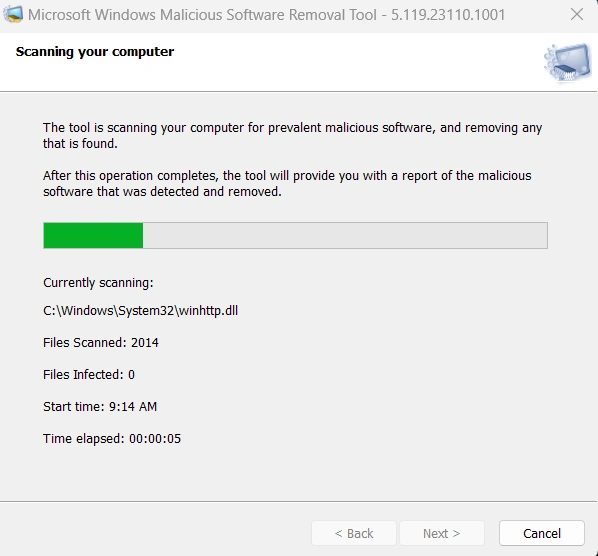
Step 5. You can see our tool scan the computer in the selected method.
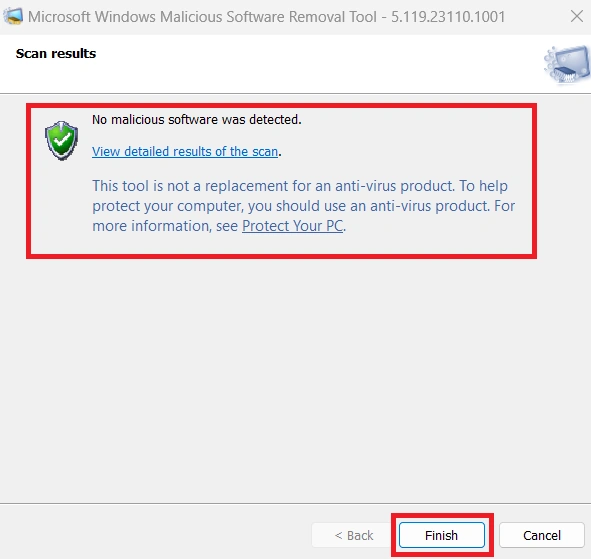
Step 6. Once finished you will see the scan results after clicking “finish”.
Conclusion
In this article, we all clearly understand how to remove malicious software in the proper and easiest method. If there is clarification regarding this topic, feel free to contact me.
Mahesh ChandPosted Dec 11, 2023, 5:16 PM
Thank you, Najath Risni. Appreciate it.!
Lambotharan SriragavanPosted Dec 11, 2023, 2:17 PM
Mr. Najath Risni provides a clear guide on removing malicious software in Windows 11. His explanation is concise and effective, covering essential steps for users. For detailed instructions, refer to his guide for comprehensive information on safeguarding our Windows 11 system against malicious software.