

Microsoft Flow
Microsoft Flow is a cloud-based service. It allows us to react to an event in one service and do something with the data from that event into another service. The users can build workflows that automatically do some business tasks and processes across applications and services.
It helps us monitor all our workflow with the help of a great cloud solution called “Microsoft Flow”. Before reading this article, please go through some important articles mentioned below.
- Deep Dive Into Microsoft Flow
- How To Connect OneDrive To Google Drive With Microsoft Flow
- How To Connect Facebook to Twitter With Microsoft Flow
- How To Save Email Attachment From Outlook To Dropbox With Microsoft Flow
- How To Send Notification Via SMS When Dropbox Is Modified With Microsoft Flow
- How To Connect The Outlook Mail To Excel With Microsoft Flow
- How To Save Office 365 Email Attachment To OneDrive With Microsoft Flow
- How To Notify A User Of Newly Submitted Microsoft Forms Response Via Email
- How To Track Facebook Wall Messages In An Excel Table Using Microsoft Flow
Connect Wunderlist to OneNote
Here, we are building a flow that, whenever a new task is created in a Wunderlist, creates a new page inside OneNote to manage the content for it using Microsoft Flow.
Wunderlist
Wunderlist is a discontinued cloud-based task management application. It allows users to manage their tasks from a smartphone, tablet, computer, and smartwatch. Wunderlist is free; additional collaboration features are available in a paid version known as Wunderlist Pro. Log in to Wunderlist from here.
OneNote
Microsoft OneNote is a computer program for free-form information gathering and multi-user collaboration. It gathers users' notes (handwritten or typed), drawings, screen clippings and audio commentaries. Notes can be shared with other OneNote users over the Internet or a network. OneNote is available as a part of Microsoft Office and Windows 10. Login here.
Prerequisites
- Microsoft Account – Corporate ID.
- Wunderlist Account
- OneNote Account
Follow the below steps to build a Flow using a template.
Step 1 - Create the Microsoft Forms
Login to the wunderlist https://www.wunderlist.com

Now, choose your Lists.

Dashboard.
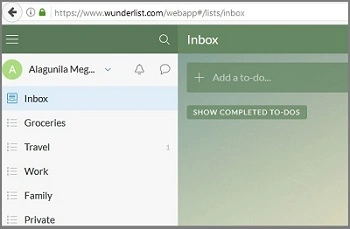
Step 2 - Login to the OneNote
Login to www.onenote.com.


Login to www.flow.microsoft.com.
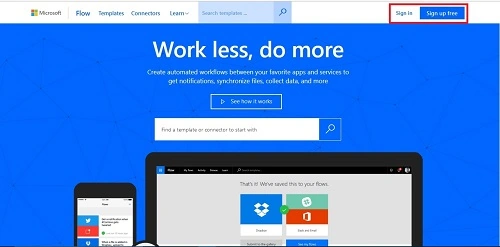

Step 3 - Search the Template
Choose the Templates menu from the menu bar.

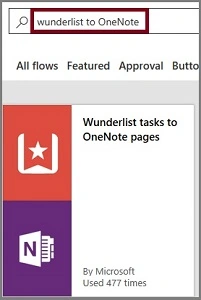
Now, click on the "Use this template" option.

Step 4
Sign in to Wunderlist and give permission to access your account.

Step 5
Sign into OneNote and give it permission to access your accounts.

Now, both are connected to the flow. Choose "Create Flow".

Step 6 - Create the Flow
Next, let us configure Wunderlist and OneNote.

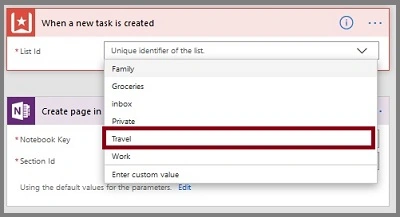
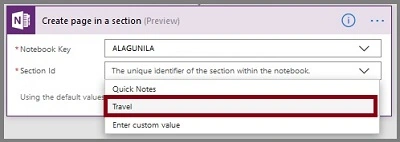
The final flow should be like this. Click on the "Save Flow" images.

The Flow is created.

Output
Task added to the Wunderlist.

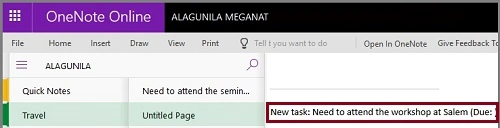
That Task is saved in OneNote.
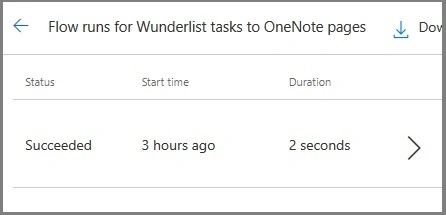
The history of flow.
Summary
I hope you understood how to how to save a Wunderlist task to OneNote pages whenever a new task is added on Wunderlist using Microsoft Forms. Stay tuned for more flow articles.
Sriram HariharanPosted Nov 29, 2017, 5:41 AM
I recently started Wunderlist for task tracking and it's a cool tool. Thanks for sharing the article.