
Before going to discuss about the How To Setup Angular 8 App, I would like to share about angular evolution and why Angular is called a single page application.
Evolution of Angular
Angular is JavaScript based open source framework for building client-side web applications which are developed by google. Before angular came we were using JavaScript as client-side web application, it can be used to design or program to create the event to show behavior of the web pages. Which means that JavaScript can be used to determine the mobile version of the website by checking the device, which is accessing the website. This encouraged web developers to start creating their own custom JavaScript. This is the reason for generation of jQuery. Which is a fast, small, and feature-rich JavaScript library, it makes things like HTML document manipulation, event handling and animation. But jQuery have no real structure so developers has full freedom to develop the application their own wish and it will be big confusion in larger projects with no clear design direction or code maintainability. For these situations, a framework like Angular can be a big help for making the structure and code maintainability. Which is fully supports the use of TypeScript instead of restricting users to plain JavaScript.
Why angular called as single page application
I hope you already heard that angular is single page application and you don’t much aware about the SPA (single page application). I hope you already noticed many web sites and mobile application which are responsive and dynamic. Where ever you made any actions in that applications it doesn’t reload the whole page and instead reload the required sections. Which kind of applications we can called as single page application (SPA). Example of single page application is Gmail. Where ever you made any action in Gmail.It didn’t load the whole page. only load that particular sections.
Angular 8 App Setup
Here am going to explain how to setup an angular 8 app in your local machine. Before you are going setup, an angular app makes ensure that your system have installed following configuration.
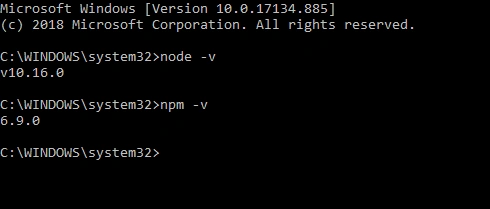
- Node Js (version 10.9.0 or later)
- npm package manager
- VS Code
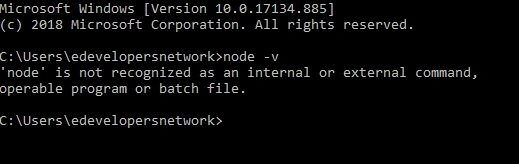
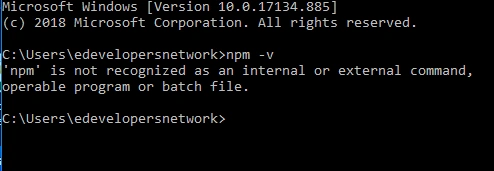
Node Js and NPM package manager
Before going to install the Node Js and NPM package manager, I would like to share some details about Node js and NPM package manager.
Node Js
Node js is an open-source, cross-platform JavaScript run-time environment, that executes JavaScript code outside of a browser. You already know that angular is fully supported, with type script instead of JavaScript. While you develop an application in angular and which is written in typescript. You already know that browsers support only HTML and JavaScript, for rendering the pages, while you run the typescript code render to the browser, it doesn’t work out. This situation node js acts as a run time environment to convert the typescript to JavaScript code. This code conversion happened at the angular build generation time, after a successful angular build you can see a dist. The folder contains the js files that we deployed to the hosting server.




Join the conversation! Your thoughts help the community grow.