

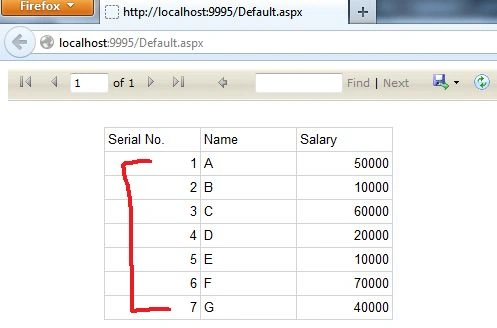
This article explains how to show the Serial Number in reports automatically using expressions in .NET.
Description
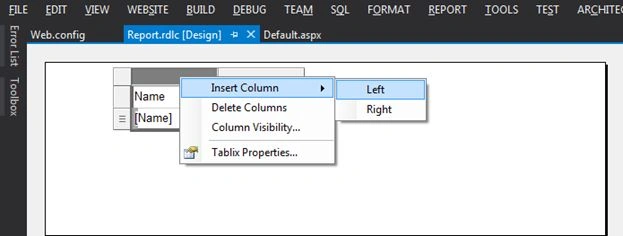
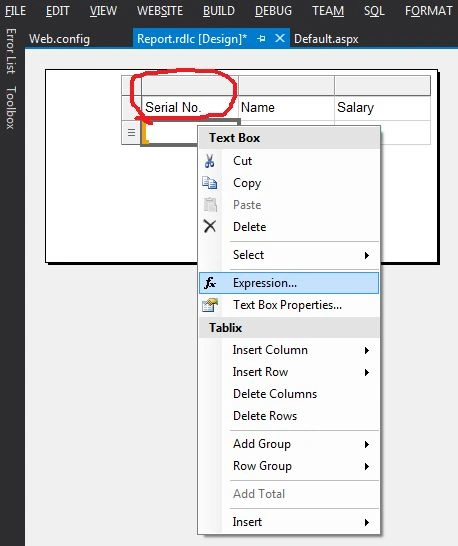
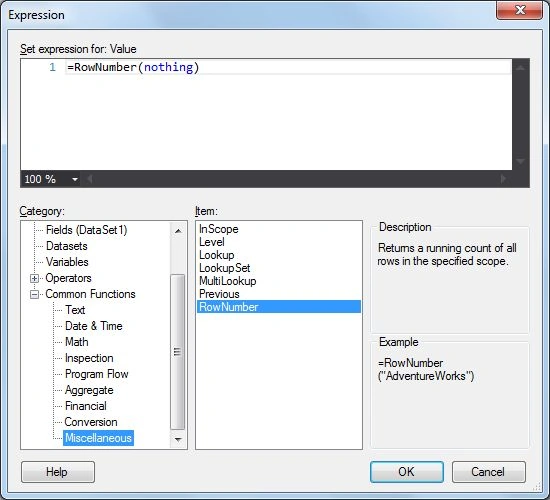
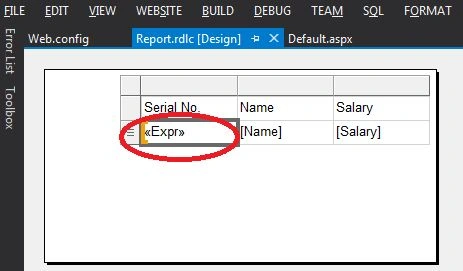
Using expressions you can add Serial Numbers to reports automatically. I will show you a demo by which you can create the serial numbers in reports.
Note: I am assuming that you can create the report. If you are a beginner to reports then follow my earlier article "Getting Started with Reports in .NET".
Use the following procedure to understand this article.
Step 1: I will create a table named "Employee" in my database "Test"
Note: I am assuming that you can create the report. If you are a beginner to reports then follow my earlier article "Getting Started with Reports in .NET".
Use the following procedure to understand this article.
Step 1: I will create a table named "Employee" in my database "Test"
CREATE TABLE [dbo].[Employee](
[Name] [varchar](50) NULL,
[Salary] [int] NULL
)
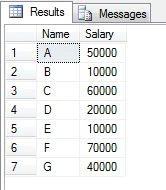
insert into Employee (Name,Salary)values('A',50000)
insert into Employee (Name,Salary)values('B',10000)
insert into Employee (Name,Salary)values('C',60000)
insert into Employee (Name,Salary)values('D',20000)
ratnesh kumarPosted Feb 16, 2021, 9:58 AM
After splitting the use of exp. (=JOIN(Split(Fields!FileName.Value,"?"), System.Environment.NewLine)) splitting row into column and add serial number 1, 2, 3 so on. how to do. ?
shivaram santoshPosted Feb 19, 2018, 6:11 AM
Thanks for useful information
Shovan SahaPosted Jun 19, 2017, 1:26 PM
Serial number is essential. Thanks for sharing.
Shovan SahaPosted Jun 19, 2017, 1:25 PM
Serial number is essential. Thanks for sharing.
veera muthuPosted Jan 11, 2016, 12:33 AM
Thankyu For your useful information
Nikunj TrivediPosted Aug 18, 2015, 6:18 AM
Good One Article Sir....Its Very helpful to us.......But I have One Query Regarding Crystal Report..How to print crystal report programatically on button click ?? bcoz in Visual studio 2010 crystal report , there are so many problems on PRINT button and Export button.
Sandeep JaglanPosted Jul 30, 2015, 6:07 PM
this doesn't work well when you have row show/hide condition is enabled
majedul islamPosted Feb 16, 2015, 2:44 AM
thnx
Gm ArifPosted Jan 5, 2015, 9:15 AM
thanks
mohan ChandankarPosted Jul 5, 2014, 5:29 AM
thanx