

In this article, I will guide you on how to use code mockup components in Vue.js
Prerequisites
- node.js installed
- Tailwind CSS
You can check how to install Tailwind CSS in vue.js from the below link
Create Vue.js Project
To create a Vue.js app, use the following command in the terminal.
vue create tailwindcss
Install daisyUI
Install daisyUI using following npm command
npm i daisyui
Open tailwind.config.js and add following code.
module.exports = {
  content: [
    "./index.html",
    "./src/**/*.{vue,js,ts,jsx,tsx}",

  ],
  theme: {
    extend: {},
  },
  plugins: [require("daisyui")],
}
Now right-click on the components folder and add a new component named 'mockupdemo.vue'. Now open mockupdemo.vue component and add the following code.
<template>
  <div class="mockup-code">
  <pre data-prefix="$"><code>npm i daisyui</code></pre>
</div>
</template>
<script>
export default {
    name: 'mockupdemo',
    props: {
        msg: String
    }
}
</script>

<style scoped>
h3 {
    margin: 40px 0 0;
}
ul {
    list-style-type: none;
    padding: 0;
}
li {
    display: inline-block;
    margin: 0 10px;
}
a {
    color: #42b983;
}
</style>
Now open App.vue componen. Add the following code in App.vue component.
<template>
  <div id="app">
    <mockupdemo/>
  </div>
</template>
<script>
import mockupdemo from './components/mockupdemo.vue'
export default {
  name: 'App',
  components: {
    mockupdemo
  }
}
</script>
<style>
#app {
  font-family: Avenir, Helvetica, Arial, sans-serif;
  -webkit-font-smoothing: antialiased;
  -moz-osx-font-smoothing: grayscale;
  text-align: center;
  color: #2c3e50;
}
</style>
Now run the application by using following command.
npm run serve
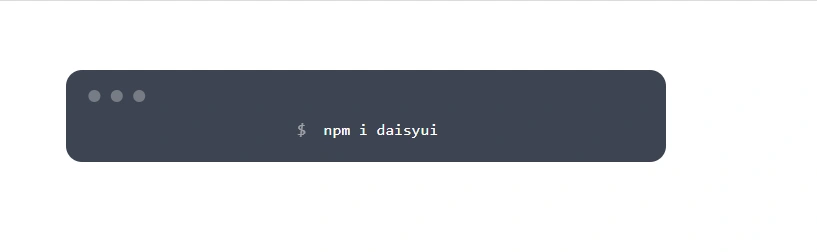
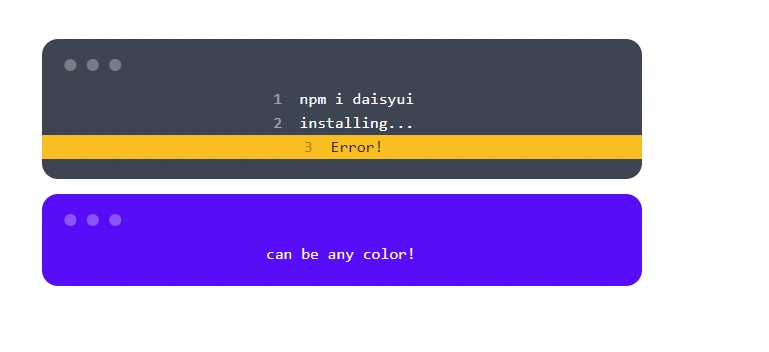
We can add different colors for the code mockup. Add the following code in the mockupdemo.vue component.
<template>
    <div>
        <div class="mockup-code">
        <pre data-prefix="1"><code>npm i daisyui</code></pre>
        <pre data-prefix="2"><code>installing...</code></pre>
        <pre data-prefix="3" class="bg-warning text-warning-content"><code>Error!</code></pre>
    </div>
        <div class="mockup-code bg-primary text-primary-content">
            <pre><code>can be any color!</code></pre>
        </div>
    </div>
</template>
<script>
export default {
    name: 'mockupdemo',
    props: {
        msg: String
    }
}
</script>
<style scoped>
h3 {
    margin: 40px 0 0;
}

ul {
    list-style-type: none;
    padding: 0;
}

li {
    display: inline-block;
    margin: 0 10px;
}

a {
    color: #42b983;
}
</style>
Summary
In this article, we learned how to use code mockup component in Vue.js application
Join the conversation! Your thoughts help the community grow.