In this mini-article, I will be talking
about how you can use KeyBoard object.
To get all the Pressed Keys:
string var_text1;
KeyboardState ns =
Keyboard.GetState();
foreach
(Microsoft.Xna.Framework.Input.Keys a in ns.GetPressedKeys())
{
var_text1 = a.ToString();
Window.Title += var_text1;
}
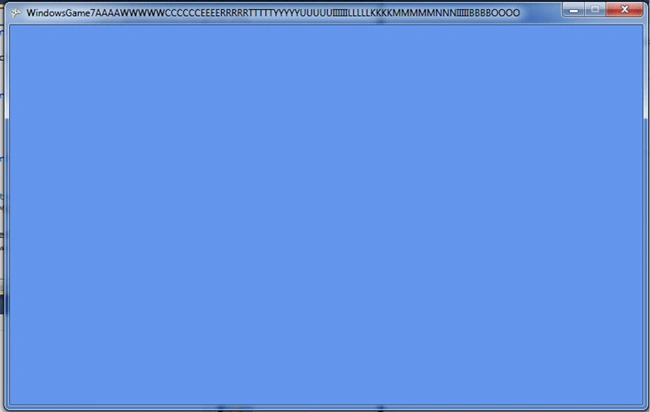
Just like that! Ignore repeated keys its because Update Interval.
Know a specific Key Pressed
KeyboardState stat
= Keyboard.GetState();
if (stat.IsKeyDown(Keys.Escape))
{
this.Exit();
}
When pressed escape it will close the application
Getting
know if a key is Pressing Up
The other option is to use KeyUp which
checks any Keys pressed or not.
Here is an example that can explain much more:
KeyboardState stat2
= Keyboard.GetState();
if (stat2.IsKeyUp(Keys.Escape))
{
Window.Title = "Not Pressed Escape!";
}
else if (!stat2.IsKeyUp(Keys.Escape))
{
Window.Title = "Pressed Escape! Finally!";
}
If you run you will see "Not Pressed
Escape",if you press instantly and pull back you will see "Pressed Escape!
Finally!" for a second.But the the thing KeyUp works much more effectively is
to press Escape key for a second or two.You will see the Pressed message as
long as you dont pull back.
Keys
Keys is an enumerator which holds all the available
keys that can be used inside XNA.
For example:
Keys.Escape
This
mini-article ends here.because theres nothing more to talk about.
Hope you liked it!
See you in the next articles!


Ibrahim ErsoyPosted Aug 6, 2010, 3:04 PM
Thanks.Until September 1st I will be writing 30 more articles.
Mahesh ChandPosted Aug 6, 2010, 11:37 AM
Keep up the good work. We need more contents on XNA.