

Introduction
Globus Toolkit is a collection of independent computers, which are collectively gathered to compute a grid computation. Grid computing is an enormous computation which is enormously advanced.
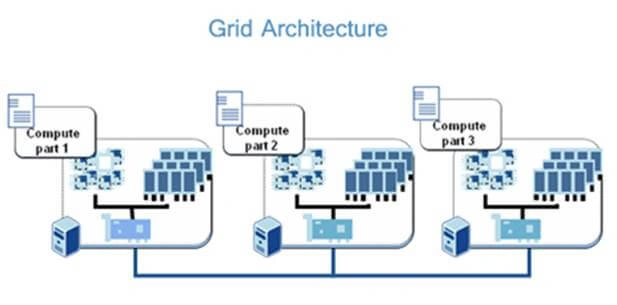
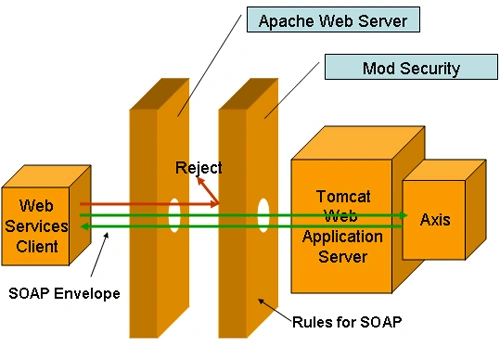
Globus Toolkit has a large number of standards, which can be implemented based on Application usage. Moreover, each standard has its own protocol stack. These can work for Resource management, Information Services, Data Management and Security. Here, we are using one of its standards, which is SOAP functionality for the Web Services.
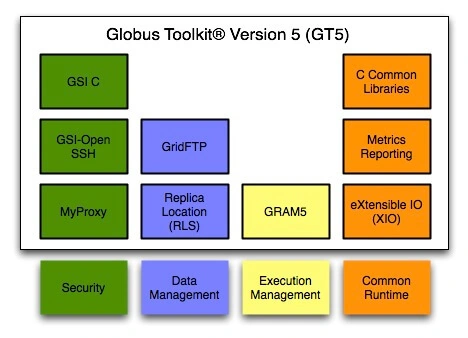
To work with Globus Toolkit, it is a bit more complex in Windows than in a Linux based environment. Here, in this tutorial, we are using Axis2 Server to simulate our work with the accommodation of NetBeans and Tomcat Server.
Apache Axis2 is an engine for developing and simulating Web Services. Implementation of Axis2 can be done in Java and C. It provides the mechanism to add our Web Services interface with our Web Applications.
Prerequisite
- Apache Axis 2 Server.
- Apache Tomcat.
- NetBeans.
- Java Virtual Machine.
Step 1
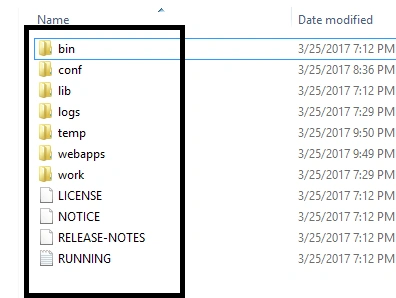
Download Apache Tomcat Server from Tomcat Server. You have to download the binary distribution from the link given, the file is in zip format. When you extract it, the folders are given below, which should be available in the zip file. For Mac and Linux users, you have to download the tar.gz files to use.
We hope that you had installed JDK initially. Now, move on to the path to Java folder. Our path is C:\ProgramFiles(x86)\Java\jdk1.6.0_21 . Copy this path to set our environment variables.
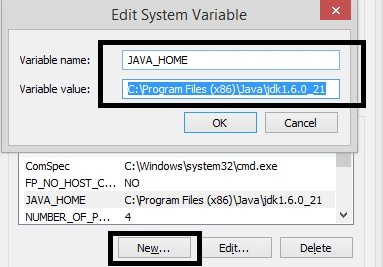
Move on to the My Computer-> Properties-> Advanced System Settings -> Environment Variables. Here you have to make a “New” variable in System Variables. In edit system variables, put “JAVA_HOME” in Variable name and “JDK installed directory path (C:\ProgramFiles(x86)\Java\jdk1.6.0_21)” in variable value. Click OK.
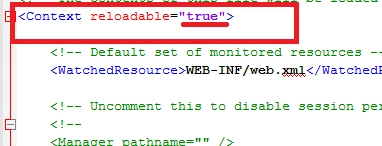
Now, come back to Tomcat extracted directory. Here in certain configurations, we have to configure it. For this, three files of Tomcat will be served. Move to Tomcat directory -> Conf -> – Web.xml, Context.xml and Server.xml.
Step 2
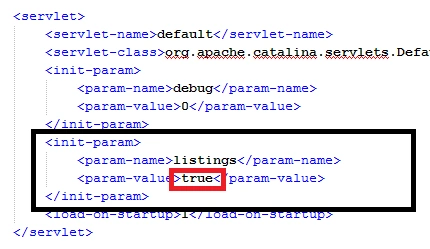
Open Web.xml in Notepad or any text editor and change the <param-value> to True from False.

Join the conversation! Your thoughts help the community grow.