

Image Slideshow in WPF
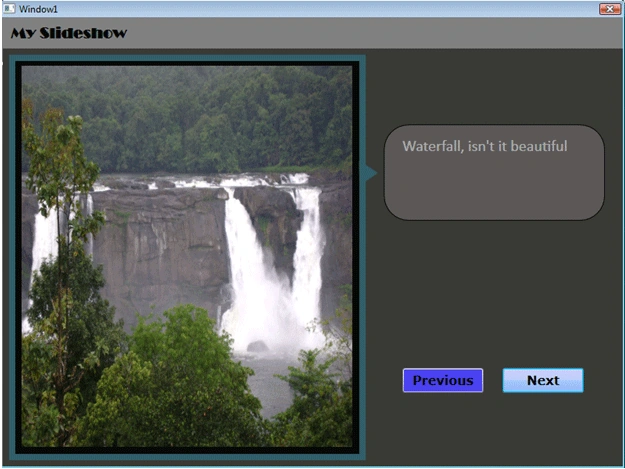
In this article, I will create a simple slideshow using WPF and C#.
The pages are designed using Expression Blend. Expression blend is really very good in designing the pages for WPF and Silverlight applications. What I really liked is the way in which we can easily create the pages and design the controls with it.
Now back to original topic.
The design of the page will look like this: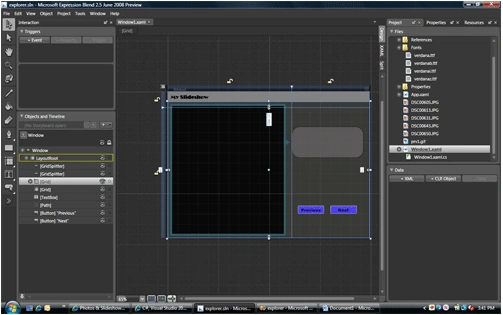
<GridSplitter> is a new control I used in this application. <GridSplitter> is very useful in designing the page when you want to split the pages into different sections. One of the most common example is "windows explorer". In the coming week, I will try to build an application like "windows explorer" in WPF using <GridSplitter>
Here in this application I have created a simple Button control. One thing I will like to try is to create fancy buttons in WPF.
<Path Fill="#FF325E69" Stretch="Fill" Margin="0,125.008,3.37,0" VerticalAlignment="Top" Height="24" Grid.Row="1" Data="M640,160 L559.5,239.5 719.5,239.5 z" Width="32.5" HorizontalAlignment="Right" RenderTransformOrigin="0.5,0.5">
<Path.RenderTransform>
<TransformGroup>
<ScaleTransform ScaleX="1" ScaleY="1"/>
<SkewTransform AngleX="0" AngleY="0"/>
<RotateTransform Angle="89.218"/>
<TranslateTransform X="0" Y="0"/>
</TransformGroup>
</Path.RenderTransform>
</Path>
Array to hold the images name
string[] imgs = new string[] { "prv1.gif", "DSC00650.JPG", "DSC00643.JPG", "DSC00631.JPG", "DSC00613.JPG", "DSC00605.JPG" };
logeshwaran elumalaiPosted Sep 3, 2014, 10:17 AM
nice