

Introduction
In Power Apps, repeating the same Gallery code in multiple places can lead to performance issues and increased maintenance effort. In our case, the Gallery logic was used in three different areas—Gallery view, Pagination, and Export to Excel—resulting in duplicated code of around 100 lines.
This not only increased load time but also made updates difficult, as any change had to be applied in multiple places.
To solve this problem, I created a reusable component that centralises the Gallery code. By using this approach, we can reduce duplication, improve performance, and make the application easier to maintain.
Overcomes
I have created a component to avoid repetition in our Gallery code.
Currently, the same Gallery logic is being used in three places:
Gallery
Pagination
Export to Excel
The Gallery code is around 100 lines. For example, if loading takes 15 seconds in one place, using it in three places increases the total load time significantly.
To overcome this, I created a reusable component.
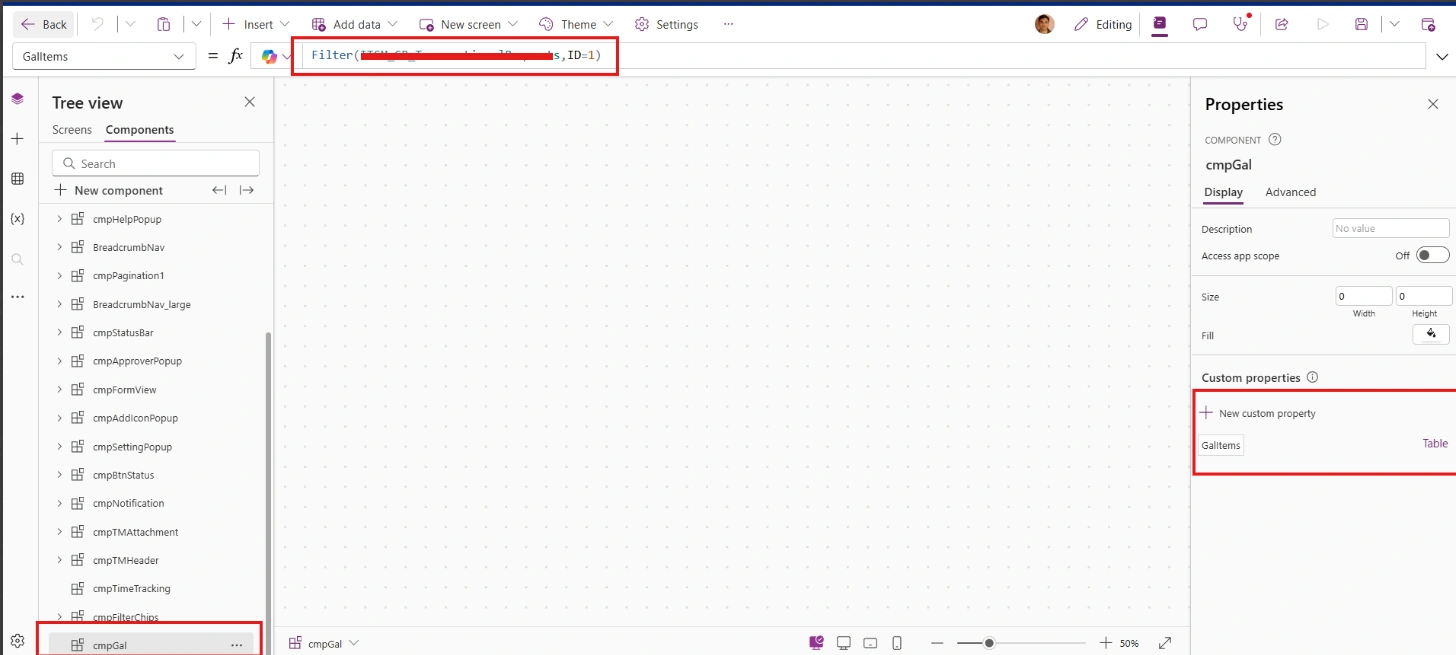
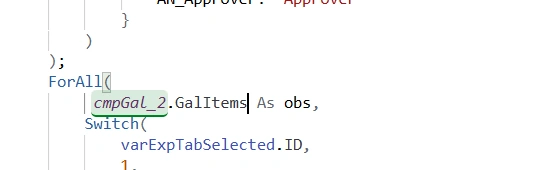
Now, instead of repeating the same code in three places, we can reuse it as shown in the attached screenshots:
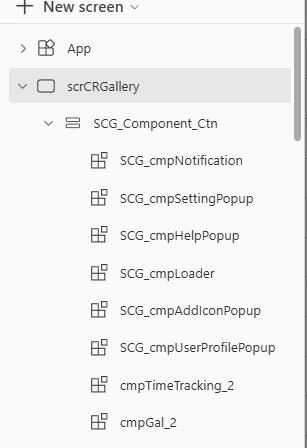
After I added in the screen
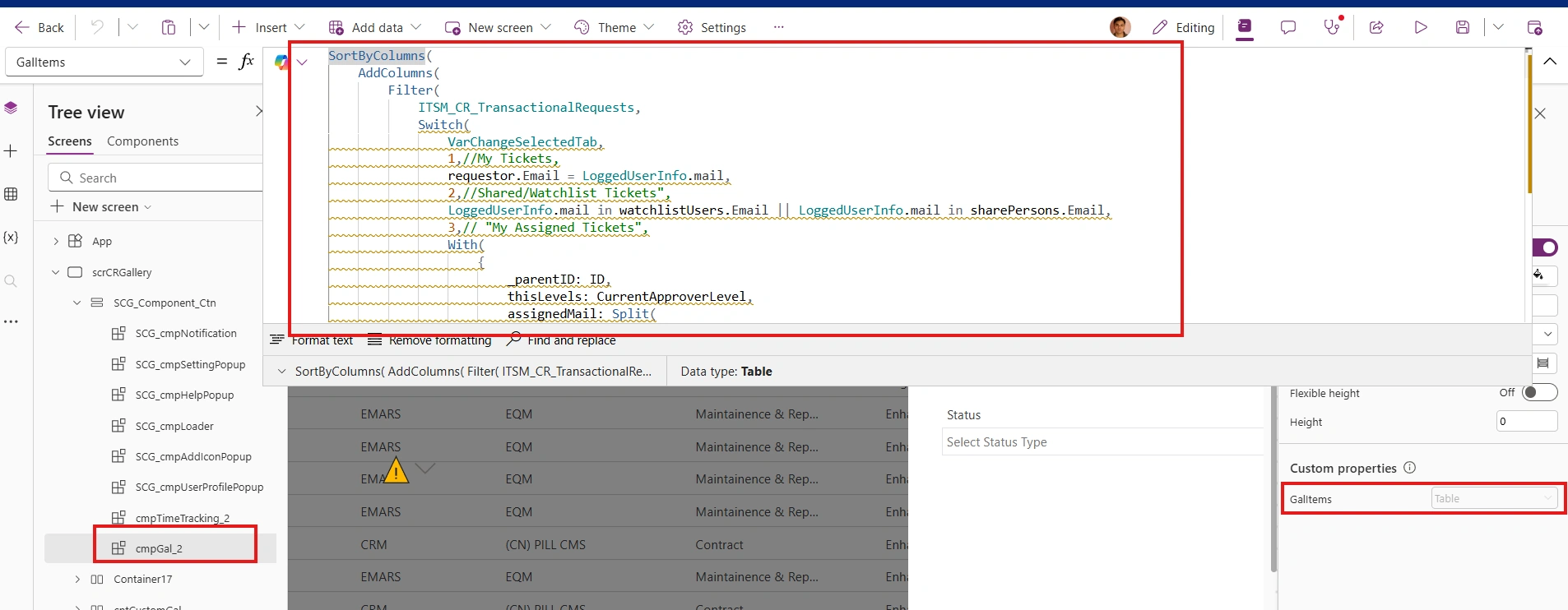
Then go to that container and add your gal code like this
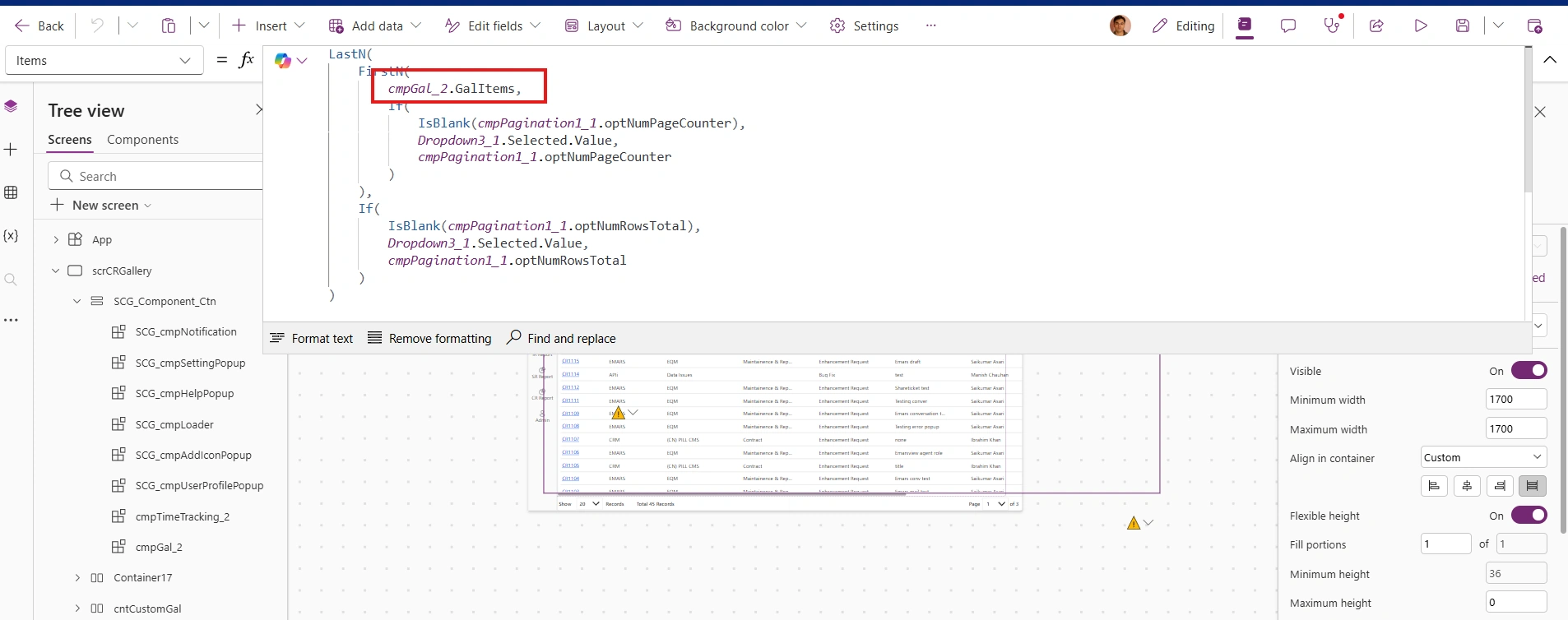
After 3 places, we can use them like this. I attached screenshots
Gallary Code
Pagination

Export to Excel
Benifits
Reduces code duplication
Improves performance (less load time)
Helps minimise delegation issues
Conclusion
By converting the repeated Gallery code into a reusable component, we can significantly improve performance and reduce unnecessary duplication. This approach not only decreases load time but also makes the application easier to maintain and update.
Instead of managing the same logic in multiple places, we now have a single source of truth, which improves consistency and reduces errors.
Implementing reusable components is a simple but effective way to build scalable and efficient Power Apps solutions.
Join the conversation! Your thoughts help the community grow.