

Introduction
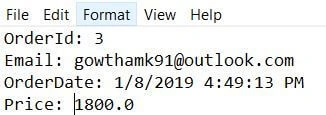
This article is in continuation of my previous article where I have explained how to perform Azure Queue Storage Binding for Azure Functions. Here, we are going to discuss how to integrate the Azure blob to Azure Functions. In my last article, we ended up by listening to the deserialized JSON Payload in Azure Queue Storage which is integrated with Azure Functions. Now, we are going to generate the invoice from a message in Azure Queue and store it in Azure blob.
Prerequisites
- Azure Subscription
- Basic knowledge of Azure Functions and Storage Service.
Integrate Azure Blob to Azure Functions
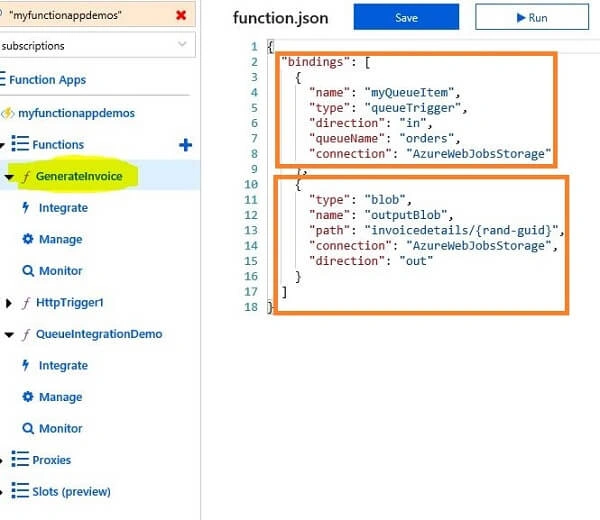
In my last article, we created a function called GenerateInvoice which listened to Azure Queue Service integrated with QueueIntegrationDemo function as an output. Now, we are going to integrate the Blob Storage Service to the GenerateInvoice function as an output to store the data in a blob as a file. Here, I’m going to generate the invoice by listening to the queue and store it in the blob.
Log into the Azure portal, go to the Functions App under our existing GenerateInvoice function, and click "Integrate".
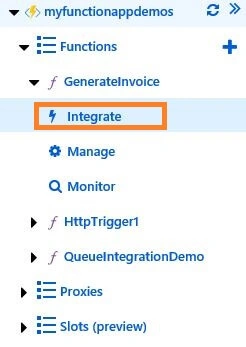
Figure 1
In the integration window, we need to add a new output,i.e., Azure Blob Storage.
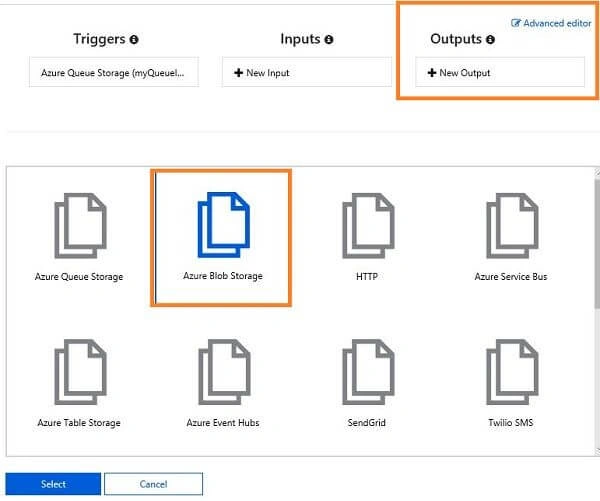
Figure 2
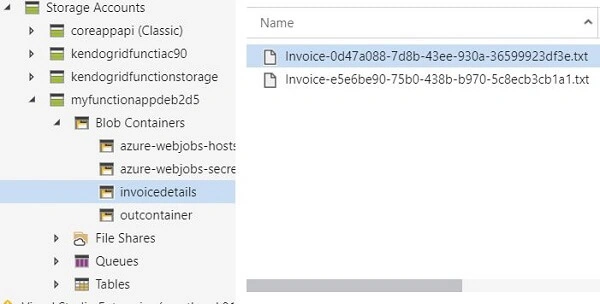
Give the blob path in Azure Blob Storage output form, select the storage account which is used for the Azure Queue Storage service (I have given the container name as invoicedetails and the invoice file name as invoice-{rand-guid}.txt). The {rand-guid} will generate a random GUID.
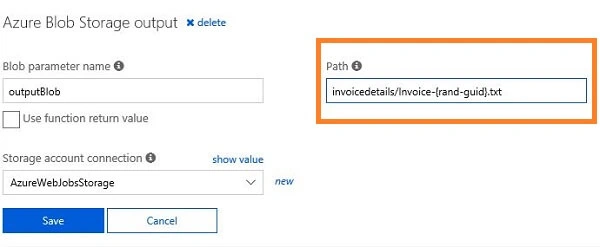
Figure 3
If the container is not available in our storage account, the service will automatically create a container in the blob and add the file.
Let's go to the editor and update the function to generate the invoice file and store it in the blob.
Join the conversation! Your thoughts help the community grow.