
In this article, we will learn how to use NativeScript using Angular2 and TypeScript to build a native Android mobile app that is integrated with Google's notification service Firebase Cloud Messaging (FCM).
Prerequisites
Prerequisites
- Install node.js.
- Install NativeScript - Open Command Prompt and type the following command.
npm install -g nativescript
- Install Java 1.8
- Install Android SDK (23 or later)
- Open system properties, then add ANDROID_HOME environment variable and set its value with Android SDK path c:\\Android\android-sdk
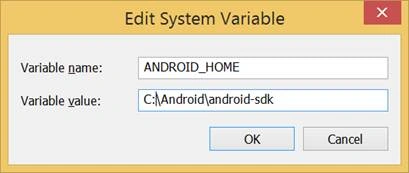
Then, add SDK tools to the PATH variable - %ANDROID_HOME%/tools
- You must have at least one AVD (Android Virtual Device) configured on your development machine.
- If you don’t have any AVD, open CMD Prompt and type " android"

Open "Tools" menu at the top, then select manage AVDs.
Click on "Create" button.
Set AVD Settings.
Create native script app
- Create new native script app using existing template (groceries). For this, open the command prompt, browse root folder for the project, and then typetns create Groceries --template nativescript-template-ng-groceries


- Browse the created project to install required library, using the below command.npm install require

- Install all libraries.
npm install - Change component template in NativeApps\Groceries\app\app.component.ts to be as the below code to create login screen.
- import {
- Component
- } from "@angular/core";
- @Component({
- selector: "my-app",
- template: `
- <StackLayout>
- <TextField hint="Email Address" keyboardType="email"
- autocorrect="false" autocapitalizationType="none"></TextField>
- <TextField hint="Password" secure="true"></TextField>
- <Button text="Sign in"></Button>
- <Button text="Sign up for Groceries"></Button>
- </StackLayout>
- `
- })
- export class AppComponent {}
- Run the app on Androidtns run android
This command will create an Android platform in C:\NativeApps\Groceries\platforms
Integrate NativeScript with FCM
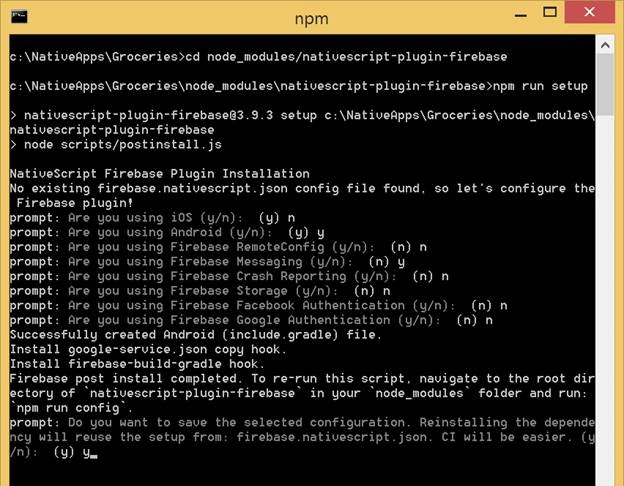
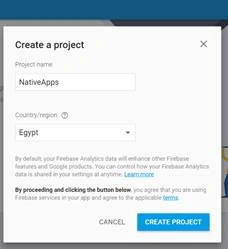
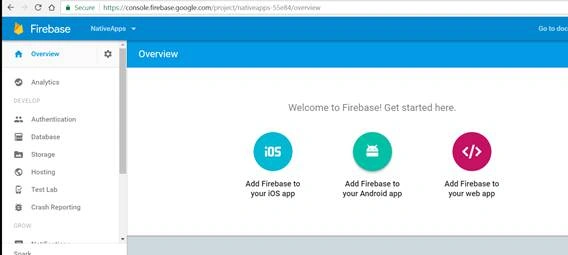
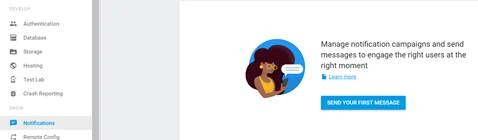
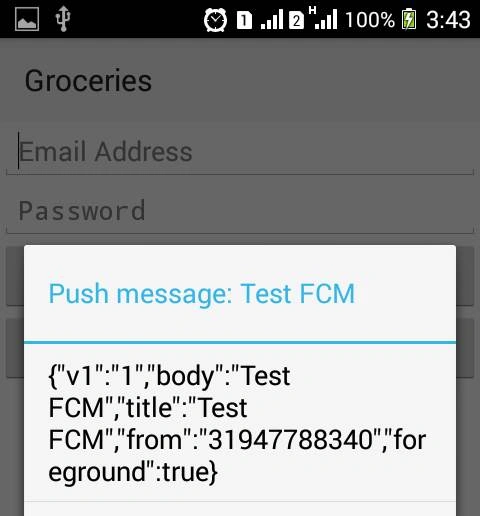
Firebase Cloud Messaging (FCM) is a cross-platform messaging solution that lets you reliably deliver messages at no cost. Now, we will integrate our NativeScript app with Firebase.
Firebase Cloud Messaging (FCM) is a cross-platform messaging solution that lets you reliably deliver messages at no cost. Now, we will integrate our NativeScript app with Firebase.






Nesreen MagedPosted Jan 9, 2018, 8:08 AM
Hi,1.Install Android SDK (23 or later) 2.Open system properties, then add ANDROID_HOME environment variable and set its value with Android SDK path c:\\Android\android-sdk
Sarvesh KumarPosted Jan 9, 2018, 5:32 AM
Hi Nesreen Maged , I received following error "The ANDROID_HOME environment variable is not set or it points to a non-existent directory. You will not be able to perform any build-related operations forAndroid."