

Article Overview:
- Background
- Introduction to nopCommerce
- History
- Demo
- Features
- Configuration and Installation of nopCommerce
- First Step: Download Latest version
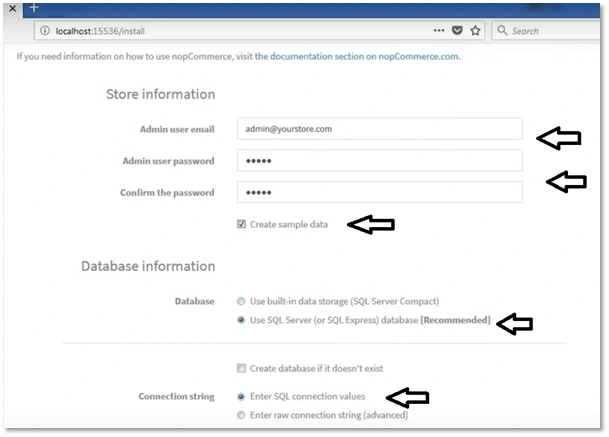
- Second Step: Load Installation Screen
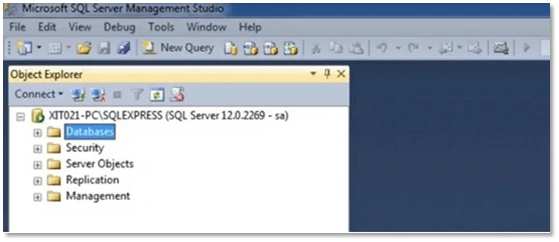
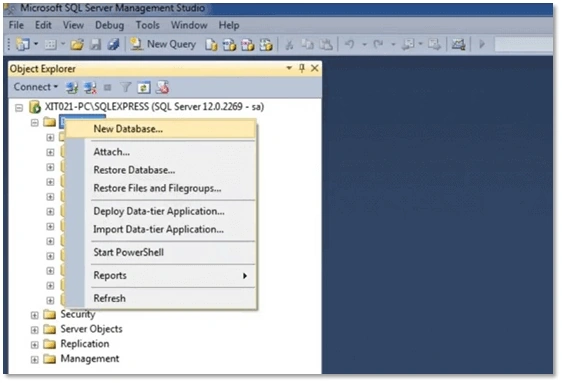
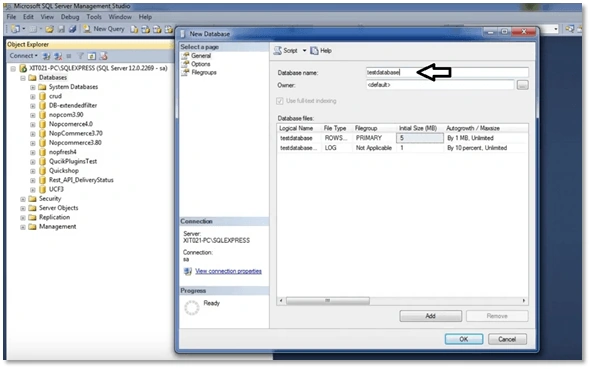
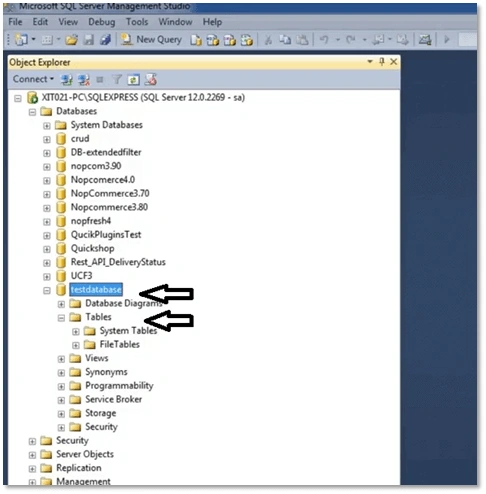
- Third Step: Create Database to Install
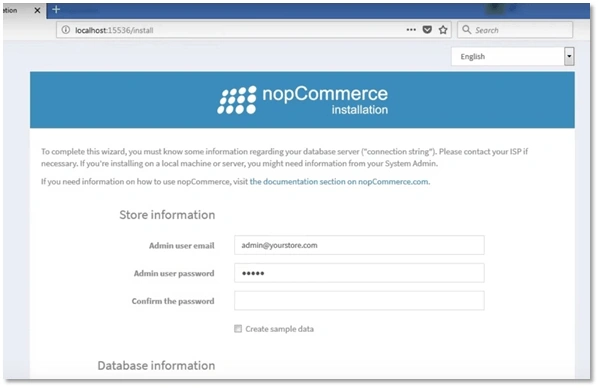
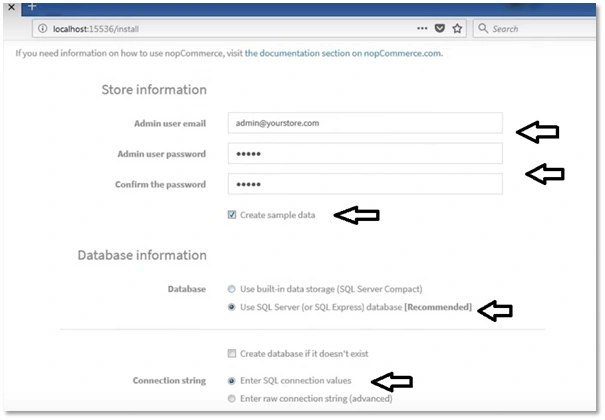
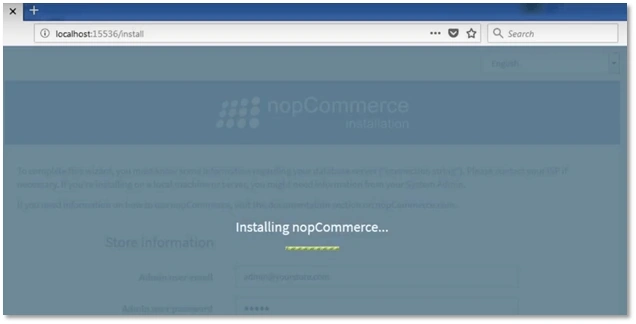
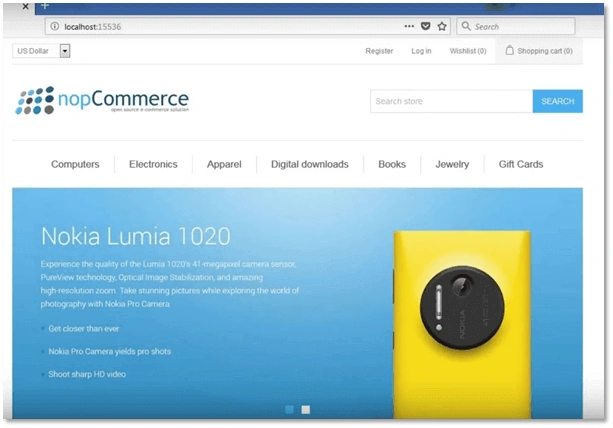
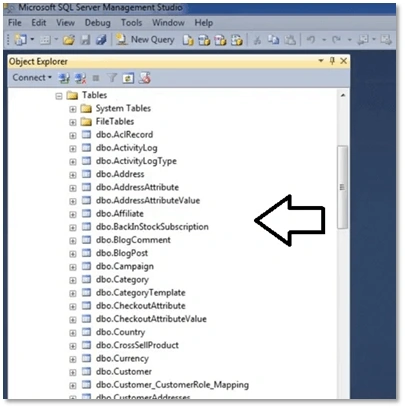
- Fourth Step: Completing Installation
- Summary
- References
Background
nopCommerce is a feature-rich eCommerce platform using which one can develop interactive eCommerce websites. It is one of the best open-source eCommerce platforms that is capable of supporting both individual entrepreneurs as well as large businesses.

nopCommerce - an Open Source and Free eCommerce Solution
Introduction and features of nopCommerce
History
Nop is an open-source eCommerce solution developed using ASP.NET MVC 4.0 and SQL Server 2008. Its development was started in 2008 by Andrei Mazulnitsyn in Russia. It launched officially in October 2008 for small and medium-sized businesses. During 2010-2011, nop reached the finals of Packt Open Source eCommerce Award. It was listed in top 20 most downloaded applications by Microsoft Web Platform Installer.

Demo
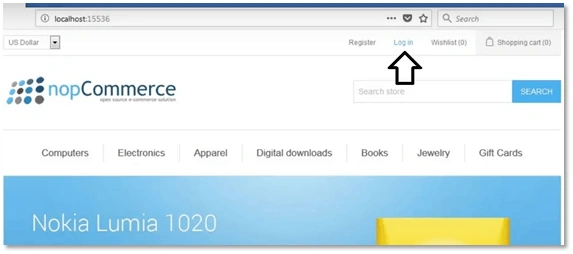
One can access the Nop demo store online without any configuration and installation. It will give you an insight of the rich features and functionality provided by nopCommerce.
Hence, keep it open.
Features
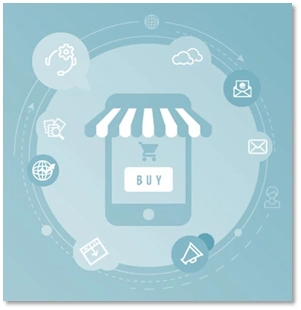
It is a feature-rich eCommerce solution. Here are some of the top features.
- Mobile commerce
- Multi-store
- Multi-vendor support
- Product features
- Search engine optimization
- Checkout
- Marketing
- Payment methods
- Shipping features
- Tax features
- Customer service
- Secure
- Mobile commerce
It has many well-designed responsive templates which scale up or down appropriately and show appropriate content optimized for all kinds of devices and browsers.
- Multi-store
It allows the users to run more than one store with exclusive domains and then manage all of them from the nopCommerce Admin panel.
- Multi-vendor support
It allows multiple vendors to sell on your eCommerce website just like Amazon. Various products from several independent vendors can be viewed in a common product catalog and your online customers can shop at one web store from any of the vendors as per their choice.
- Product features
It has reached a level where if you are not providing a WOW experience to your customer, you are losing the sale. An online shopper expects an eCommerce store to provide global standards.
- Search engine optimization
SEO is must to increase the visibility of your website in search results. nopCommerce provides a comprehensive SEO out of the box.
- Checkout
nopCommerce by default supports well-designed checkout options that are used by most of the eCommerce websites these days including "Anonymous checkout" and "One-page checkout"
- Marketing
nopCommerce offers a variety of popular marketing features such as "Reward Points System", "Discounts and Coupons", "support news, forums, polls, blog, and custom pages (topics)", "Gift Card", "Product Review and Ratings", "Affiliate program", etc. to run marketing campaigns on your eCommerce website.
- Payment methods
nopCommerce is integrated with more than 50 payment methods and gateways hence it gives your customers the freedom to pay the way they wish. Nop is accepting most of all major debit cards and credit cards.
- Shipping features
A well-designed tool which allows an owner to cater to their customers throughout the globe.
- Tax features
It allows assigning tax to order category wise and country/state wise.
- Customer service
It offers some great customer service tools by default, such as "External authentication", "Wish List", "RTL support", "Customer attributes", "GDPR support", "Security and permissions", "Live chat integration", etc., which can help you provide High-Quality Customer Experience.
- Secure
nopCommerce is PCI-DSS compliant. Hence, you can rest assured that the software powering your eCommerce website is safe, secure, and well equipped in handling your customer’s information and financial transactions
Configuration and Installation of nopCommerce
It is very easy to download and install nopCommerce on your computer or a local machine. Just follow the following steps step-by-step in the mentioned sequence.
First Step - Download the latest version
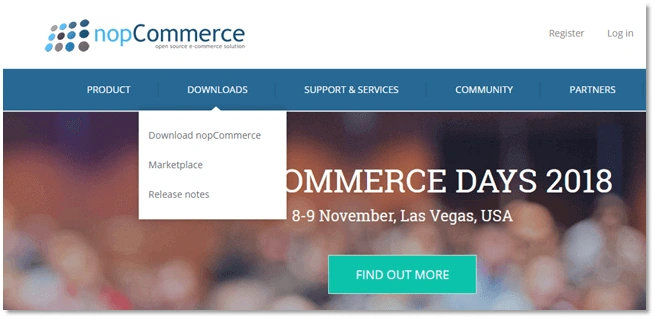
- Visit nopCommerce website and click on the “download” tab and then click on “Download nopCommerce” option. You will reach the nopCommerce Download page.
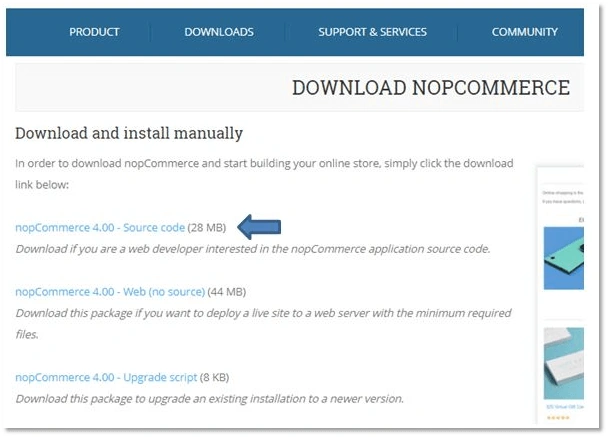
- Choose the first option that says “nopCommerce 4.00 – Source code” and download the nopCommerce setup to your computer.
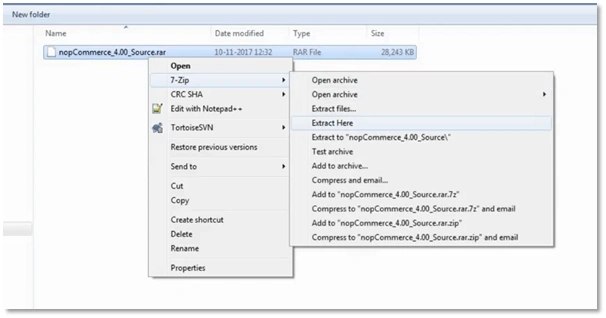
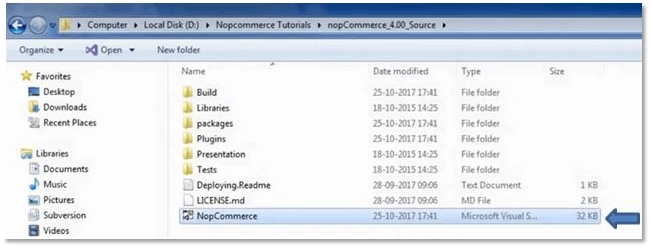
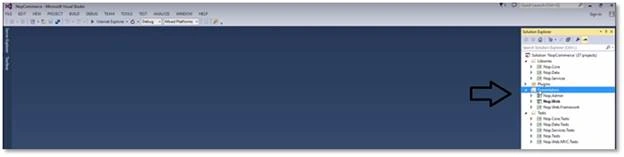
- After downloading the nopCommerce setup file, extract the file.


Raju PaladiyaPosted Feb 24, 2020, 12:11 PM
Pankaj Patel- Demo link is pointed of demo.nopAccelerate.com site instead of nf demo.nopcommerce.com. You need to correct this.
RyderPosted Feb 7, 2020, 5:44 AM
Nice article with detail explanation.
Dhruvik SathvaraPosted Oct 10, 2019, 1:07 AM
Detail explanation is good for understand... thanks for sharing nice article...
Chittaranjan SwainPosted Sep 30, 2019, 1:57 AM
Nice article....
Arvind PatelPosted Sep 26, 2019, 7:05 AM
Nice article..!!!
umed aliPosted Sep 17, 2019, 11:29 PM
Nice article....!!
Shailesh PathakPosted Jul 24, 2019, 9:15 AM
Thanks for making and sharing this article with others ..Very much in detail & in-depth and mention each point with screenshot will help developers..Thanks
Darshan ShahPosted Jul 24, 2019, 1:08 AM
Thanks for sharing this
Jignesh SutharPosted Jul 23, 2019, 11:56 PM
Nice article thanks for sharing.
umed aliPosted Jul 23, 2019, 11:33 PM
Nice article....!! Keep sharing
Arvind KatariaPosted Jul 23, 2019, 11:31 PM
Nice article ..!!
Janak ThakkarPosted Jul 23, 2019, 11:24 PM
It's helpful. Keep sharing
Piyush KanpariyaPosted Jul 23, 2019, 11:09 PM
Very useful in our development. Thanks for sharing. Waiting for new....:)
Saurabh VasaniPosted Jul 23, 2019, 9:18 AM
Very very helpful article. Thanks for sharing!