

Introduction to Application Pool
Application Pools are logical groupings of web applications that will execute in a common process, thereby allowing greater granularity of which programs are grouped together in a single process. For instance, if you wanted every Web Application to execute in a separate process, you simply create an Application Pool for each application. The Application Pool is the heart of a website. Application Pools enable us to isolate our Web Application for better security, reliability and availability. The worker process serves as the process boundary that separates each Application Pool so that when a worker process or application is having an issue or recycles, other applications or worker processes are not affected.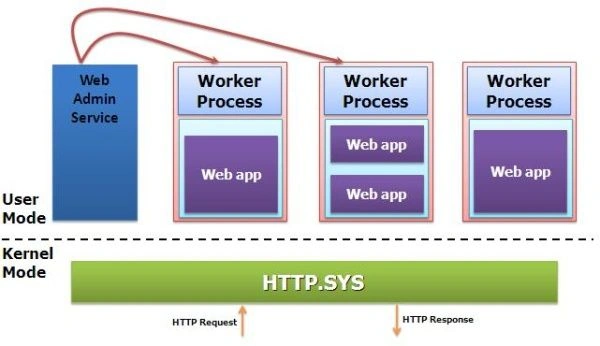
The maximum number of Application Pools that is supported by IIS is 2000.
Introduction to Web Garden
An Application Pool with multiple worker processes is called a Web Garden. Many worker processes with the same Application Pool can sometimes provide better throughput performance and application response time.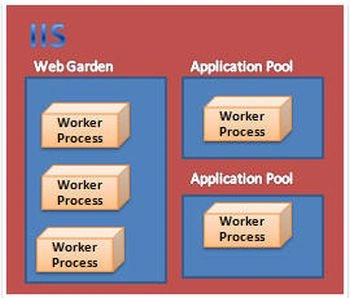
A Web Garden is a site configured to run within multiple processes on a single server. You can still have multiple servers configured in a web farm, but the Web Garden reflects the configuration of a specific individual server. Now I am explaining how to deploy a Web Site on IIS.
How to Deploy site on IIS
I had generated my code and before deploying on IIS it is running in the browser like this: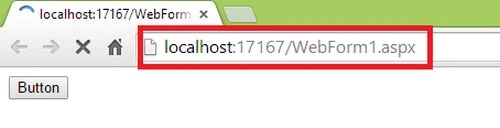
And I will deploy on IIS. There are 2 ways:
- Within the Visual Studio
- From IIS itself
1. Within the Visual Studio
Step 1: Go to Solution Explorer and select Web Application < Properties.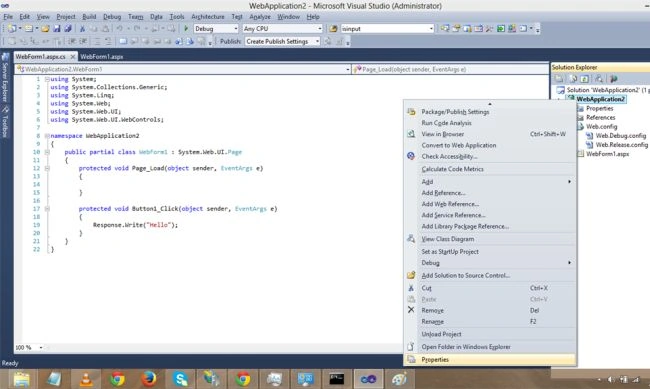
Step 2: Go to the Web tab and provide the name of the virtual directory.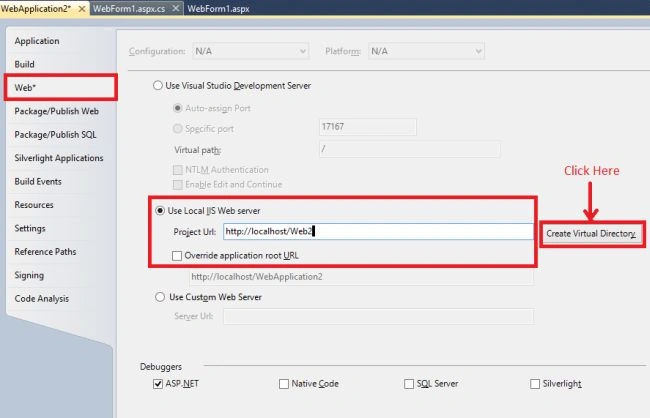
After clicking it will show the message.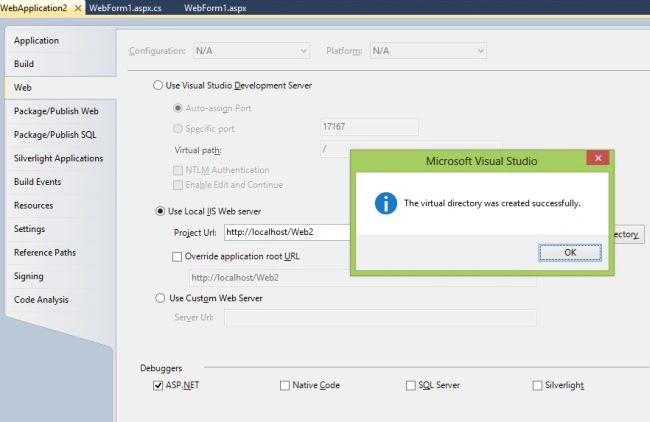
Output: Now the URL will change.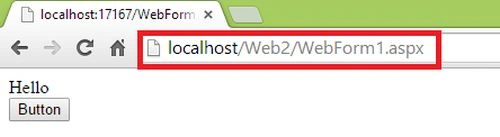
Open IIS within the run window and type inetmgr.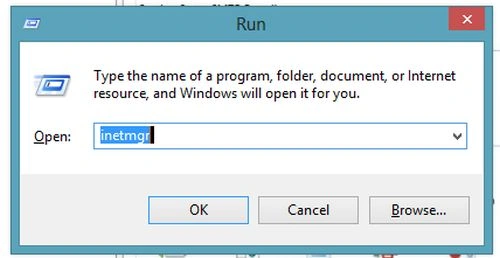
2. From IIS itself
Now delete the previous application from the IIS.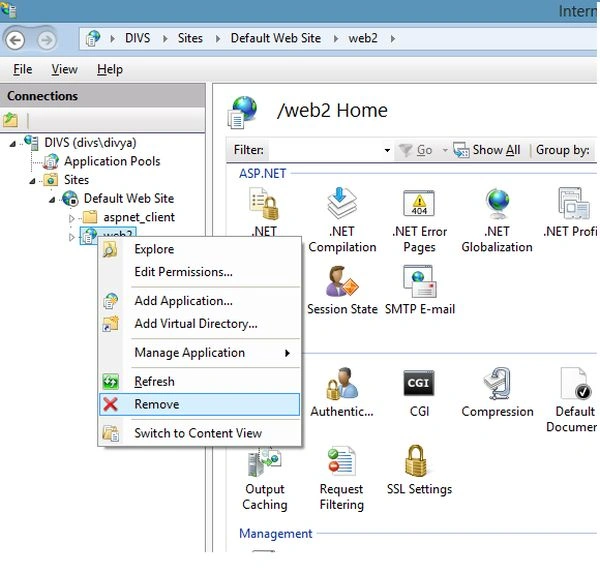
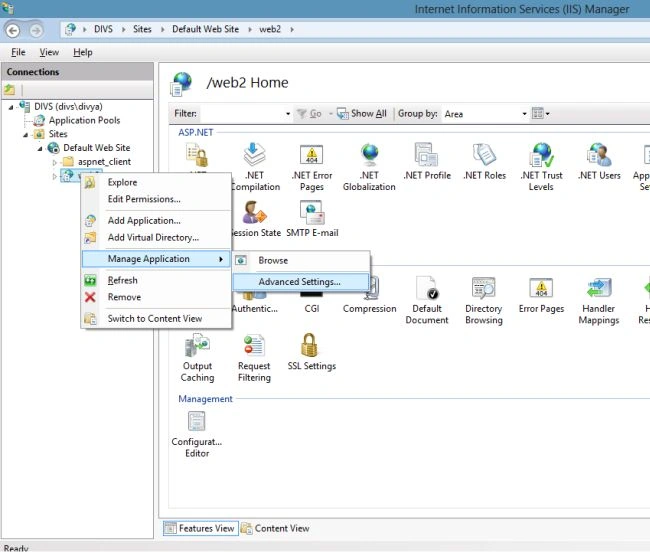
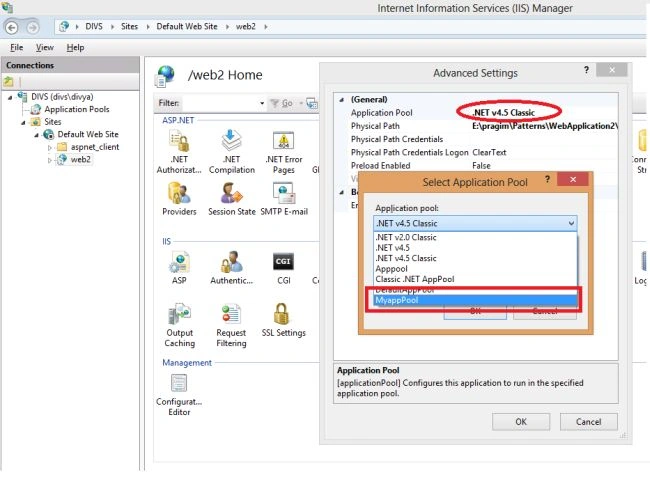
Step 1: Now go to the Default Web Site then Add Application and here provide the alias name and select the Application Pool name and provide the physical path of the Web Application.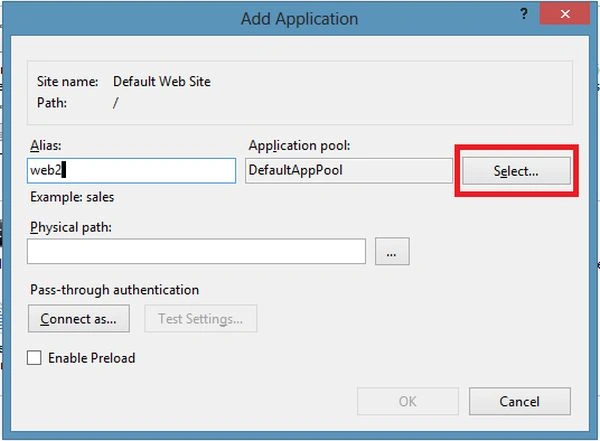
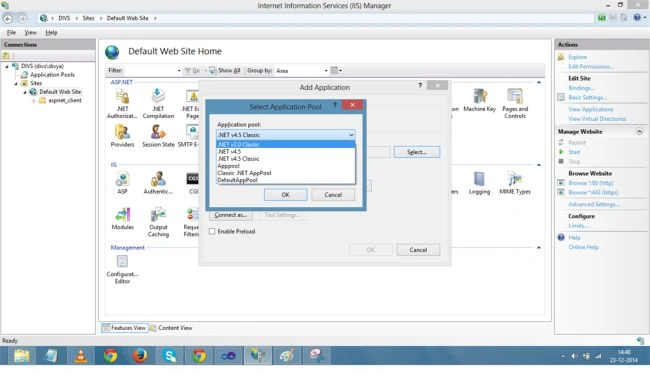
Now, I can still access this Web Application with the same name.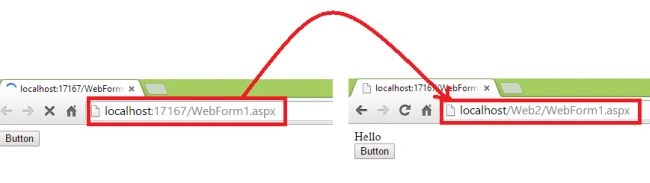
All the applications present in the Application Pool can be in the same Application Pool or may be in a different Application Pool.
How to create an Application Pool
To create an Application Pool click on Application Pools < Add Application Pool.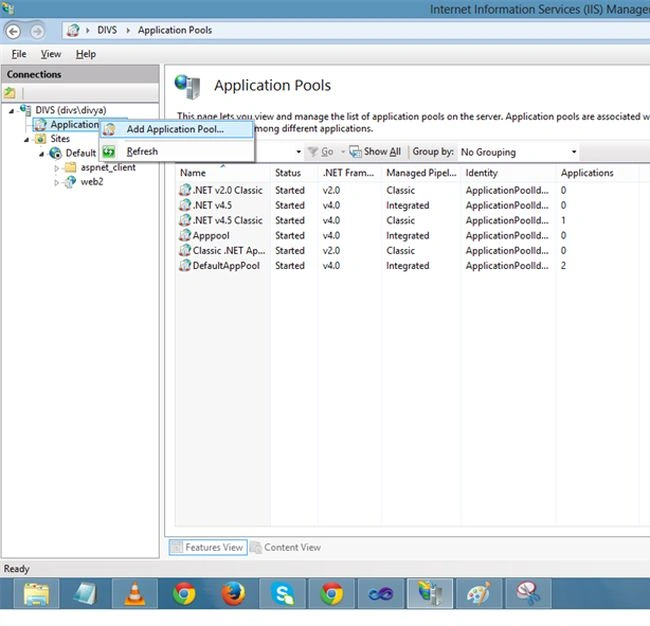
Provide the name of Application Pool and select the version of the .Net Framework and click OK.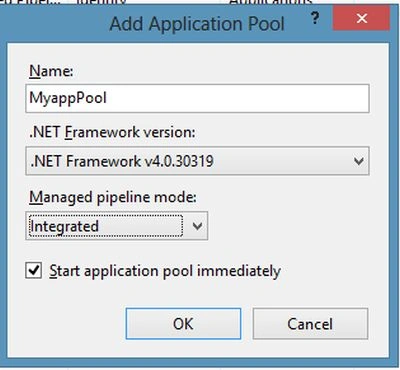
There are 0 applications and each Application Pool has its own worker process.
Application Pool identity
The identity of an Application Pool is the name of the service account under where the Application Pool's worker process runs and it depends on the identity setting of the Application Pool.
Now go to Application Pool and right-click on Advanced Settings.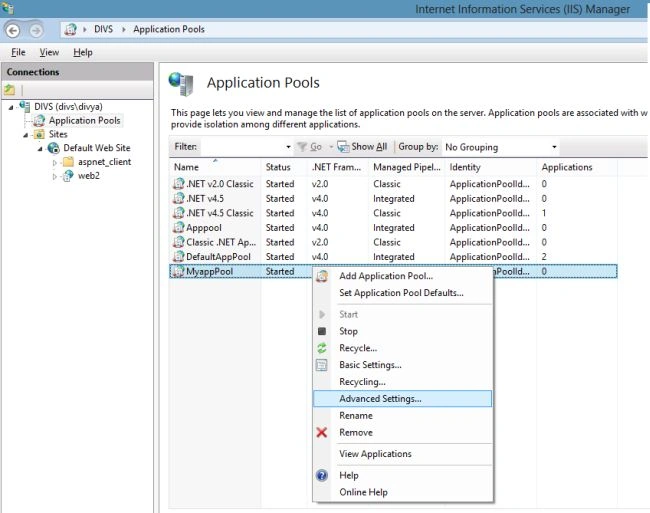
Click on the ApplicationPoolIdentity and here there is built- in account and they have a different property for security purposes and by default it is the ApplicationPoolIdentity account in IIS 7.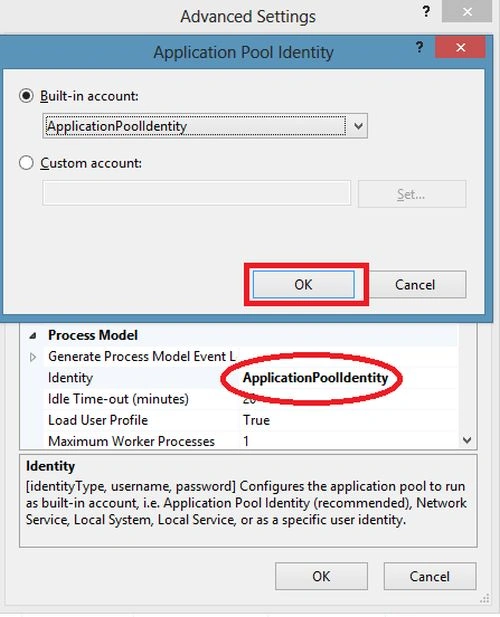
We can set the Custom account also by giving the user name and password.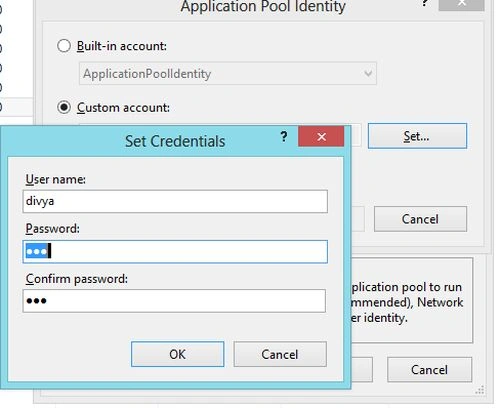
Now, I am explaining Application Pool identities:
Amol KumbhkarnaPosted Aug 26, 2018, 4:56 AM
Great article ....!!!!! keep It Up...!!!!
Nithish ReddyPosted Jul 31, 2018, 8:42 AM
Can we deploy IIS through power shell script?
Dennis ThomasPosted Jan 11, 2018, 2:47 AM
Good one Divya. Keep writing!
Carlos FerreiraPosted Nov 1, 2017, 8:06 AM
Can someone ask me a question? If I access a physical file, for example TextFile, does it go into IIS memory? Remember that I disabled runAllManagedModulesForAllRequests for the directory that stores the TextFile files.
Sai KiranPosted Mar 9, 2017, 3:17 AM
Nice Explanation it is very use ful to biginers as well as experienced also
ShiwKumar GuptaPosted Mar 16, 2016, 8:29 AM
nice article
Gouse ShaikPosted Mar 3, 2016, 3:09 AM
Hiii this is Gouse .I have a one question.why web services are hosted in IIS only???
Humayun Kabir MamunPosted Mar 1, 2016, 1:43 AM
Nice...
Prakash KaruppiahPosted Feb 19, 2016, 8:26 AM
nice
Sthitaprajnya Debasis NayakPosted Jan 18, 2016, 2:00 PM
Nice Article !!!
Upendra Pratap ShahiPosted Sep 22, 2015, 8:24 AM
nice explaination
Sudhakar TummaPosted Jul 28, 2015, 1:14 PM
Hi divya, what is the advantages of multiple applications having single apppool.
Vishal JadhavPosted Dec 26, 2014, 5:42 AM
Hi Divya. Nice article. Would like to ask a question. "In what manner, we can achieve security by isolating applications in to different app pools?"
Manish Kumar ChoudharyPosted Dec 25, 2014, 10:52 PM
Nice one..
Guest UserPosted Dec 25, 2014, 12:07 PM
You mean "Deploying an application to Application Pool enable us to achieve the degree of application isolation that we need, in terms of availability and security."
Guest UserPosted Dec 25, 2014, 11:43 AM
Then point #2 in "Advantage of Application Pool" seems incorrect...please let me know if my understanding is wrong
Guest UserPosted Dec 24, 2014, 8:29 PM
Good article Divya! One question please: "Deploying an application to multiple Application Pools ", how will you do that, I'm bit confused?