Visual Studio 2010 Introduced the F# programming language. The F# programming language is used for functional and Object Oriented Programming.
To create a F# program, open Visual Studio 2010 then select "File" -> "New" -> "Project..." then select Other Languages then select Visual F# and then select F# Application, which is a project for creating a command line F# application.
Select the F# application type: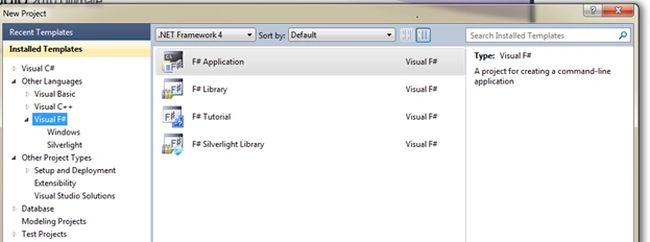
Write your logic in the Program.fs file: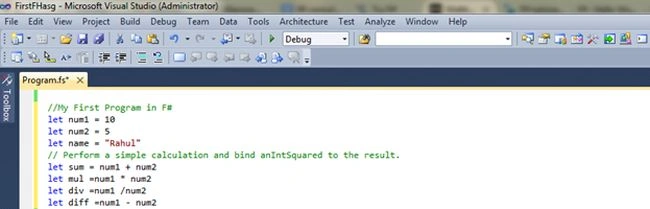
For running the application "select Send To Interactive" or click Alt+Enter:
View the output of the code above in the F# Interactive window: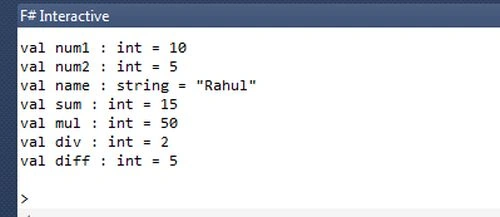
To view the result in the Console Application window, we need to use System.Console.WriteLine to display the result.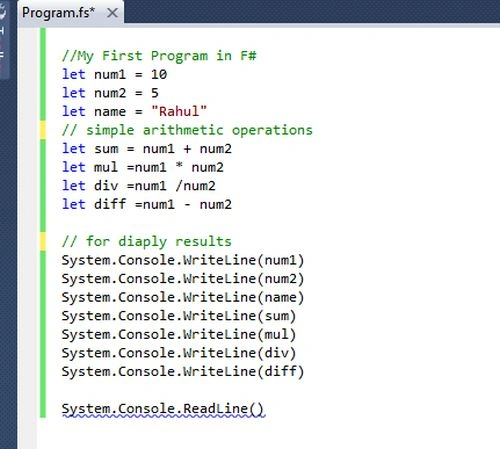
Output in Console Command window: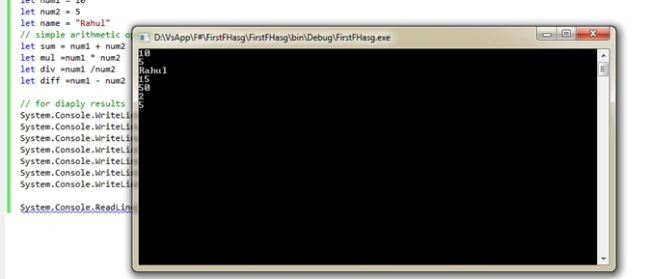

Introduction to F# (F-Sharp)
Join the conversation! Your thoughts help the community grow.
Sign in to leave a comment
It is the same account you read, post and publish with — and you will come straight back to this page.
Joe WilsonPosted Aug 16, 2018, 9:57 AM
Well Thank you for sharing this, By the way which references do you suggest me to learn and being an expert in this field:
Bhuvanesh MohankumarPosted Apr 30, 2016, 3:15 PM
Good one...
Santhakumar MunuswamyPosted Jun 22, 2015, 3:31 PM
good one
Guest UserPosted Sep 17, 2014, 12:41 PM
Hey do you know how we can create a DLL in F# and use in C# . i believe this will give C# an edge to use functional power of F#