

Introduction
In this article we discuss Scripting elements in JSP and displaying the current date, day and time in JSP. We run the JSP file using the Eclipse IDE and Tomcat Server.
Scripting Elements In JSP
We know that In JSP, Java code can be written inside the JSP file using the scripting elements. Let's first see what the scripting elements are.
Scripting Elements in JSP
It provides a way to insert Java code inside the JSP. They mainly contain the following three types of tags:
- Expression
- Declaration
- Scriptlet
1. Expression tag
The code placed inside this tag is written to the output stream as a response. So we don't need to write "out.print()"to write data.
Syntax
<%= statement %>
Example
The following describes how to create expressionex.jsp.
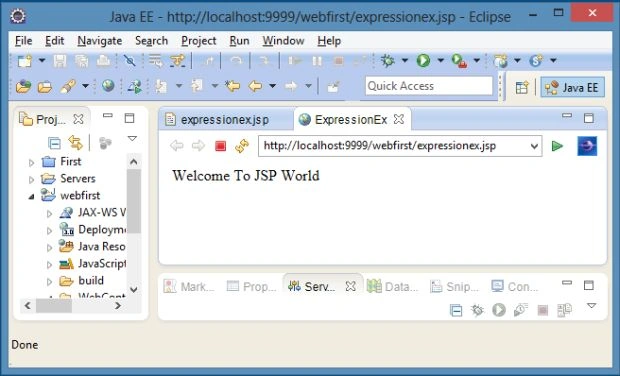
In this example; we are simply displaying a welcome message ("Welcome To JSP World") using Eclipse IDE.
To create expressionex.jsp we need to follow several steps as I discussed in my previous article. In this article we create expressionex.jsp instead of welcome.jsp.
http://www.c-sharpcorner.com/UploadFile/fd0172/how-to-create-jsp-in-eclipse-ide-using-tomcat-server/
expressionex.jsp
<%@ page language="java" contentType="text/html; charset=ISO-8859-1" pageEncoding="ISO-8859-1"%>
<!DOCTYPE html PUBLIC "-//W3C//DTD HTML 4.01 Transitional//EN" "http://www.w3.org/TR/html4/loose.dtd">
<html>
<head>
<meta http-equiv="Content-Type" content="text/html; charset=ISO-8859-1">
<title>ExpressionEx</title>
</head>
<body>
<%= "Welcome To JSP World" %>
</body>
</html>Output
Right-click on expressionex.jsp, choose run as/run on server.
Example 2
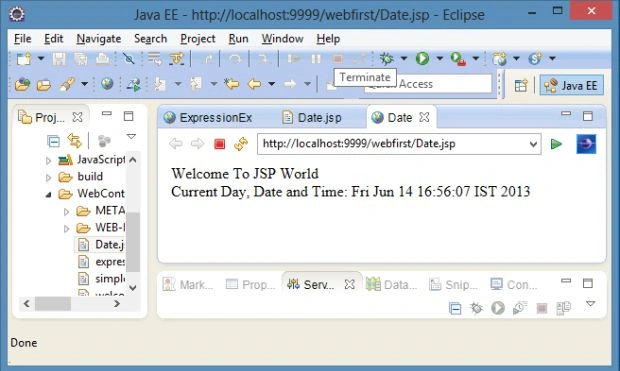
In this example we display the current day, date and time. For that we need the java.util.Date() package. We create the object of that class and display the day, date and time using the Eclipse IDE.
Date.jsp
<%@ page language="java" contentType="text/html; charset=ISO-8859-1" pageEncoding="ISO-8859-1"%>
<!DOCTYPE html PUBLIC "-//W3C//DTD HTML 4.01 Transitional//EN" "http://www.w3.org/TR/html4/loose.dtd">
<html>
<head>
<meta http-equiv="Content-Type" content="text/html; charset=ISO-8859-1">
<title>ExpressionEx</title>
</head>
<body>

Join the conversation! Your thoughts help the community grow.