

Introduction
JavaScript, commonly abbreviated as JS, is high-ranking, mostly just-in-time, and multiparadigm assembled. It has curly bracket notation, intuitive scripting, object-orientation concept, and high-class functions.
JavaScript gained popularity because of the following features,
- Increased execution speed as it is interpreted and not compiled
- Easy to learn and implement.
- It is supported by all modern browsers with built-in interprets.
- It works efficiently with other languages to provide an optimal web solution.
- JavaScript is both capable of Front-End and Back-End.
- Provides greater performance for websites and web applications with reduced code length.
Some facts about JavaScript,
- JavaScript, along with HTML and CSS, forms the 3 main components of WWW or the World Wide Web.
- JavaScript was developed under project Mocha.
- JavaScript was created in just 10 days, covering very limited functionalities.
- JavaScript is an interpreted language.
- According to GitHub Octoverse, although JavaScript has not seen any growth, then also is among the top languages used on the web.
Fundamentals Of JavaScript
- There are no specific data types (e.g:-var t) in JavaScript.
- There are if for, switch, while, do-while, break, and continue; similar to Java or C# in JavaScript.
- document.write() is used to display an output in JavaScript.
- There are some dialogues in JavaScript, which are as follows:
- Alert- OK
- Confirm- OK/CANCEL
- Prompt- Input
- Function- There is a 'function' keyword used for function in JavaScript.
Some Examples of JavaScript
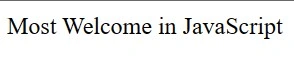
A simple program of JavaScript.
<body>
    <script type="text/javascript">
        document.write("Most Welcome in JavaScript")
    </script>
</body>
Output
Frames in JavaScript?
Frames allow you to divide the page into several rectangular areas and to display a separate document in each rectangle. Each of those rectangles is called a "frame".
Here is an example
<frameset rows="75%, *" cols="*, 40%">
    <frame src="framea.html">
                    <noframes>
                        <h1>No Frames? No Problem!</h1>
Take a look
<a href="noframes.html">no-frames</a>
The version is
- </noframes>
- </frameset>
Nested Frames
<frameset rows="15%,*">
    <frame src="titlebar.html" name=title scrolling=NO>
        <frameset cols="20%,*">
            <frame src="sidebar.html" name=sidebar>
                <frame src="menu.html" name=recipe>
        </frameset>
        <noframes> No frames? No Problem! Take a look at our
            <a href="menu.html">no-frames</A> version. </noframes>
</frameset>
Targeting Frames
Each frame is given a name, using <FRAME NAME="...">. These names uniquely identify each frame. Using these names, the links in other frames can tell the Browser which frames the link target.
<frameset cols="20%,*">
<frame src="sidebar.html" name=sidebar>
<frame src="main.html" name=nain>
</frameset>
To target one of these frames, the link should have a TARGET attribute set to the name of the frame, where the linked page should appear. Thus, for example, this code creates a link totfetacos.html and targets the link to the MAIN frame:
<a href="tfetacos.html" target=main>my link</a>
JavaScript Addition Operators?
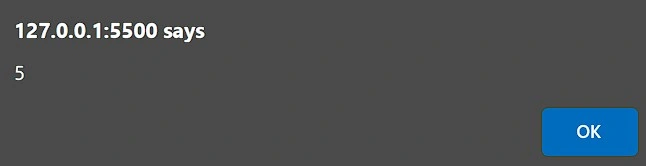
JavaScript addition operator ( + ) serves two main purposes in JavaScript. The first is to perform a simple addition to the numbers.
The second operation is to perform a string concatenation (combine the strings).
<script>
    var a = 3;
    var b = 2;
    var c = a + b;
    alert(c);
</script>
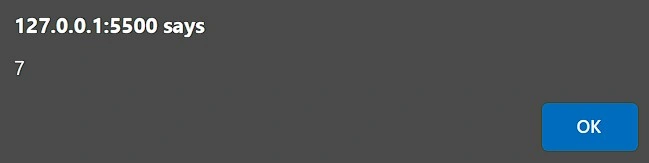
Output
Join the conversation! Your thoughts help the community grow.