

The following is the output of my program. 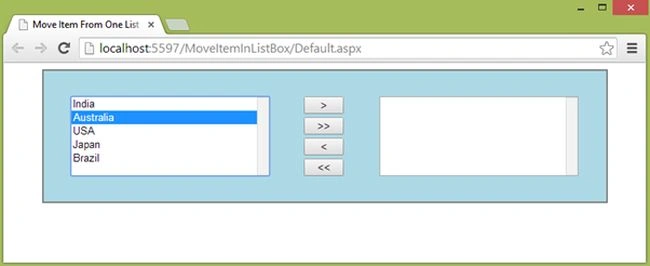
Image 1
After selecting any item from the left side list box click on the ( >) button.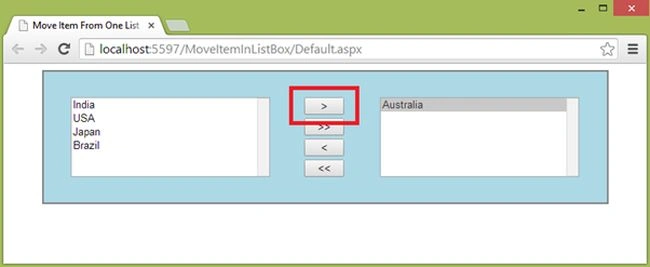
Image 2
If you click on the ( >> ) button then all items in left side list box will move to the right side list box.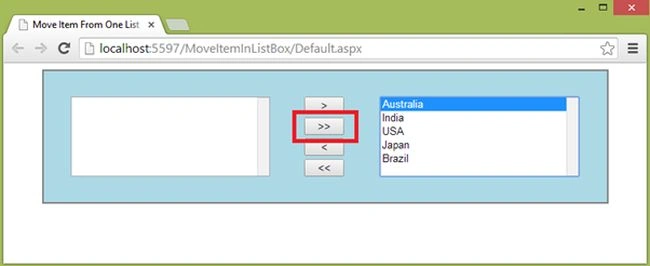
Image 3
After selecting any item in right side list box if you click on the ( < ) then: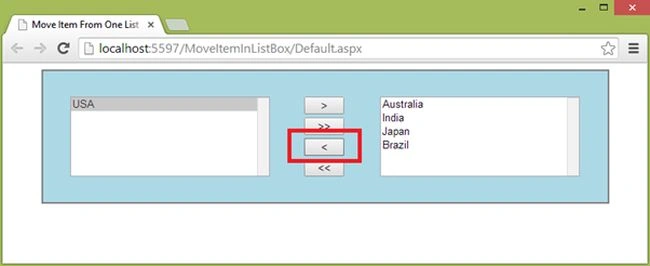
Image 4
If you click on the ( << ) then: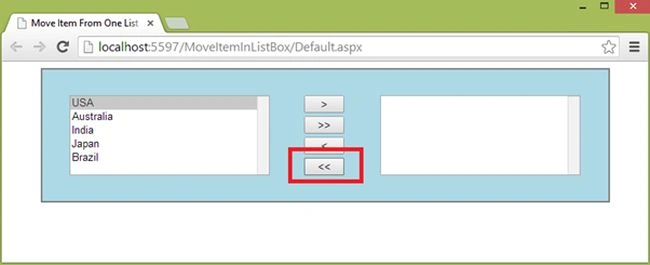
Image 5
The following is my aspx where I wrote the jQuery for this:
- <%@ Page Language="C#" AutoEventWireup="true" CodeFile="Default.aspx.cs" Inherits="_Default" %>
- <!DOCTYPE html PUBLIC "-//W3C//DTD XHTML 1.0 Transitional//EN" "http://www.w3.org/TR/xhtml1/DTD/xhtml1-transitional.dtd">
- <html xmlns="http://www.w3.org/1999/xhtml">
- <head runat="server">
- <title>Move Item From One List To Another List Using jQuery</title>
- <script src="jquery-1.7.1.js" type="text/javascript"></script>
- <script type="text/javascript">
- $(document).ready(
- function() {
- $('#btnAdd').click(
- function(e) {
- $('#list1 > option:selected').appendTo('#list2');
- e.preventDefault();
- });
- $('#btnAddAll').click(
- function(e) {
- $('#list1 > option').appendTo('#list2');
- e.preventDefault();
- });
- $('#btnRemove').click(
- function(e) {
- $('#list2 > option:selected').appendTo('#list1');
- e.preventDefault();
- });
- $('#btnRemoveAll').click(
- function(e) {
- $('#list2 > option').appendTo('#list1');
- e.preventDefault();
- });
- });
- </script>
- </head>
- <body11
- <form id="form1" runat="server">
- <table cellpadding="4" cellspacing="4" width="90%" align="center" style="border: solid 2px gray;
- background-color: #ADD8E6;">
- <tr>
- <td height="10px">
- </td>
- </tr>
- <tr>
- <td align="center">
- <asp:ListBox ID="list1" runat="server" Width="250px" Height="100px">
- <asp:ListItem Value="India">India</asp:ListItem>
- <asp:ListItem Value="Australia">Australia</asp:ListItem>
- <asp:ListItem Value="USA">USA</asp:ListItem>
- <asp:ListItem Value="Japan">Japan</asp:ListItem>
- <asp:ListItem Value="Brazil">Brazil</asp:ListItem>
- </asp:ListBox>
- </td>
- <td align="center">
- <input type="button" id="btnAdd" value=">" style="width: 50px;" /><br />
- <input type="button" id="btnAddAll" value=">>" style="width: 50px;" /><br />
- <input type="button" id="btnRemove" value="<" style="width: 50px;" /><br />
- <input type="button" id="btnRemoveAll" value="<<" style="width: 50px;" />
- </td>
- <td align="center">
- <asp:ListBox ID="list2" runat="server" Width="250px" Height="100px"></asp:ListBox>
- </td>
- </tr>
- <tr>
- <td height="10px">
- </td>
- </tr>
- </table>
- </form>
- </body>
- </html>
Vishal JadhavPosted Nov 10, 2014, 5:18 AM
Hi Rahul, your code seems lengthy. You can optimize it by using a framework "Knockout.js" Please check for the same. BTW, nice article.