
Introduction
In Silverlight 4, we have keyboard support. In this article we will explore
about it.
Creating Silverlight Project
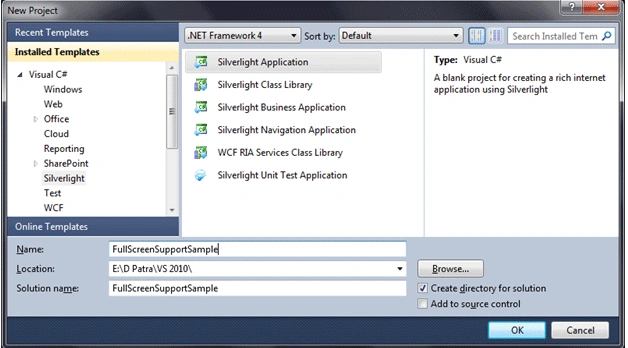
Fire up Visual Studio 2010 and create a new Silverlight Application Project.
Name it as FullScreenSupportSample.
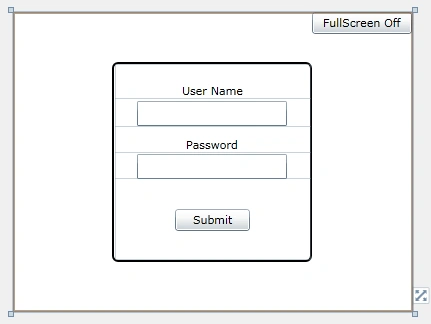
Let's make it as User login screen, so we need a TextBox and a Passwordbox. And
have button that would make the Toggle between Fullscreen On/Off.
The following is the design for it.
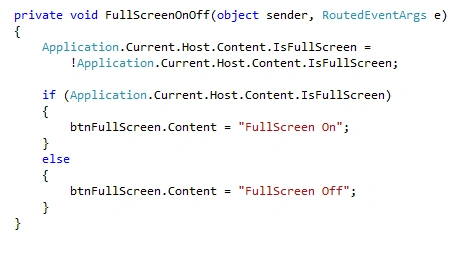
Let's write code for FullScreen on or off.
Let's test the application. Yes, we are able to switch to FullScreen and Normal
mode. But still we cannot have the keyboard input in the respective TextBox or
PasswordBox.
The keyboard support for FullScreen is only given to Trusted Application. That
means the application should run in out-of-browser mode.
Let's do that.
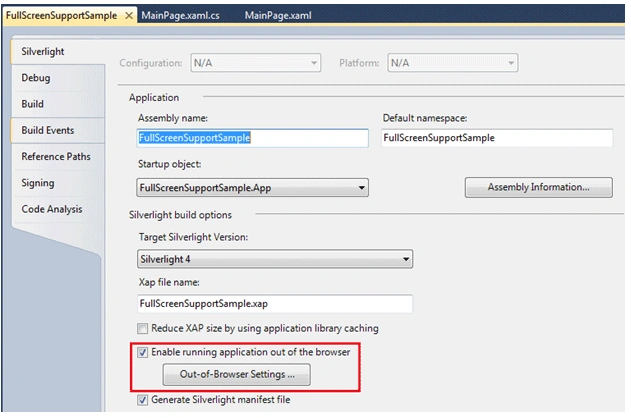
And the settings ofcourse.
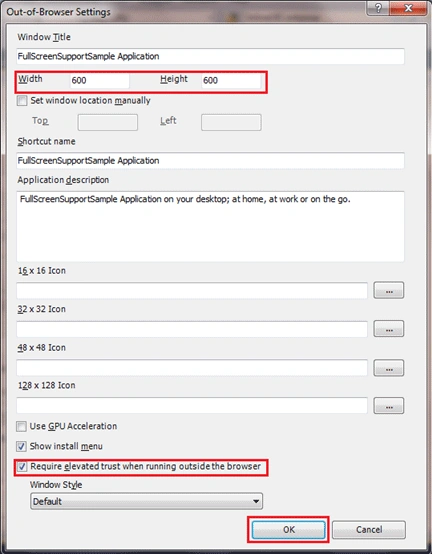
As you see in above figure, we need to check the elevated trust when running in
outside the browser.
Let's have some message when user logs in.
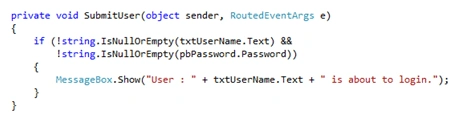
Now run the application and install the application.
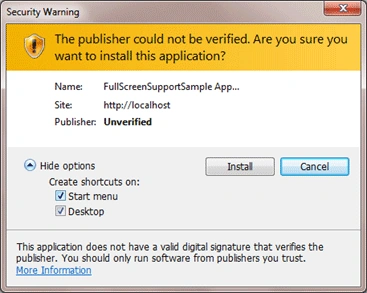
Press install to install the application.
Go to fullscreen mode and you would be able to use the Keyboard inputs.
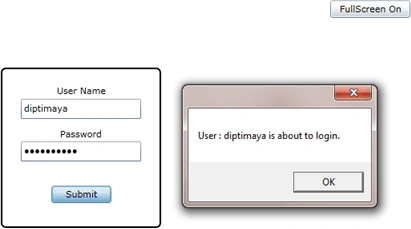
Hope this article helps.

Keyboard Support in Full Screen Mode in Silverlight 4
Join the conversation! Your thoughts help the community grow.
Sign in to leave a comment
It is the same account you read, post and publish with — and you will come straight back to this page.
ashna aroraPosted Mar 28, 2013, 6:59 AM
when your application switches to full screen mode, keyboard does not work as it is not supported in silverlight.