Introduction
As Kubernetes adoption grows, managing application deployments across multiple environments becomes increasingly challenging. Development, staging, testing, and production environments often require different configurations while sharing the same core application definition.
Manually maintaining separate Kubernetes manifests quickly leads to duplication, configuration drift, and operational complexity. This is where tools like Kustomize and Helm help simplify deployment management.
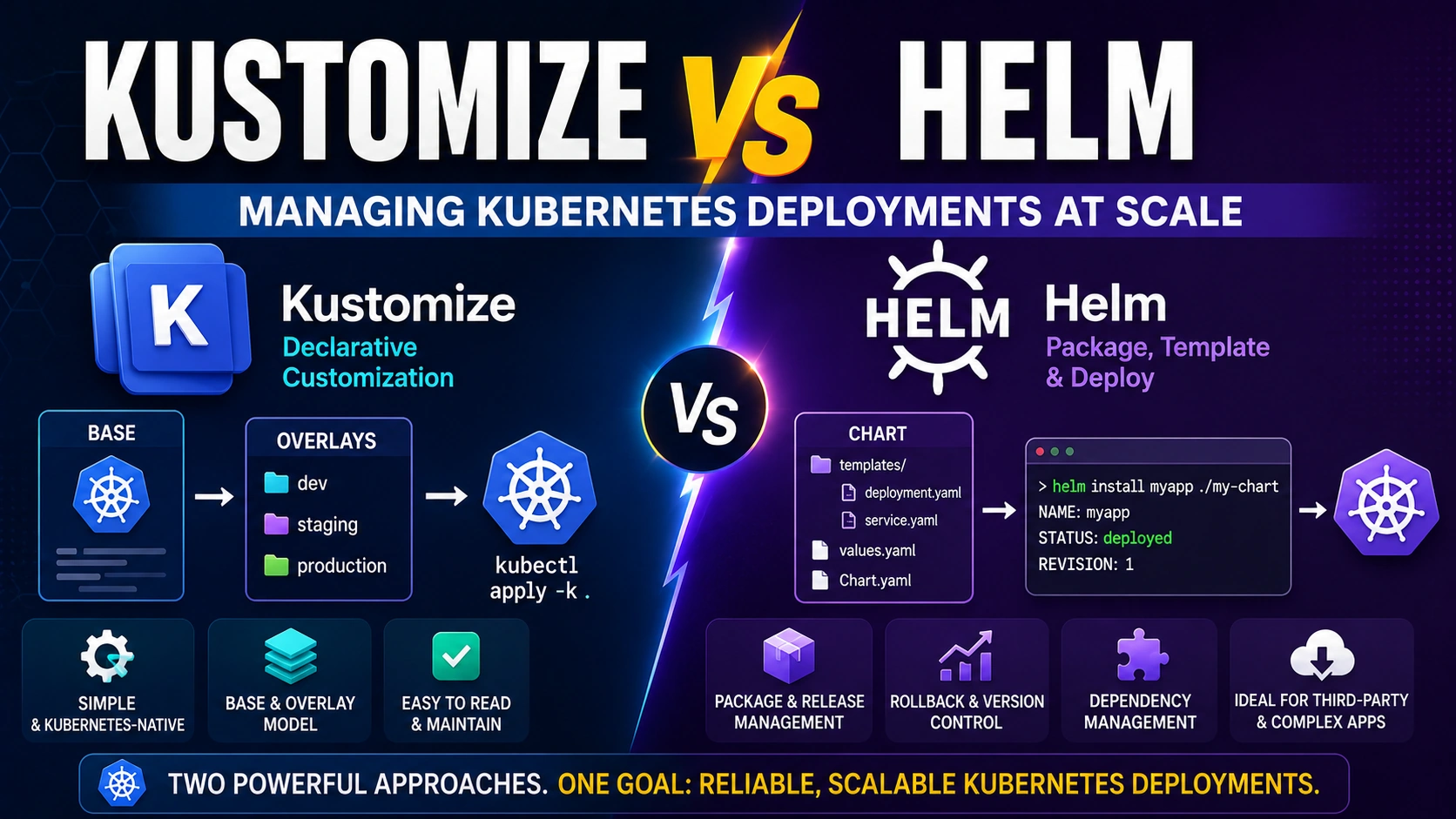
Both Kustomize and Helm are widely used in Kubernetes environments, but they solve configuration management differently. Helm focuses on templating and package management, while Kustomize emphasizes declarative customization of existing manifests.
In this article, we'll explore Kustomize and Helm, compare their approaches, examine practical examples, and help you determine which solution is best for your Kubernetes deployments.
What Is Kustomize?
Kustomize is a Kubernetes-native configuration management tool that allows developers to customize Kubernetes manifests without modifying the original files.
Instead of creating templates, Kustomize works by applying overlays to a base configuration.
Key capabilities include:
Environment-specific configurations
Resource patching
Namespace management
Label and annotation injection
Secret and ConfigMap generation
Kustomize is built directly into Kubernetes through the kubectl command.
Example:
kubectl apply -k .
This makes it a convenient choice for teams already working within the Kubernetes ecosystem.
What Is Helm?
Helm is often referred to as the package manager for Kubernetes.
Helm packages Kubernetes resources into reusable units called Charts. These charts can be configured using values files, making deployments highly flexible and reusable.
Helm provides:
Application packaging
Templating engine
Version management
Dependency handling
Release tracking
Rollback capabilities
Example:
helm install myapp ./my-chart
Helm is commonly used to deploy both custom applications and third-party services.
Understanding Kustomize Architecture
Kustomize follows a base-and-overlay model.
A typical project structure looks like:
k8s/
├── base/
│   ├── deployment.yaml
│   ├── service.yaml
│   └── kustomization.yaml
├── overlays/
│   ├── dev/
│   └── production/
The base folder contains reusable Kubernetes resources.
Environment-specific changes are stored inside overlays.
For example:
# overlays/dev/kustomization.yaml
resources:
  - ../../base

replicas:
  - name: web-app
    count: 2
Production can have a different replica count:
# overlays/production/kustomization.yaml
resources:
  - ../../base

replicas:
  - name: web-app
    count: 10
The original deployment file remains unchanged.
Understanding Helm Architecture
Helm uses templates and values files.
Typical structure:
my-chart/
├── templates/
│   ├── deployment.yaml
│   ├── service.yaml
├── values.yaml
├── Chart.yaml
A deployment template might contain:
apiVersion: apps/v1
kind: Deployment
metadata:
  name: {{ .Values.appName }}

spec:
  replicas: {{ .Values.replicaCount }}
Values file:
appName: web-app
replicaCount: 3
During deployment, Helm replaces template variables with actual values.
This approach allows highly dynamic configurations.
Kustomize vs Helm: Key Differences
| Feature | Kustomize | Helm |
|---|
| Configuration Style | Overlay-Based | Template-Based |
| Learning Curve | Easier | Moderate |
| Built Into kubectl | Yes | No |
| Package Management | No | Yes |
| Dependency Management | No | Yes |
| Release Tracking | No | Yes |
| Rollback Support | Limited | Built-In |
| Third-Party Application Distribution | Limited | Excellent |
| Template Engine | No | Yes |
Although both tools manage Kubernetes deployments, their goals differ significantly.
When Kustomize Works Best
Kustomize is ideal when:
Managing your own applications.
Maintaining clear YAML manifests.
Avoiding template complexity.
Creating environment-specific variations.
Following GitOps practices.
Many platform teams prefer Kustomize because it keeps Kubernetes manifests easy to read and understand.
Example scenario:
A microservices application deployed to:
Development
QA
Staging
Production
Each environment requires different:
Replica counts
Resource limits
Namespaces
Kustomize handles these changes efficiently using overlays.
When Helm Works Best
Helm shines when:
Distributing reusable applications.
Managing third-party software.
Deploying complex infrastructure stacks.
Requiring versioned releases.
Needing rollback capabilities.
Popular Kubernetes tools are often distributed as Helm charts, including:
Prometheus
Grafana
Argo CD
Ingress NGINX Controller
Installing such applications often requires only a few commands.
Example:
helm repo add prometheus-community https://prometheus-community.github.io/helm-charts

helm install monitoring prometheus-community/kube-prometheus-stack
This simplicity makes Helm extremely popular.
Practical Example
Imagine a company operating a customer-facing API platform.
Requirements:
Multiple Kubernetes clusters
Development and production environments
Consistent deployment process
Easy infrastructure installation
One possible strategy:
Use Kustomize for:
Use Helm for:
Many organizations successfully combine both tools rather than choosing one exclusively.
Common Challenges
Kustomize Challenges
Potential limitations include:
No built-in package management
No release history
Limited dependency support
Less suitable for application distribution
Helm Challenges
Potential concerns include:
Template complexity
Difficult debugging in large charts
Hidden configuration logic
Increased maintenance effort
As Helm charts grow, they can become difficult to understand without strong documentation.
Best Practices
Keep Base Configurations Clean
For Kustomize, ensure the base directory remains environment-agnostic.
Only overlays should contain environment-specific changes.
Avoid Over-Templating
For Helm, use templates only where necessary.
Excessive templating can reduce readability.
Store Configurations in Git
Treat Kubernetes configurations as code.
Version control provides traceability and rollback capabilities.
Validate Before Deployment
Use validation commands before applying changes:
kubectl kustomize .
or
helm template my-chart .
This helps identify configuration issues early.
Follow GitOps Principles
Tools such as Argo CD work effectively with both Helm and Kustomize.
Maintaining declarative configurations improves reliability and consistency.
Standardize Deployment Workflows
Regardless of the chosen tool, establish consistent deployment standards across teams and environments.
Conclusion
Kustomize and Helm are both powerful Kubernetes deployment tools, but they address different challenges.
Kustomize focuses on customizing Kubernetes manifests through overlays, making it an excellent choice for managing environment-specific configurations while keeping YAML files clean and readable.
Helm provides packaging, templating, release management, and dependency handling, making it ideal for distributing applications and deploying complex infrastructure components.
For teams managing their own services, Kustomize often provides a simpler and more maintainable approach. For reusable applications, third-party software, and large platform deployments, Helm delivers significant advantages.
In practice, many Kubernetes teams use both tools together. Helm handles application packaging and infrastructure deployment, while Kustomize manages environment-specific customization. Understanding the strengths of each approach allows organizations to build scalable, maintainable, and efficient Kubernetes deployment workflows.


Join the conversation! Your thoughts help the community grow.