

Debugging is at the center of every software developer's armory when it comes to detecting any kind of abnormalities in an application. And thanks to some great IDE's (Integrated Development Environments) these days, this job gets even simpler and more developer friendly.
For example, any developer working on Microsoft stack would know how well Visual Studio has done in this regard over the past decade or so with each update rolling out something new that goes a long way in assisting developers and making their lives a tad easier at work.
But what about the relatively new kid on the block, Visual Studio Code? Although Visual Studio does offer support now for developing rich client-side apps leveraging some popular frameworks/libraries (Angular, React), VSCode still seems to be the preferable IDE for designing javascript apps given its lightweight nature and obviously being very nice on your system's resources at the same time.
In this blog, we are going to look into a couple of ways to go about debugging Node.js apps.
For example, any developer working on Microsoft stack would know how well Visual Studio has done in this regard over the past decade or so with each update rolling out something new that goes a long way in assisting developers and making their lives a tad easier at work.
But what about the relatively new kid on the block, Visual Studio Code? Although Visual Studio does offer support now for developing rich client-side apps leveraging some popular frameworks/libraries (Angular, React), VSCode still seems to be the preferable IDE for designing javascript apps given its lightweight nature and obviously being very nice on your system's resources at the same time.
In this blog, we are going to look into a couple of ways to go about debugging Node.js apps.
- Debugging in VSCode
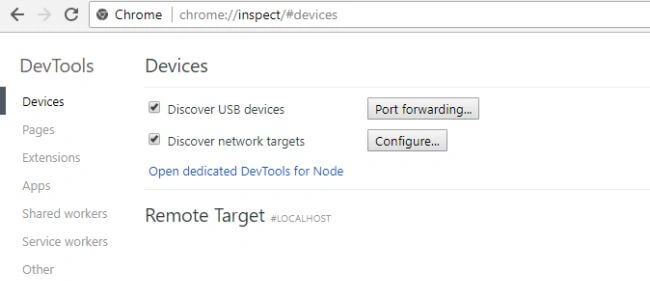
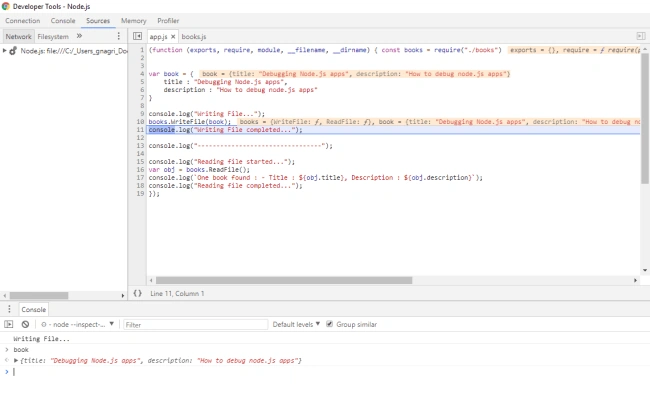
- Debugging via Google Chrome
Just to get a bit of perspective, given below in the screenshot is a simple Node.js app that we shall be debugging. (code snippet provided)
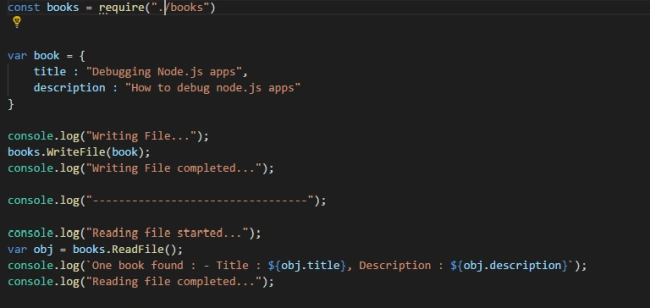
- const books = require("./books")
- var book = {
- title: "Debugging Node.js apps",
- description: "How to debug node.js apps"
- }
- console.log("Writing File...");
- books.WriteFile(book);
- console.log("Writing File completed...");
- console.log("---------------------------------");
- console.log("Reading file started...");
- var obj = books.ReadFile();
- console.log(`One book found : - Title : ${obj.title}, Description : ${obj.description}`);
- console.log("Reading file completed...");
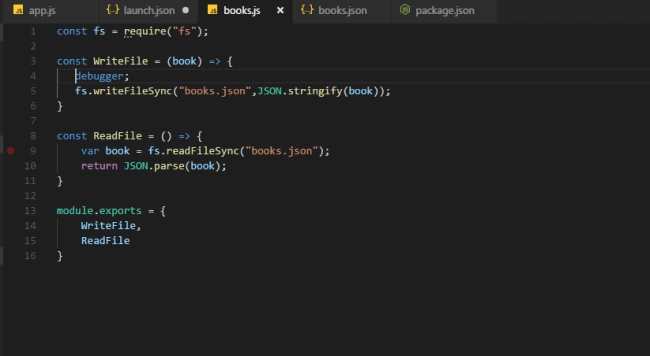
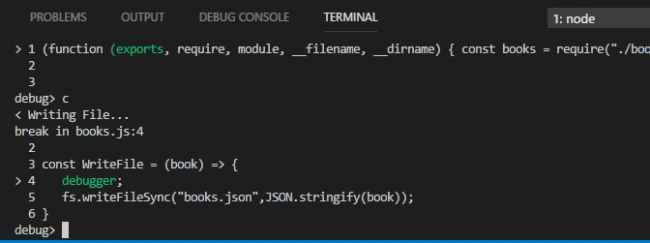
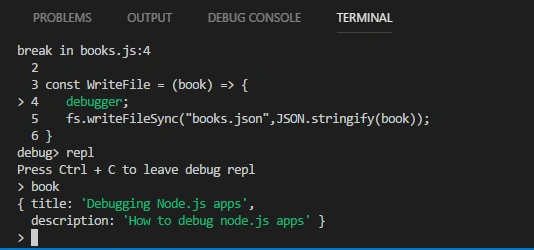
In this application, we are performing a simple file read/write I/O operation. The nature of the application doesn't really matter here as we are simply going to dive deep in the debug operation. The two functions here, namely ReadFile() and WriteFile(), are defined in a separate books.js file as shown below (code snippet provided),
- const fs = require("fs");
- const WriteFile = (book) => {
- debugger;
- fs.writeFileSync("books.json", JSON.stringify(book));
- }
- const ReadFile = () => {
- var book = fs.readFileSync("books.json");
- return JSON.parse(book);
- }
- module.exports = {
- WriteFile,
- ReadFile
- }

Khaja MoizuddinPosted Jun 25, 2018, 1:33 PM
Good start gaurav, can you elaborate it so that it can help beginners who are new to node.js.