

This is sixth part of the "LINQ" series of articles that I have started from here. In the previous article we explored selecting records using LINQ and its internals. Now in this article we will be looking at filtering, ordering, grouping and joining using LINQ.
Filter
Filter is the most common query operation. A filter is applied in the form of a Boolean expression. The filter causes the query to return only those elements for which the expression is true. The result is produced by using the where clause. The filter in effect specifies which elements to exclude from the source sequence. Let's look at a sample query:
DataNorthwindDataContext NDC = new DataNorthwindDataContext();
var custQuery = from cust in NDC.Customers
where cust.Country == "France"
select cust;
foreach (var e in custQuery)
{
Console.WriteLine("Country: " + e.Country + " || Address: " + e.Address + " || Phone: " + e.Phone);
}
Console.ReadKey();
In the above query, I'm asking for only those records who's "Country" is "France". And in the foreach loop, "Country", "Address" and "Phone" are separated by "||" and the same in output.
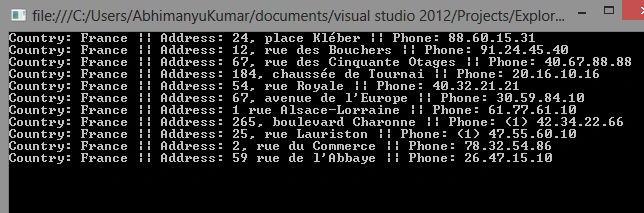
In the same way, if you want to select records where "Country" is "France" and "ContactName" starts with "A", then use:
var custQuery = from cust in NDC.Customers
where cust.Country == "France" && cust.ContactName.StartsWith("a")
select cust;
And, if you want to select records where "Country" is "France" or "ContactName" starts with "A", then use:
var custQuery = from cust in NDC.Customers
where cust.Country == "France" || cust.ContactName.StartsWith("a")
select cust;
So, in both queries, "&&" is being used for "And" and "||" is being used for "Or".
Now, "StartsWith" is a LINQ level key that is equivalent to the LIKE operator in SQL. You can see it in a generated query here:

We will look more only such available "keys" in a subsequent article.
Order
The orderby clause will cause the elements in the returned sequence to be sorted according to the default comparer for the type being sorted. For example the following query can be extended to sort the results based on the ContactName property. Because ContactName is a string, the default comparer performs an alphabetical sort from A to Z.
var custQuery = from cust in NDC.Customers
orderby cust.ContactName descending //orderby cust.ContactName ascending
select cust;
Group
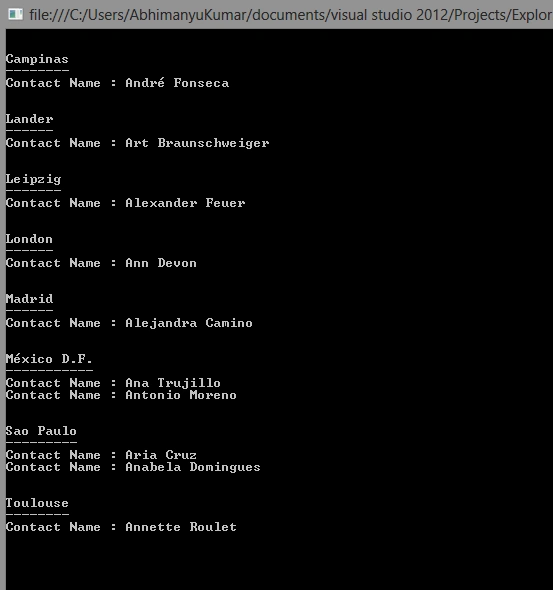
The group clause enables you to group your results based on a key that you specify. For example you could specify that the results should be grouped by the City.
var custQuery = from cust in NDC.Customers
where cust.ContactName.StartsWith("a")
group cust by cust.City;


rahul rathorePosted Sep 4, 2014, 5:57 AM
good article