

Introduction
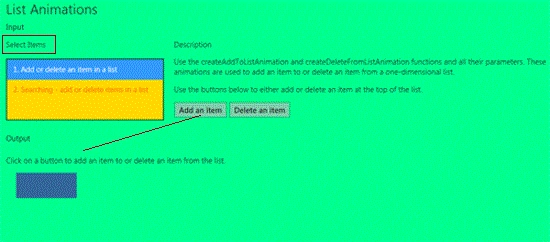
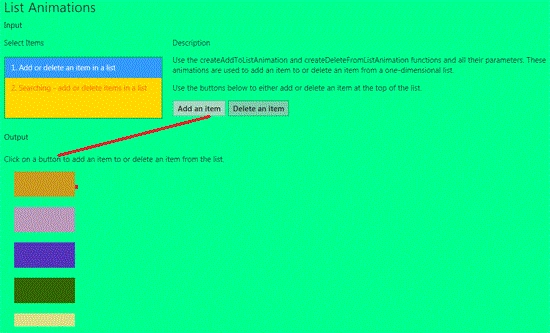
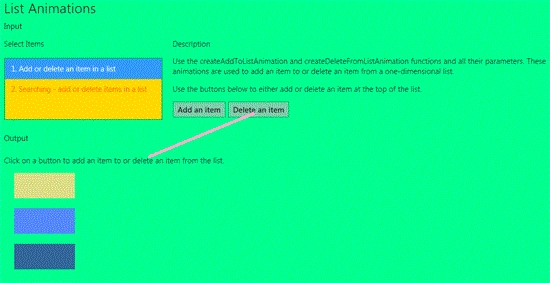
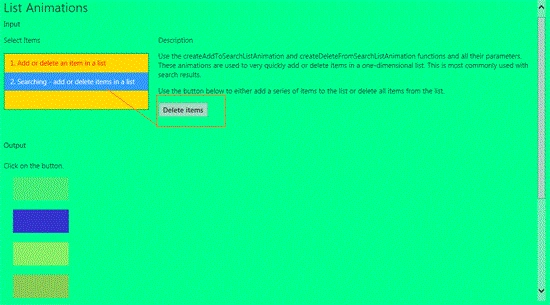
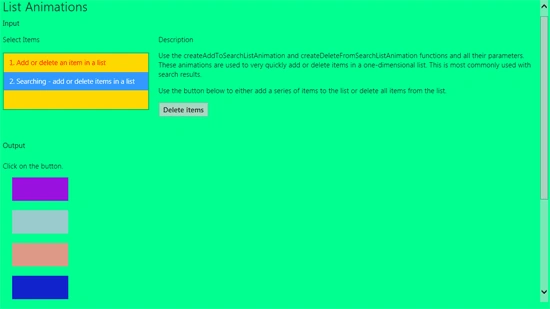
In this section we will learn about list animation in Windows 8. Add or delete an item in a list and searching - add or delete items in a list. In this example use the createAddToListAnimation and createDeleteFromListAnimation functions and all their parameters. These animations are used to add an item to or delete an item from a one-dimensional list. Use the buttons below to either add or delete an item at the top of the list. These animations are used to very quickly add or delete items in a one-dimensional list. This is most commonly used with search results.
So, we use the following steps to make this application.
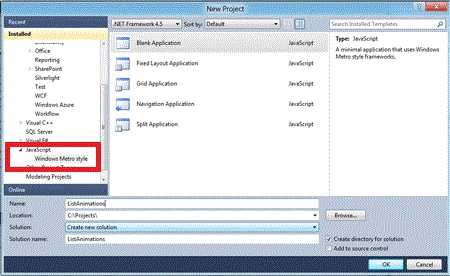
Step 1 : First of all you will create a new Metro Style Application. Let us see the description with images of how you will create it.
- Open Visual Studio 2011
- File -> New -> Project
- Choose Template -> JavaScript-> Windows Metro Style -> Application
- Rename this Application
Step 2 : In the Solution Explorer there are two files that we will primarily work with, default.html and js file.

Step 3 : Open the default.html page and add the following code. The code will look as shown below.
Code : default.html page.
<!DOCTYPE html>
<html>
<head>
<title>List Animations</title>
<!-- WinJS references -->
<link rel="stylesheet" type="text/css" href="winjs/css/ui-light.css" />
<script type="text/javascript" src="winjs/js/base.js"></script>
<script type="text/javascript" src="winjs/js/ui.js"></script>
<script type="text/javascript" src="winjs/js/animations.js"></script>
<script type="text/javascript" src="winjs/js/wwaapp.js"></script>
<!-- Base references -->
<link rel="stylesheet" type="text/css" href="css/base-sdk.css" />
<script type="text/javascript" src="base-sdk.js"></script>
<!-- references -->
<link rel="stylesheet" type="text/css" href="css/program.css" />
<script type="text/javascript" src="program.js"></script>
</head>
<body role="application" style="background-color:#00ff90">
<div id="rootGrid">
<div id="header" role="contentinfo"></div>
<div id="content">
<h1 id="featureLabel">List Animations</h1>
<h2 id="inputLabel">Input</h2>
<div id="input" role="main" aria-labelledby="inputLabel">
<div class="options">
<h3 id="listLabel">Select Items</h3>
<select size="3" id="Items" aria-labelledby="listLabel" style="background-color:#ffd800">
<option selected="selected" value="1" style="color:#f00">1. Add or delete an item in a list</option>
Join the conversation! Your thoughts help the community grow.