

Introduction
Microsoft provides various SharePoint list templates that we can use to create various types of lists or libraries. These list template ID's are used while creating a SharePoint list programmatically. We do not need to remember these list template ID's while creating a list or library. Template ID's of List, Calendar, Library, and Announcements are helpful while fetching items from SharePoint using SPFx.
Below are the standard list template ID's,
| Name | TemplateId | BaseType |
| Custom List | 100 | GenericList |
| Document Library | 101 | DocumentLibrary |
| Survey | 102 | Survey |
| Links | 103 | GenericList |
| Announcements | 104 | GenericList |
| Contacts | 105 | GenericList |
| Calendar | 106 | GenericList |
| Tasks (2010) | 107 | GenericList |
| Discussion Board | 108 | GenericList |
| Picture Library | 109 | DocumentLibrary |
| Data Sources | 110 | DocumentLibrary |
| Form Library | 115 | DocumentLibrary |
| No Code Workflows | 117 | DocumentLibrary |
| Custom Workflow Process | 118 | GenericList |
| Wiki Page Library | 119 | DocumentLibrary |
| Custom List in Datasheet View | 120 | GenericList |
| No Code Public Workflows | 122 | DocumentLibrary |
| Data Connection Library | 130 | DocumentLibrary |
| Workflow History | 140 | GenericList |
| Project Tasks | 150 | GenericList |
| Promoted Links | 170 | GenericList |
| Tasks | 171 | GenericList |
| Maintenance Log Library Template | 175 | DocumentLibrary |
| Status List | 432 | GenericList |
| Report Library | 433 | DocumentLibrary |
| Persistent Storage List for MySite Published Feed | 544 | GenericList |
| External List | 600 | GenericList |
| Asset Library | 851 | DocumentLibrary |
| Issue Tracking | 1100 | Issue |
| Draft Apps | 1230 | GenericList |
| Access App | 3100 | DocumentLibrary |
| Converted Forms | 10102 | DocumentLibrary |
In order to check the template ID of library/list, follow the below steps,
Step 1
Navigate to Site content,
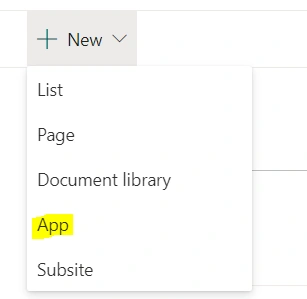
Step 2
Click on App under New button,
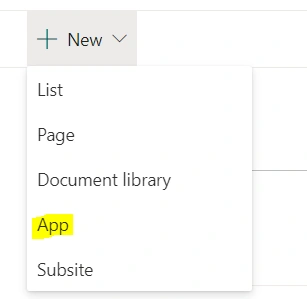
Step 3
Choose the List/ Library you want to get the Template ID,
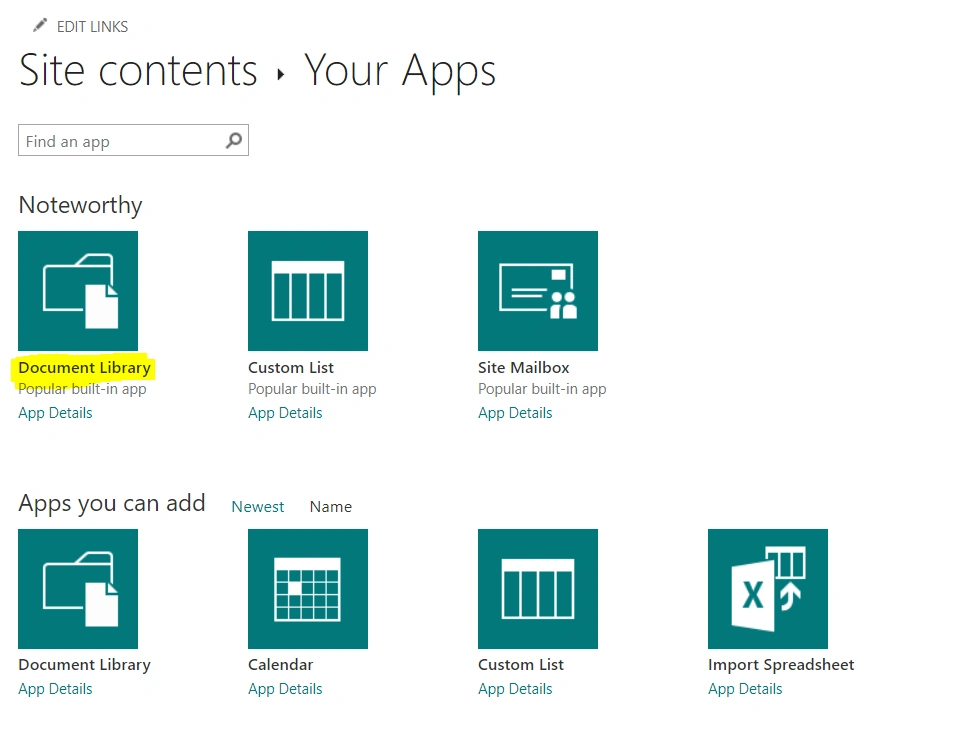
Step 4
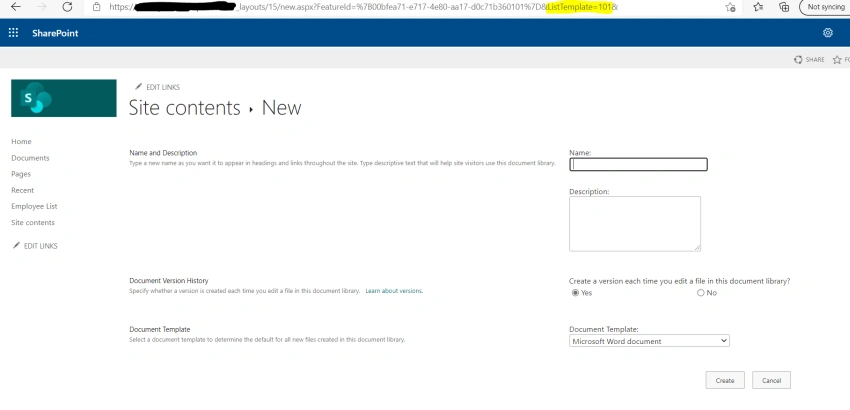
Click on "Advanced Options" as shown below,
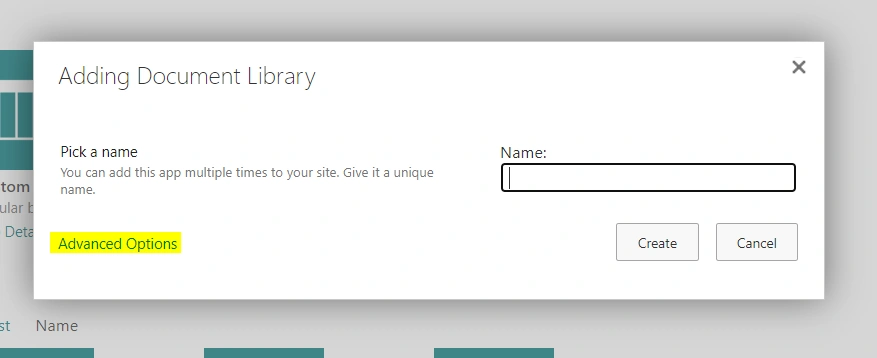
Step 5
Now have a look at the address bar to find list template id=””. List template id for the Library is 101.
Common SharePoint Site Template ID
Commonly used SharePoint Site Template ID options include,
- Blank Site- STS#1
- Team Site- STS#3 or STS#0
- Teams Site (Office 365 Group) - Group#0
- Publishing Site - CMSPUBLISHING#0 or BLANKINTERNET#0
- Communication Site - SITEPAGEPUBLISHING#0
Summary
In this article, we have seen the various List Template IDs in SharePoint Online/SharePoint 2019/2016/2013/2010/2007 and their usages.
Join the conversation! Your thoughts help the community grow.