

Introduction
In this article, you will learn how the View fields can be added, retrieved and deleted to/from ListViews for a list on SharePoint sites, using PnP JavaScript Core Library.
Note
The operations, given below, get information from the respective site where the code is executed. The logic can be executed by adding the script references on the content editor Web part or any normal custom Web part from the site collections, or sites, or sub sites. The results will be retrieved only from the respective site where the code is executed.
The PnP JavaScript Core Library is supported by SharePoint 2013, SharePoint 2016 On Premises, and Office 365 versions. The following operations are tested on SharePoint 2013 and Office 365 environments:
Prerequisite
The required JavaScript Core Library references for executing any operation, using PnP, are:
- es6-promise.js
- fetch.js
- pnp.js or pnp.min.js
The script references should be called from the Web parts, only in the order given above.
Note: You can download the references from my initial article about PnP JavaScript Core Library.
I have explained about the necessity of using the promise and retrieve JS references, in the article mentioned above. You can download these references from Github site as well.
We can set up the header before executing any operation. This is required when you want the response type to be predetermined. Let us see how we can get the JSON data as a response. This has to be done once, before initiating all the requests on the page. This step is not mandatory for O365 environment.
The code snippet, given below, shows setting up the header:
- $pnp.setup({
- headers: {
- "Accept": "application/json; odata=verbose",
- },
- });
Add Fields To List Views
In this section, we will see how fields can be added to a list on the SharePoint site, using PnP JavaScript library. The field which is part of the list can only be added to the respective ListView.
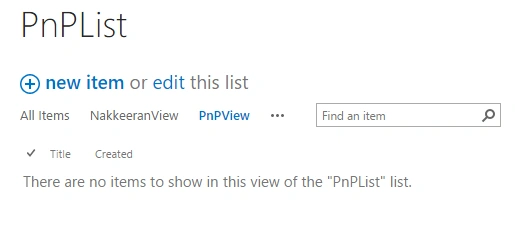
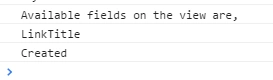
The list is retrieved by List name. Then, the View is retrieved using View name. Then, the fields are accessed and a new field is added to the View field collection.
The code snippet, given below, helps add existing fields to existing Views on a list.
- // Add field to view
- $pnp.sp.web.lists.getByTitle("PnPList").views.getByTitle("PnPView").fields.add("Description").then(function(data){
- console.log("The field is added to List View")
- }).catch(function(data){
- console.log(data);
- });
kalu singh raoPosted Aug 1, 2016, 1:47 AM
Nice share
Tarun DPosted Aug 1, 2016, 12:43 AM
Thanks for sharing..
Vignesh ManiPosted Jul 30, 2016, 8:11 PM
Good one