

Introduction
- In this article, I will explain about making the clap switch by using ArduinoMega2560.
- It can be used to operate by making sound
- When the sound is produced it can be automatically ON.
Parts Of Lists
- ArduinoMega2560
- Sound Sensor
- Relay
- Bulb or Led
- HookUp wires
Sound sensor
- It can find the sound easily by sound nature.
- It can detect the sound of the environment.
- It can have the three-pin standard.
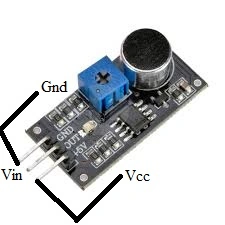
Figure 1 - Sound Sensor.
Relay
- A relay is an electrically operated switch
- Many relays are operated by electromagnetic into the mechanical switch.
- It can be used to operate as the switch.
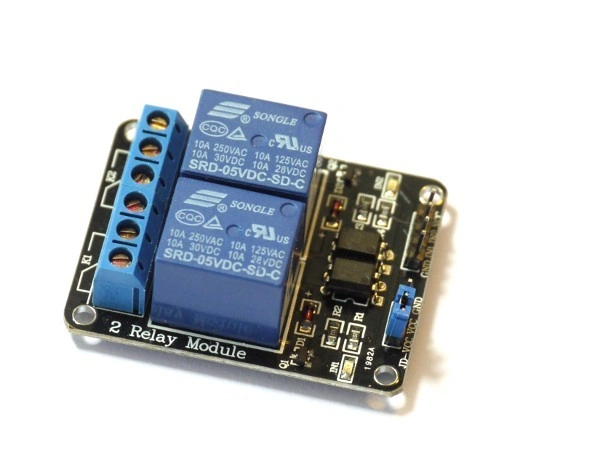
Figure 2 - Relay
Connection
Step 1 - Connection From Arduino mega To Sound Sensor
- Connect the Vin pin of the sound sensor to the 13 of the Arduino board.
- Connecte the VCC pin of the sound sensor to the 5v of the Arduino board.
- Connect the gnd pin of the sound sensor to the gnd of the Arduino board.
Step 2 - Connection From Relay To ArduinoMega2560
- Connect the same procedure as the sound sensor of VCC and Gnd.
- Connect the Vin of the relay to the 12 of the Arduino board.
- Connect the bulb or led as it the positive side and the negative side.
Programming
- int soundSensor = 13;
- int relay = 12;
- int claps = 0;
- long detectionSpanInitial = 0;
- long detectionSpan = 0;
- boolean lightState = false;
- void setup() {
- pinMode(soundSensor, INPUT);
- pinMode(relay, OUTPUT);
- }
- void loop() {
- int sensorState = digitalRead(soundSensor);
- if (sensorState == 0)
- {
- if (claps == 0)
- {
- detectionSpanInitial = detectionSpan = millis();
- claps++;
- }
- else if (claps > 0 && millis()-detectionSpan >= 50)
- {
- detectionSpan = millis();
- claps++;
- }
- }
- if (millis()-detectionSpanInitial >= 400)
- {
- if (claps == 2)
- {
- if (!lightState)
- {
- lightState = true;
- digitalWrite(relay, HIGH);
- }
- else if (lightState)
- {
- lightState = false;
- digitalWrite(relay, LOW);
- }
- }
- claps = 0;
- }
- }
- It can be used to generate the bulb as the sound of the clap
- It can work with the function of the clap as the fixed.
Output
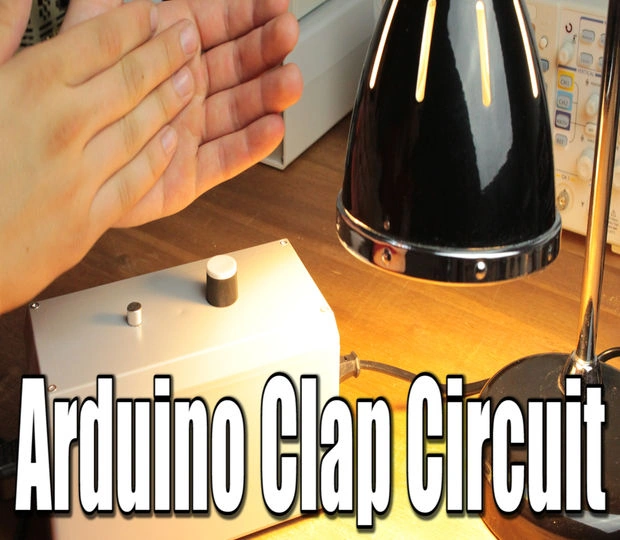
Figure 3 - Output
Shobana JPosted Jul 8, 2016, 4:15 AM
Nice sharing
Shobana JPosted Jul 8, 2016, 4:13 AM
Nice share..good one
Sr KarthigaPosted Jun 7, 2016, 9:15 AM
thank you raja sir
Sr KarthigaPosted Jun 7, 2016, 9:15 AM
thank you vignesh mani sir
Sr KarthigaPosted Jun 7, 2016, 9:15 AM
thank you sonu chaudhary sis
Sr KarthigaPosted Jun 7, 2016, 9:14 AM
thank you thiruppathi sir
Sr KarthigaPosted Jun 7, 2016, 9:14 AM
thank you Debasis saha sir
Sr KarthigaPosted Jun 7, 2016, 9:14 AM
thank you munesh sharma sir
RajaPosted May 28, 2016, 1:56 AM
Nice Sharing....
Vignesh ManiPosted May 27, 2016, 4:25 PM
Good one
Sonu ChaudharyPosted May 27, 2016, 4:13 PM
nice share
Thiruppathi RPosted May 27, 2016, 2:17 PM
Great..
Debasis SahaPosted May 27, 2016, 2:04 PM
Nice sharing..
Munesh SharmaPosted May 27, 2016, 1:57 PM
good one