
This article explains how to map a network drive into a SharePoint Document Library.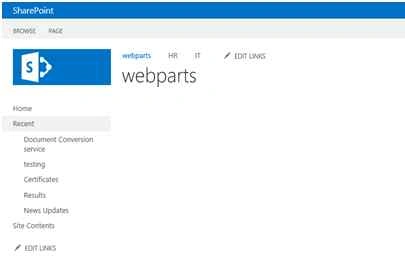
Open the SharePoint site.
Create a Document Library.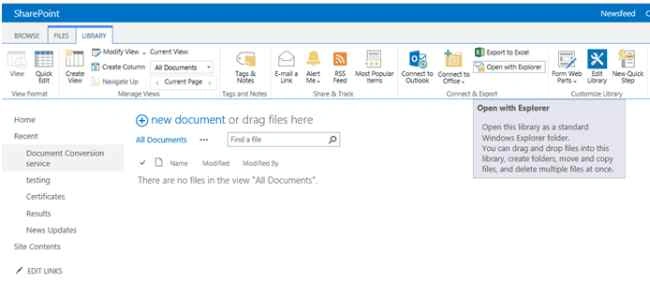
Click on Library in the top of the ribbon.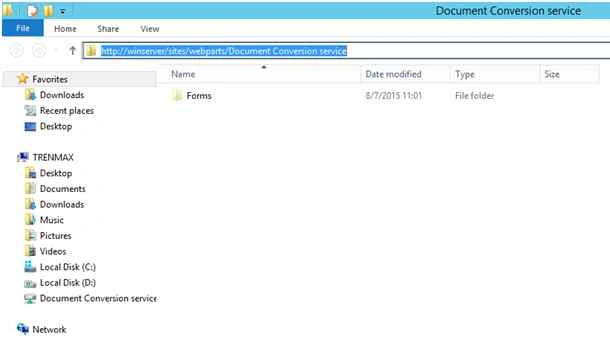
Click on Open with explorer.
Copy the path you get.
Go to My Computer.
Click on Map Network drive.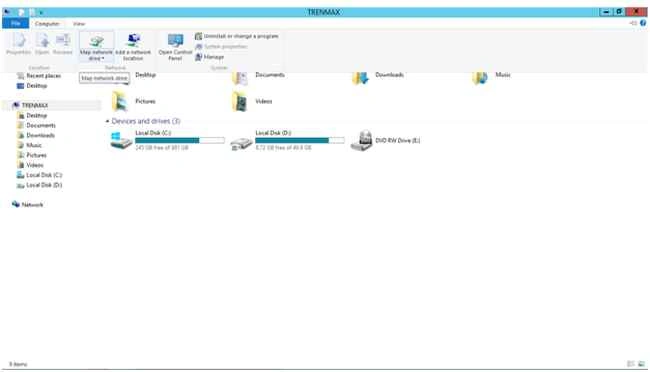
Just paste the copied path.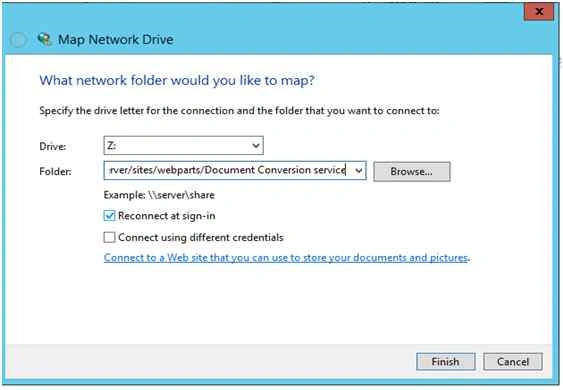
Click Finish.
Now it's created.
Now I will add some documents here.
Add two documents into the mapped drive.
Open the site now.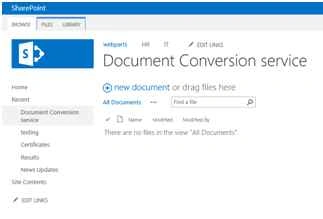
Refresh the page.
Let's see the document, it has been mapped successfully.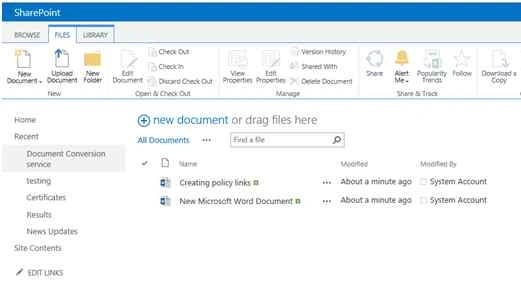
Happy SharePoint.

Mapping Network Drive Into SharePoint Library
Join the conversation! Your thoughts help the community grow.
Sign in to leave a comment
It is the same account you read, post and publish with — and you will come straight back to this page.
Rajkiran SwainPosted Nov 6, 2015, 8:27 AM
very nice
Vinodh NarayananPosted Aug 13, 2015, 12:59 AM
Santhakumar Munuswamy thanks a lot sir
Vinodh NarayananPosted Aug 13, 2015, 12:58 AM
Thanks a lot friends
Santhakumar MunuswamyPosted Aug 12, 2015, 3:07 PM
Nice Article. Thanks for sharing
Karthikeyan KPosted Aug 11, 2015, 8:14 AM
Thanks for share...
Vinodh NarayananPosted Aug 11, 2015, 2:28 AM
Sibeesh Venu Thanks
Sibeesh VenuPosted Aug 11, 2015, 2:21 AM
Nice Share
Vinodh NarayananPosted Aug 11, 2015, 1:39 AM
Gopi Chand Thank you
Gopi ChandPosted Aug 11, 2015, 1:24 AM
Well done
Vinodh NarayananPosted Aug 11, 2015, 1:06 AM
Thank u guys
Debasis SahaPosted Aug 11, 2015, 1:01 AM
Good One..
Rajeesh MenothPosted Aug 11, 2015, 12:54 AM
Nice One
Ankit BansalPosted Aug 11, 2015, 12:32 AM
good one..
Abhay ShankerPosted Aug 10, 2015, 11:02 PM
nice..